
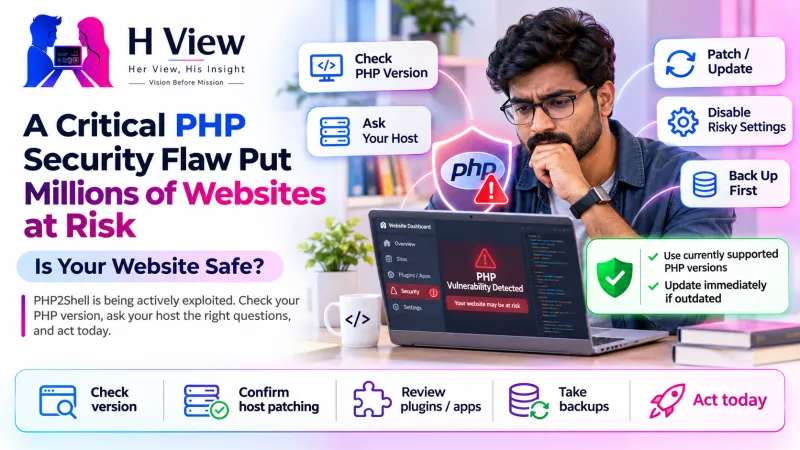
A Critical PHP Security Flaw Put Millions of Websites at Risk—Is Your Website Safe?
Is your website safe from PHP2Shell? Attacks are now confirmed. Here is a simple, non-technical check you can do today, and exactly what to ask your hosting provider.
Short answer: Is your website safe from PHP2Shell? It is if your server runs PHP 8.2.35, 8.3.36, 8.4.27 or 8.5.12 or later. If it runs PHP 8.1 or older, it is at real risk, because those versions get no official fix. Attacks are already happening, so check today.
Last updated: 2 November 2026. We will update this page if the advice changes.
Ten days ago, most small business owners in India had never heard the word "PHP". Then, on 21 October, government websites in several countries went offline within hours, banks and hospitals paused services, and the news filled up with talk of a flaw that could affect most of the web. We covered the breaking news in our PHP2Shell explainer. This article is the calmer follow-up: now that the dust is settling, how do you actually know whether your own website is safe?
What happened, in one minute
PHP is the programming language that runs a huge share of websites, including almost every WordPress site. PHP2Shell is the nickname for two critical flaws, tracked as CVE-2026-109618 and CVE-2026-109619, inside PHP itself. Because the problem sits in the language rather than in a plugin or theme, it can affect a site even when the site's own code is perfectly fine.
The PHP team released emergency fixes on 21 October 2026 in versions 8.5.12, 8.4.27, 8.3.36 and 8.2.35. Since then, the US cybersecurity agency CISA has confirmed that attackers are exploiting both flaws and gave federal agencies three days to patch. In other words, this is no longer a theoretical risk.
Which PHP versions are safe?
| Your PHP version | Status | What to do |
|---|---|---|
| 8.5.12 or later | Patched | Keep updating normally |
| 8.4.27 or later | Patched | Keep updating normally |
| 8.3.36 or later | Patched | Keep updating normally |
| 8.2.35 or later | Patched for now | Plan a move: 8.2 security support ends on 31 December 2026 |
| Older 8.2–8.5 builds | Vulnerable | Update to the patched build immediately |
| 8.1, 8.0, 7.x, 5.x | No official fix | Upgrade PHP, or ask your host about a backported fix |
The last row is the worrying one. According to CybelAngel's analysis of internet-facing servers, about 883,717 of roughly 1.5 million servers that show a PHP version were running branches that will not receive an official fix. The PHP security team did publish source-only patches for 8.1, 8.0 and 7.4, and some Linux distributions and support vendors have backported them, but you cannot assume your server received one.
 Also readPHP2Shell Explained: The Critical PHP Flaw Every Website Owner Must Patch Now→
How to check your website in ten minutes
1. Find your PHP version
Log in to your hosting control panel (hPanel, cPanel, Plesk or similar) and look for a page called "PHP Configuration", "Select PHP Version" or "PHP Manager". On WordPress, you can also go to Tools → Site Health → Info → Server. Note the full number, including the last part, such as 8.3.36.
2. Compare it with the table above
If your version is on a patched line, you are in good shape. If it is older, or you see only "8.1" without a build number, treat the site as at risk until proven otherwise.
3. Ask your host one clear question
Shared hosting customers usually cannot patch PHP themselves; the host does. Send this message to support: "Has the PHP running my site been patched for CVE-2026-109618 and CVE-2026-109619 (PHP2Shell)? Which exact version or backport is installed?" A good host will answer quickly and specifically. A vague reply is itself useful information.
4. Upgrade, but test first
If you need to move from an old PHP version to 8.3 or newer, take a backup and test on a staging copy before switching the live site, because old plugins can break. PHP core developer Gina Peter Banyard warned that no workaround fully blocks the attacks; applying the official patch is the only permanent defence.
5. Check for signs of trouble
Look for unknown admin users, files you did not upload, sudden redirects to strange websites, or a spike in server errors since mid-October. If you see any of these, change passwords, restore from a clean backup if needed, and ask a professional to review the server.
Is a firewall like Cloudflare enough?
A web application firewall helps. Cloudflare said it deployed rules to block known exploitation methods, and that buys time. But firewall rules only stop the attack patterns someone has already seen. They are a seatbelt, not a repair. The fix is still a patched PHP version.
Her View
Many small businesses in India had their website built once by a freelancer and never touched it again. If that sounds familiar, this is the week to find out who actually controls your hosting account. Write down the login, the PHP version and the date you last took a backup. That one page of notes will save you hours in the next emergency.
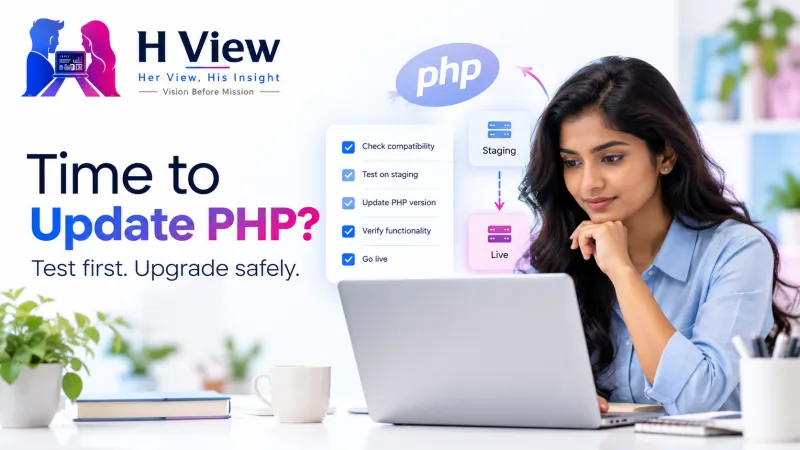 Also readWordPress Says Your PHP Version Is Outdated: What Should You Do?→
His Insight
PHP2Shell was found by researchers using AI tools, and the same tools can help attackers turn a patch into an exploit quickly. The window between "fix released" and "attacks begin" is shrinking. That changes the economics: running an old, unsupported PHP version is no longer a cost saving, it is a liability waiting for a date.
Related reading on HView: PHP2Shell explained, website security basics, WordPress vs custom websites and domain, hosting and DNS explained.
Frequently asked questions
Is my WordPress site affected by PHP2Shell?
WordPress runs on PHP, so yes, if your server's PHP version is unpatched. Updating WordPress plugins alone does not fix it; the PHP version on the server must be patched.
I use shared hosting. Do I need to do anything?
Check your PHP version and ask your host to confirm the patch. Some hosts patched automatically, while others need you to switch PHP versions in the control panel.
Is PHP 8.1 safe if my host says it is "stable"?
No. PHP 8.1 reached end of life on 31 December 2025 and received no official PHP2Shell release. Only a confirmed backported patch makes it safer, and upgrading is the better long-term choice.
Has my website been hacked if it was unpatched?
Not necessarily. Being vulnerable is not the same as being compromised. Patch first, then check for unusual users, files or redirects.
Sources
H View stories follow our editorial policy. Spotted an error? Tell us and we will correct it.
Rate this article
One tap is enough. No comment needed.
Was this article helpful?
Your answer goes straight to our editors.








Comments0
No comments yet. Start the conversation.