
Why Your Phone Heats Up and Drains Battery, and What to Check First
Some warmth is normal, but a phone that heats up while idle or drains by lunchtime has a cause you can usually find. Here are the checks to do first.
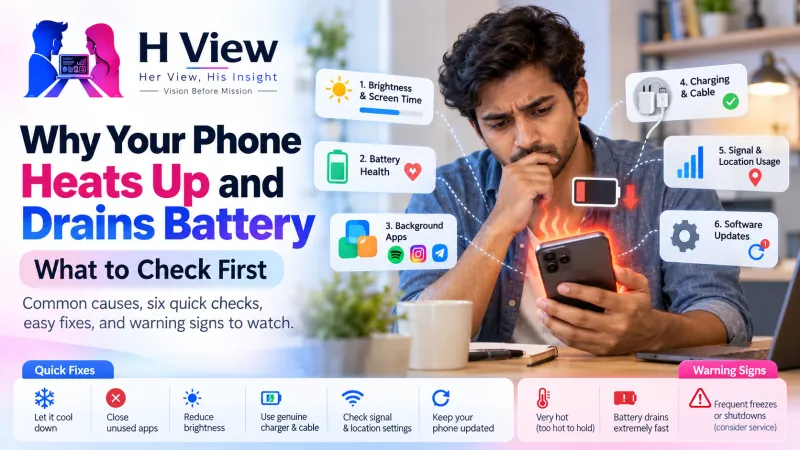
Your phone heats up and drains battery when something makes it work hard: gaming, HD video recording, navigation, hotspot use, weak network signal, charging while using it, or an app misbehaving in the background. Heat itself also wastes battery. Check battery usage by app, your signal, your case and your charger first; most causes are fixable in minutes.
A warm phone in an Indian summer, or during a long video call, is normal. A phone that gets hot while sitting on the table, or drops from 80% to 30% by lunch, is not. The good news: phone makers publish clear guidance on what causes heat, and most of the fixes are simple settings changes, not repairs.
Why does a phone heat up?
Both Apple and Google list similar everyday causes. Apple mentions initial setup or restoring a backup, installing a major update, wireless charging, demanding apps, games or camera use, streaming high-quality video, and hot conditions such as a parked car, direct sunlight or long GPS navigation. Google's Pixel help adds tethering or hotspot use, heavy uploads and downloads, and doing any of these while charging.
Common causes of a hot phone
Is it normal for a phone to get hot?
Some warmth is normal; Apple says so directly. Apple designs iPhones for use in ambient temperatures between 0°C and 35°C. Indian summers regularly cross that, which is one reason phones struggle in May and June. When an iPhone gets too hot, Apple says charging can slow or stop, the display can dim, the signal can weaken, the camera flash can be disabled and some apps may slow down. These are protective measures, not faults.
It is not normal if the phone is hot while idle, heats up every time you charge it, or the battery drains quickly even when you are not using it. That points to a specific cause worth finding.
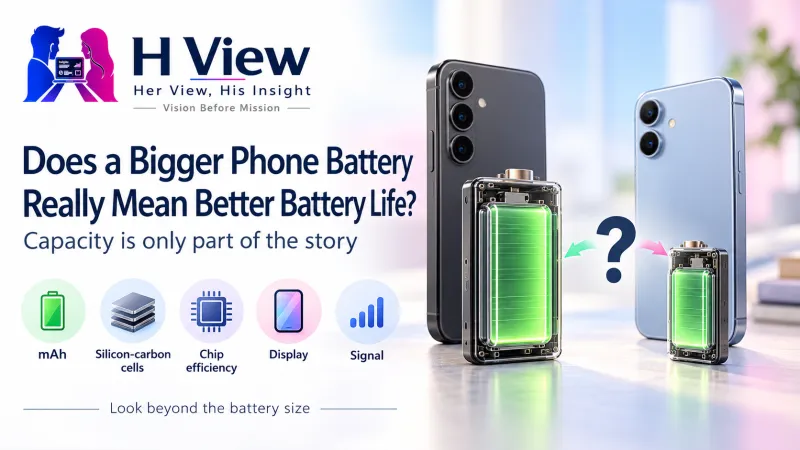 Also readDoes a Bigger Phone Battery Really Mean Better Battery Life?→
What should you check first?
- Battery usage by app. On Android, go to Settings > Battery and look at usage. On iPhone, go to Settings > Battery. An app you barely opened at the top of the list is a red flag. Update it, restrict its background activity or uninstall it.
- Your signal. If heat and drain happen mostly at the office or in a particular room, weak coverage may be the cause. Use Wi-Fi there, or Wi-Fi calling if your operator supports it.
- Your case. Thick, rubbery or leather cases trap heat. Take it off while charging or gaming. Google specifically recommends using cases made for your phone.
- Your charger and cable. Cheap uncertified chargers can cause heating. See our guide on spotting fake chargers.
- Charging habits. Avoid gaming or long video calls while fast charging. Charge on a hard surface, not a pillow or bed.
- Software updates. After a major update, phones often index files and optimise apps for a day or two, which causes temporary warmth. If it continues for days, check for a follow-up update.
Quick fixes that make a real difference
- Lower screen brightness or turn on auto-brightness
- Turn off hotspot, Bluetooth and location when you do not need them
- Close the camera and navigation apps when done
- Keep the phone out of direct sun, especially on a car dashboard
- Use battery saver on long days
- Restart the phone once in a while to clear stuck processes
- Free up storage; a nearly full phone works harder (our storage guide helps)
When is heating a sign of a real problem?
Stop using the phone and get it checked at an authorised service centre if you notice any of these:
- The back or screen is bulging, or the screen is lifting from the frame
- A burning or chemical smell
- The phone is too hot to hold even when idle
- The phone shuts down repeatedly with heat warnings in normal conditions
- Battery health is very low and the phone heats during light use
A swollen battery is a safety risk. Do not keep charging it, and do not try to press it back in.
Her View
Phones often live in handbags, on kitchen counters near the stove and on car dashboards during school runs, all warm spots. A small habit change, like keeping the phone in a shaded side pocket and not charging it near the stove, can make a noticeable difference to both heat and battery health over time.
 Also readBuying a Phone Under ₹20,000? 7 Compromises to Check Before You Pay→
His Insight
Heat and battery drain are usually symptoms, not the disease. The battery usage screen is the diagnosis. Check it before buying a new phone or a new battery. In many cases the culprit is one app, one weak-signal location or one cheap charger, and the fix costs nothing.
H View Verdict
A phone that warms up during gaming, video recording, navigation or fast charging is behaving normally. A phone that heats and drains while idle has a specific cause, usually an app, weak signal, a heat-trapping case or a poor charger. Check battery usage first, fix the obvious causes, and visit a service centre if you see swelling or smell burning.
Frequently Asked Questions
Why does my phone heat up while charging?
Charging generates heat, and fast or wireless charging generates more. Using the phone while charging, a thick case or a soft surface makes it worse.
Can weak network signal drain battery?
Yes. In weak coverage the phone's modem works harder to stay connected, which uses more power and can make the phone warm.
What temperature is safe for an iPhone?
Apple says iPhones are designed for use in ambient temperatures between 0°C and 35°C.
When should I worry about a hot phone?
If the battery is swelling, there is a burning smell, or the phone is hot while idle, stop using it and visit an authorised service centre.
H View stories follow our editorial policy. Spotted an error? Tell us and we will correct it.
Rate this article
One tap is enough. No comment needed.
Was this article helpful?
Your answer goes straight to our editors.











Comments0
No comments yet. Start the conversation.