
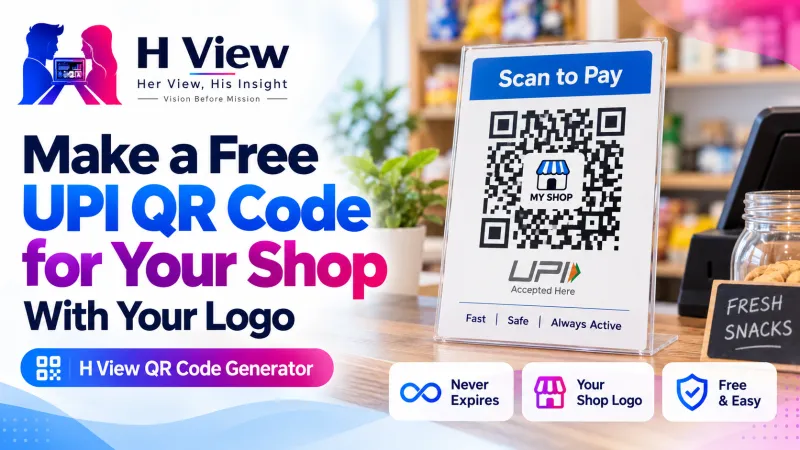
How to Make a Free UPI QR Code for Your Shop, With Your Logo, That Never Expires
A home baker, a tuition teacher, a kirana counter or a stall at a college fest: anyone can take UPI payments with a printed QR code. Here's how to make one for free, with your logo, that never stops working.
To make a free UPI QR code for your shop, open the H View QR Code Generator, choose “UPI payment,” type your UPI ID and the name to show, leave the amount empty so customers can enter any amount, add your logo and a “Scan to pay” caption, then download a PNG or SVG. The code is static, so it never expires.
UPI has made a printed QR code the most common cash counter in India. You see them at tea stalls, salons, tuition centres and wedding gift tables. Yet many small sellers still use a blurry screenshot from their banking app, or a code from a website that later asks them to “upgrade” before it keeps working.
How Do I Make a UPI QR Code, Step by Step?
- Choose “UPI payment.”
- Fill in the details. Your UPI ID, the name customers should see, and, only if you want, a fixed amount and a note. The QR code updates as you type.
- Style it. Square, rounded or dot patterns; your colours; your logo in the middle; and a caption like “Scan to pay.”
- Download and test. Save a PNG up to 2048 px or an SVG for any size. Then pay yourself ₹1 with a different phone before you print.
Try it now: Open the free QR Code Generator → Free · No sign-up · Nothing passes through H View.
Fixed Amount or Open Amount?
| Choose | When |
|---|---|
| Leave amount empty | Shops, stalls and counters where every bill is different |
| Fixed amount | Monthly tuition fees, event tickets, a donation drive with one price |
| Add a note | To recognise payments later, e.g. “Class 10 fees” or “Diwali hampers” |
Any UPI app can scan these codes. UPI is run by the National Payments Corporation of India (NPCI), which is why one code works across apps.
 Also readHow to Make a Passport Size Photo at Home for Free: Indian Passport, PAN and Exam Forms→
Will My QR Code Stop Working?
Not this one. Many QR websites create “dynamic” codes that send every scan through their own short link, and the code dies when the free trial ends. Codes made here are static: your UPI ID and name are stored inside the code itself. It works for as long as your UPI ID is valid, and no scan passes through H View.
Can I Add My Logo Without Breaking the Code?
Yes. When you add a logo, the generator uses extra error correction so the code still scans with an image in the middle. QR codes were designed for exactly this kind of damage tolerance by their inventor, DENSO WAVE. For a clean look, make your logo transparent first with the Background Remover.
How Big Should I Print It?
- Counter or table card: at least 2 to 3 cm wide; bigger is easier for older phones.
- Poster seen from a distance: much larger, and use the SVG so it stays sharp.
- Laminate it if it sits near water or oil, and keep a spare copy.
Her View
So many women run businesses from home: tiffin services, tailoring, mehendi, tuition. A neat printed QR card with their own name and logo looks professional and saves them from sharing a personal phone number for every payment. It is a small thing that makes a small business feel real.
 Also readHow to Sign a PDF and Fill Forms Online for Free, Without Printing→
His Insight
A QR code is just data. Always check that the name your customer sees in their UPI app matches yours, and remind customers that they never need to scan a code or enter a PIN to receive money. Static codes you generate yourself, and test yourself, remove a whole layer of risk compared with codes printed by strangers.
H View Verdict
A UPI QR code should cost nothing and last as long as your business. Make it yourself, add your logo and a clear caption, test it with ₹1, and print it big enough to scan easily.
Frequently Asked Questions
How do I make a UPI QR code for my shop?
Choose “UPI payment,” type your UPI ID and the name to show, and download. Leave the amount empty so customers can type any amount.
Do these QR codes expire?
No. They are static codes: the details are stored in the code itself, so it keeps working as long as the details stay correct.
Can I add my logo to the QR code?
Yes. Use “Add a logo.” The code uses extra error correction so it still scans with a logo in the middle.
Is my information saved by H View?
No. The QR code is made in your browser. H View does not see or store what you type.
The same tool also makes QR codes for Wi-Fi, contact cards, links and WhatsApp chats. Explore all H View free tools.
H View stories follow our editorial policy. Spotted an error? Tell us and we will correct it.
Rate this article
One tap is enough. No comment needed.
Was this article helpful?
Your answer goes straight to our editors.








Comments0
No comments yet. Start the conversation.