
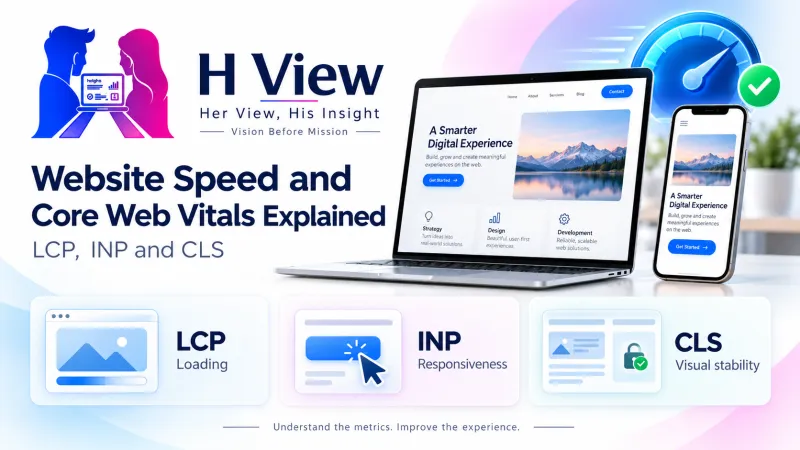
Website Speed and Core Web Vitals Explained: LCP, INP and CLS
Core Web Vitals are Google's three measures of real user experience: loading (LCP), responsiveness (INP) and visual stability (CLS). What they mean and how to improve them.
Core Web Vitals are three measurements Google uses to judge how a page feels to real visitors: how fast the main content loads (LCP), how quickly the page responds to taps and clicks (INP) and how stable the layout stays while loading (CLS). Good scores are LCP within 2.5 seconds, INP of 200 milliseconds or less and CLS of 0.1 or less.
If you have ever tapped a button on a slow website and nothing happened, or tried to click a link only for the page to jump and make you click an ad instead, you already understand what Core Web Vitals measure. This guide explains each metric in plain words, shows how to check your own site for free and lists the fixes that help most small business websites.
What are Core Web Vitals?
Core Web Vitals are part of Google's Web Vitals programme, described in detail on web.dev. Instead of measuring speed in a lab, they focus on what real users experience on real phones and networks. There are three of them, each covering a different part of the experience.
The three Core Web Vitals
LCP: Loading
- Largest Contentful Paint
- When the biggest image or text block appears
- Good: 2.5 seconds or less
INP: Responsiveness
- Interaction to Next Paint
- How fast the page reacts to taps, clicks and typing
- Good: 200 ms or less
CLS: Stability
- Cumulative Layout Shift
- How much content jumps around unexpectedly
- Good: 0.1 or less
Thresholds from web.dev. A page passes only when all three are good.
Google measures these at the 75th percentile of page visits, separately for mobile and desktop. In simple terms, at least three out of four visits should have a good experience for the page to pass.
What does LCP measure, and what slows it down?
Largest Contentful Paint (LCP) is the time it takes for the largest visible element, usually a hero image, banner or big heading, to appear on screen. According to web.dev's LCP guide, 2.5 seconds or less is good and more than 4 seconds is poor.
Imagine a boutique website whose home page opens with a 4 MB photo of a new saree collection. On a mid-range phone with patchy mobile data, visitors stare at a blank space while that photo loads. Common causes of slow LCP include:
- Large, uncompressed images, especially the first one on the page
- Slow or overloaded hosting, which delays the first response from the server
- Heavy themes, sliders and too many plugins loading before the main content
- Fonts and scripts from many outside services that block the page from showing
 Also readWhat Makes a Business Website Convert? Pages and Elements That Matter→
What is INP, and why did it replace FID?
Interaction to Next Paint (INP) measures how quickly a page responds when someone taps a button, opens a menu or types into a form, across the whole visit. web.dev rates 200 milliseconds or less as good, above 200 up to 500 milliseconds as needing improvement, and above 500 milliseconds as poor.
INP officially replaced First Input Delay (FID) as a Core Web Vital on 12 March 2024. FID only looked at the delay before the very first interaction, while INP looks at responsiveness throughout the visit. For a coaching centre whose "Book demo class" form freezes for a second after every tap, INP captures that frustration where FID might not have.
Poor INP usually comes from too much JavaScript running in the browser: chat widgets, tracking scripts, pop-ups and page builders all compete for the phone's limited processing power.
What is CLS, and how do you stop pages jumping?
Cumulative Layout Shift (CLS) measures unexpected movement of content while you are reading or about to tap. web.dev rates 0.1 or less as good and more than 0.25 as poor. CLS is a score, not a time, which is why it has no unit.
The usual culprits are images or videos without set width and height, ads or banners that load late and push text down, fonts that swap and change size, and content inserted above what the visitor is already reading. A clinic website where the "Call now" button shifts just as a patient taps it is a classic CLS problem.
Do Core Web Vitals affect Google rankings?
Yes, but they are one signal among many. In its Search Central documentation, Google says it highly recommends that site owners achieve good Core Web Vitals for success with Search, and that they align with what its core ranking systems seek to reward. Relevant, helpful content still matters most. A fast page with weak content will not outrank a slower page that answers the question far better.
The bigger reason to care is your customers. A slow, jumpy site frustrates visitors and loses enquiries, whatever its ranking. Our guide to technical SEO for beginners explains where speed fits among other technical basics.
How do you check and improve your Core Web Vitals?
You do not need paid tools. Start with these free ones:
| Tool | Type of data | Best used for |
|---|---|---|
| PageSpeed Insights | Field and lab | Checking one page and getting fix suggestions |
| Search Console Core Web Vitals report | Field | Seeing which groups of pages pass or fail |
| Chrome DevTools | Lab and live | Developers testing changes |
| Lighthouse | Lab | Quick audits; measures LCP and CLS, uses Total Blocking Time in place of INP |
Field data comes from real Chrome users, while lab data is a simulated test. When they disagree, trust field data, because that is what visitors actually experience. If you are new to Search Console, start with our Google Search Console beginner's guide.
A simple improvement process
Fix one problem at a time so you know what made the difference.
Fixes that help most small business sites
- Compress images and use modern formats such as WebP
- Set width and height on every image and video
- Remove plugins, sliders and widgets you do not need
- Load chat and tracking scripts only where they are needed
- Upgrade from very cheap shared hosting if the server is slow
- Use a caching plugin or a content delivery network
- Reserve space for banners and ads so they do not push content
 Also readWordPress, Custom-Built Website or Website Builder: Which Should Your Business Choose?→
Her View
Many of your customers are browsing on budget phones, on crowded mobile networks, often while juggling work, children or a commute. A website that loads slowly or jumps around is not just a technical flaw for them, it feels like the business does not value their time. Making your site fast and calm to use is a quiet act of respect for every visitor, and they notice it.
His Insight
Do not chase a perfect score of 100 in PageSpeed Insights. The goal is to pass all three Core Web Vitals in field data for your most important pages: home, services, contact and top blog posts. Prioritise the metric that fails, fix its biggest cause, and then move on. Often two or three changes, such as image compression, removing a heavy slider and better hosting, move a site from poor to good.
H View Verdict
Core Web Vitals are a practical way to measure whether your site feels fast, responsive and stable to real people. Aim for LCP within 2.5 seconds, INP at 200 milliseconds or less and CLS at 0.1 or less. Check them for free, fix the biggest problem first and remember that good content still matters most for rankings.
Want this done for your business?
If your website feels slow or fails Core Web Vitals and you are not sure where to start, the H View team can diagnose and fix it for you. H View studies how your business works today and builds the right digital platform for it, from search visibility to turning manual work into automated systems.
- Website SEO
- GEO and AI search visibility
- Websites and apps
- CRM and ERP
- Management portals
- Automation and digitisation
Frequently Asked Questions
What are good Core Web Vitals scores?
A page has good Core Web Vitals when LCP is 2.5 seconds or less, INP is 200 milliseconds or less and CLS is 0.1 or less. These are measured at the 75th percentile of real visits, separately for mobile and desktop. All three must be good for the page to pass.
Is FID still a Core Web Vital?
No. Interaction to Next Paint (INP) replaced First Input Delay (FID) as a Core Web Vital on 12 March 2024. INP measures responsiveness across the whole visit rather than only the first interaction.
Why does my PageSpeed score differ from my Search Console report?
The PageSpeed Insights score is based on a lab test, while Search Console uses field data from real Chrome users. Real devices, networks and behaviour differ from a simulated test. Field data is what reflects your visitors' actual experience.
Will passing Core Web Vitals get my website to the top of Google?
Not on its own. Google treats good Core Web Vitals as one part of page experience, while relevant, helpful content remains the most important factor. Good scores help visitors and support your SEO, but they do not replace strong content.
How long does it take to see improvements after fixing my site?
Lab tools like PageSpeed Insights show changes immediately. Field data in Search Console is based on a rolling 28-day window of real visits, so it takes a few weeks for improvements to show fully.
H View stories follow our editorial policy. Spotted an error? Tell us and we will correct it.
Rate this article
One tap is enough. No comment needed.
Was this article helpful?
Your answer goes straight to our editors.









Comments0
No comments yet. Start the conversation.