
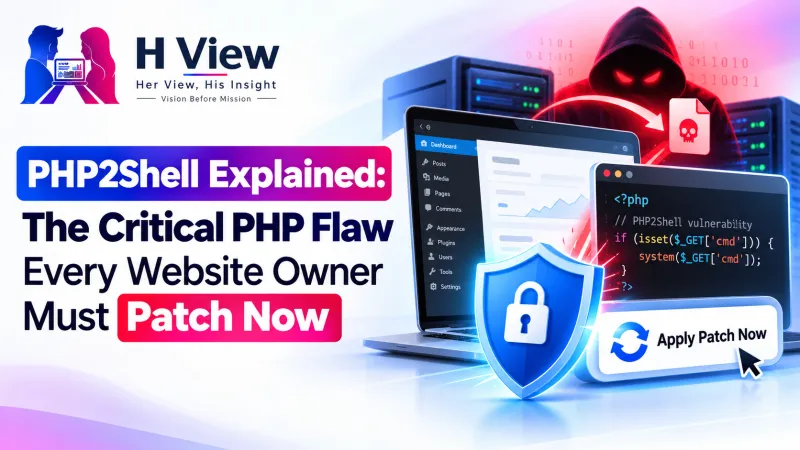
PHP2Shell Explained: The Critical PHP Flaw Every Website Owner Must Patch Now
PHP2Shell is a pair of critical PHP flaws that can let an attacker take over a website with one request. Here is who is affected, the fixed versions and what to do today.
PHP2Shell is the name for two critical PHP vulnerabilities, CVE-2026-109618 and CVE-2026-109619, disclosed and patched on 21 October 2026. They can let an attacker run their own code on a website without logging in. The fix is simple: update PHP to 8.5.12, 8.4.27, 8.3.36 or 8.2.35 as soon as possible.
PHP is the language behind WordPress, Drupal, Joomla, Magento and countless custom sites, including many small business and blog websites in India. That is why security teams around the world spent the last day telling site owners to patch. This guide explains PHP2Shell in plain words, who needs to act, and the exact steps to take.
PHP2Shell at a glance
Sources: php.net security announcement and Wiz Research
What is PHP2Shell?
PHP2Shell is a set of two memory-safety bugs inside PHP itself, found by Wiz Research and fixed by the PHP security team. Because the bugs sit inside PHP and not inside a plugin or theme, the website's own code does not matter. Wiz says even a basic "Hello World" PHP page on an unpatched version can be vulnerable.
In simple terms, both bugs involve PHP mishandling its own memory when a request goes wrong, for example when it runs out of memory. Leftover data from one request can then be misused by the next. According to the official PHP announcement:
- CVE-2026-109618 involves out-of-memory handling that can leave request data half set up, which PHP may later treat as valid.
- CVE-2026-109619 involves internal state that survives after its memory is freed, so a later request on the same PHP worker can use stale data.
Wiz reports that it demonstrated unauthenticated remote code execution against WordPress, Drupal and Joomla, and remote memory disclosure that could expose passwords, tokens and API keys. We are not publishing technical attack details here. What matters for site owners is that this is serious and the fix is available.
Which PHP versions are affected and which are fixed?
The PHP project says all PHP installations that serve web requests are affected, whether they run on PHP-FPM, Apache mod_php, php-cgi, FrankenPHP or LiteSpeed. The fixed versions were released on 21 October 2026.
| PHP branch | Fixed version | Notes |
|---|---|---|
| 8.5 | 8.5.12 | Current release line |
| 8.4 | 8.4.27 | Supported |
| 8.3 | 8.3.36 | Supported; 8.3.35 and older are vulnerable |
| 8.2 | 8.2.35 | Security support ends 31 December 2026 |
| 8.1 and older | No official release | Out of support; only minimal source backports for 7.4, 8.0 and 8.1 |
If your site runs PHP 8.1, 8.0, 7.x or older, this is the moment to plan an upgrade to a supported version. Help Net Security notes that some Linux distributions and long-term support vendors offer their own backported fixes.
 Also readHow to Speed Up an Elementor Website Without Breaking the Design: A Practical 2026 Guide→
How did PHP2Shell come to light?
Disclosure timeline
Timeline as published by Wiz Research
Wiz says its researchers used AI tools to speed up the work. As of the first reports, neither Wiz nor Help Net Security reported confirmed attacks in the wild, but a working exploit exists, which means attackers are likely to try it soon. Security researcher Kevin Beaumont described it as "one of the biggest vulns in years", as quoted by Help Net Security.
What should you do if your website is on shared hosting?
Most small businesses, bloggers and freelancers in India use managed or shared hosting. In that case your host updates PHP, but you should still check.
Who has to act
Shared or managed hosting
- Your host patches PHP on its servers
- Check your PHP version in the hosting panel
- Read your host's PHP2Shell notice or email
- Move off PHP 8.1 or older
VPS, cloud server or own server
- You must update PHP yourself
- Install 8.5.12, 8.4.27, 8.3.36 or 8.2.35
- Restart all PHP workers after updating
- Apply interim settings only if you cannot patch today
For example, Hostinger says it added firewall rules, switched off the vulnerable upload-progress feature and rolled out the patched PHP versions on every plan except VPS, where customers manage PHP themselves. Other hosts and providers such as Cloudflare have published their own protections, so look for your provider's notice.
How do you check and fix PHP2Shell on your own server?
If you manage the server, updating PHP is the only complete fix. The PHP team lists some temporary settings that reduce the risk if you truly cannot update today, but it is clear these are not a replacement.
- Check the PHP version your website uses, not only the command line version
- Update to 8.5.12, 8.4.27, 8.3.36 or 8.2.35, or your distribution's patched package
- Restart PHP-FPM, Apache or LiteSpeed so every worker runs the new version
- If you cannot patch today, set session.upload_progress.enabled to 0 in php.ini or the FPM pool and restart
- Keep post_max_size and upload sizes reasonable and limit request sizes at the web server
- Watch logs for repeated HTTP 500 errors, memory-limit errors and unusual worker restarts
- Change passwords and API keys if you see signs of compromise
- Take a fresh backup once the site is patched
Note that setting session.upload_progress.enabled with ini_set() in your code or a .user.ini file does not work for this. The PHP announcement says it must be set at the server or pool level.
Her View
For a home baker taking orders through a website or a coaching centre collecting fees online, words like "CVE" can feel far away. But your website holds your customers' trust. You do not need to understand the bug to protect them: you need to know who looks after your server, ask them one clear question today, and get a clear answer.
 Also readBest Website Builders for Small Businesses in India→
His Insight
The lesson goes beyond one bug. A flaw in the language under every plugin shows why "we keep WordPress updated" is not enough. Teams need to know their full stack, from PHP version to web server, and have a patch process that can move in hours, not weeks. PHP 8.2 support also ends on 31 December 2026, so this is a good moment to plan the next upgrade too.
H View Verdict
PHP2Shell is serious, widespread and easy to fix. If you run a PHP website, confirm today that it is on PHP 8.5.12, 8.4.27, 8.3.36, 8.2.35 or a vendor-patched build. If you are on shared hosting, check your host's notice. If you run your own server, update and restart now.
Want this done for your business?
If checking PHP versions and server settings feels technical, the H View team can review your website for you. H View studies how your business works today and builds the right digital platform for it, from search visibility to turning manual work into automated systems.
- Website SEO
- GEO and AI search visibility
- Websites and apps
- CRM and ERP
- Management portals
- Automation and digitisation
Frequently Asked Questions
What is PHP2Shell?
PHP2Shell is the name for two critical vulnerabilities in PHP, CVE-2026-109618 and CVE-2026-109619, disclosed on 21 October 2026. They can allow an attacker to run code on a PHP website or read data from its memory without logging in.
Which PHP version fixes PHP2Shell?
The fixed versions are PHP 8.5.12, 8.4.27, 8.3.36 and 8.2.35. Any earlier version in those branches is vulnerable, and PHP 8.1 and older no longer get official updates.
Is my WordPress site affected by PHP2Shell?
If it runs on an unpatched PHP version, yes, because the flaw is in PHP itself rather than in WordPress. Check your PHP version in your hosting panel or ask your host whether they have applied the October 2026 PHP security release.
Do I need to take my website offline?
Not if you can patch quickly or your host has already applied fixes and firewall rules. Help Net Security reports that the NCSC has urged organisations to consider taking offline any system that cannot be fixed right away.
How can I check my PHP version?
On shared hosting, look in the PHP settings or PHP configuration section of your hosting dashboard. On your own server, check the version your web server actually runs, because the command line PHP can be a different version.
H View stories follow our editorial policy. Spotted an error? Tell us and we will correct it.
Rate this article
One tap is enough. No comment needed.
Was this article helpful?
Your answer goes straight to our editors.











Comments0
No comments yet. Start the conversation.