
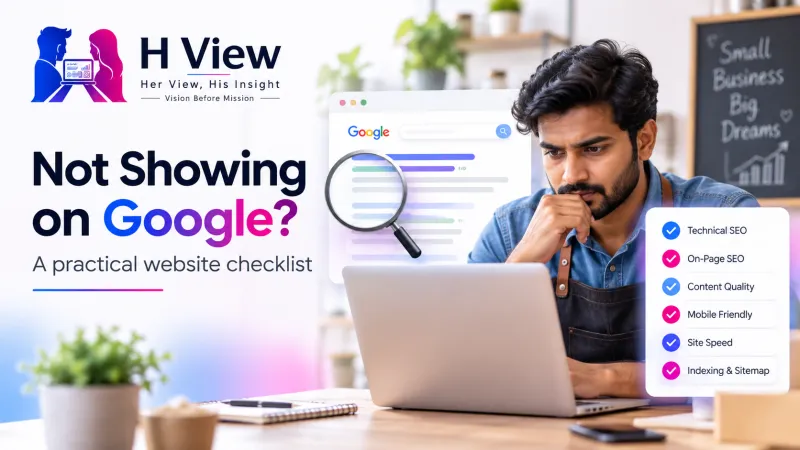
Website Not Appearing on Google? Start with These Checks
Find out whether your website has an indexing problem or a visibility problem, using Search Console evidence and a practical diagnosis checklist.
If your website is not appearing on Google, first establish whether the affected page is indexed or simply not ranking for the words you searched. Use Google Search Console to inspect the exact URL and read the reported reason. Fix a confirmed access, indexing or content problem before requesting another crawl, because submitting a page does not guarantee its inclusion or position.
It is easy to assume that a new website becomes searchable the moment it goes live. In practice, opening a page in your browser, allowing a crawler to fetch it and earning visibility for a competitive query are different milestones. Understanding those differences helps a business owner ask better questions and avoids spending money on a promised instant fix.
Follow the page through three stages
Google must be able to discover a URL, fetch and understand the page, then decide whether and how to include it in search results. A page can pass an earlier stage and still need investigation at a later one. Treat these stages as a diagnostic route rather than a guarantee that every technically valid page will be indexed.
Can Google find the URL through links or a sitemap?
Can it fetch the content, and what does Search Console report about inclusion?
For which queries does the indexed page receive impressions and clicks?
Is the page missing, or is it difficult to find?
Start with a specific page and a specific search question. A business may appear for its name while remaining absent from a broad query such as “best website designer,” which involves a different level of competition and relevance. Your own search result is also an incomplete view, so use Search Console evidence instead of repeatedly searching from your phone.
A site-restricted search can provide a rough clue, but it is not a complete index report. The URL Inspection tool is the more useful starting point for understanding a particular URL's indexed state. Then use the Performance report to investigate impressions and queries, rather than treating a low position as proof that Google cannot access the page.
 Also readHow to Optimize Your Website for Google AI Overviews and AI Mode in 2026→
What should you check in URL Inspection?
Open the correct verified Search Console property and inspect the exact public address, including the preferred hostname and path. Read the indexing status, last crawl information, access conditions and canonical information together. The indexed report describes Google's stored information, while a live test checks the current page and may differ after a recent repair.
| Reported situation | What it suggests | Practical next step |
|---|---|---|
| URL is on Google | The page is eligible to appear, without a guarantee for a particular search. | Review queries, relevance and impressions. |
| Blocked by noindex | A directive asks search engines to exclude the page. | Confirm whether exclusion is intentional before removing it. |
| Server or access failure | Google could not successfully retrieve the page. | Investigate the server, authentication or availability issue. |
| Alternate or duplicate canonical | Google may be treating another URL as the main version. | Compare the canonical, redirects and internal links. |
| Crawled, currently not indexed | A fetch occurred but inclusion has not followed. | Review the page's distinct value, duplication and broader site context. |
Why are robots.txt and noindex different?
A robots.txt rule controls crawler access, while a noindex directive asks a search engine not to include a page. They solve different problems and should not be changed interchangeably. A crawler generally needs access to a page to read its noindex instruction, so blocking that access can prevent it from seeing a later directive change.
First identify whether the page is intended for public search at all. Staging environments, private account pages and internal search results may have good reasons to remain excluded. If a public article accidentally inherited a noindex setting, repair that specific configuration and verify the live result rather than removing protections across the entire website.
Check availability before rewriting the article
Open the affected page without an admin login and confirm that it shows useful content rather than an error, placeholder or unexpected redirect. An HTTP 200 response alone is not enough if the body says the page is unavailable. Also examine whether a mobile visitor can read the main information without a blocking overlay or a broken interaction.
If the failure followed a migration or deployment, compare the intended URL with the current destination and inspect the relevant logs. Avoid mass changes to canonical tags, redirects and robots rules based on one symptom. Keep a backup and a clear record of any configuration edit so another team member can understand and reverse it if needed.
Are links and the sitemap pointing to the right page?
A sitemap helps search engines discover URLs, but submission does not promise that every listed page will be indexed. Include the preferred public URLs you want considered and keep internal links consistent with those destinations. A page that exists only in a sitemap, with no useful route from the rest of the website, deserves an internal-navigation review.
Check that the canonical URL reflects the intended primary version rather than an unrelated page or an old staging address. Canonical signals should agree with redirects, sitemap entries and internal links where appropriate. If several URLs contain almost the same content, decide what genuinely deserves a separate page instead of asking every duplicate to compete independently.
Do not confuse a submitted URL with a solved problem
A successful indexing request confirms that Google accepted the request, rather than promising an immediate search result. Google states that requesting a crawl does not guarantee inclusion, and repeated requests do not create a ranking advantage. Keep the evidence and watch the relevant report after the confirmed repair.
An illustrative small-business investigation
Imagine a repair shop that launches separate service pages but cannot find its “laptop repair” page in search. The team first checks URL Inspection and discovers that the canonical points to an older service overview. This is a teaching example, not a documented H View client result, and the diagnosis still requires comparing the actual page settings and Google's reported selection.
The team corrects an accidental template value, updates inconsistent internal links and tests the live page before requesting a crawl. It also improves the service explanation with supported locations, realistic scope and a clear contact route. The technical repair and the content improvement have different purposes, and neither justifies promising a particular ranking or deadline.
What if the page is indexed but gets no useful traffic?
Review the queries for which the page receives impressions and compare them with the question the content actually answers. A vague service description may not explain the customer's problem, the location served or the work included. Add original examples and practical details that help someone decide, while avoiding repeated keywords, copied competitor text and unsupported claims.
Make the title and description accurate, but do not treat them as a substitute for useful content. Link related resources where they genuinely help the reader continue, and make the responsible business or author identifiable. H View's business website guide explains how those trust and decision elements support the visitor after discovery.
A sensible order for the next hour
Work through one representative URL before making site-wide changes. Record the current report and separate confirmed faults from assumptions. That gives you a short, testable action list rather than a collection of unrelated SEO tasks.
- Inspect the exact public URL and record the indexing reason.
- Compare the indexed information with a live test.
- Resolve a confirmed access, directive or canonical issue.
- Review original value and internal discovery routes.
- Request a crawl when appropriate, then monitor the report and search performance.
 Also readYour Wife Is Not a Guest in Your Family. Your Family Are Guests in Your Marriage.→
Her View: ask for an understandable explanation
A business owner deserves to know what was checked and which finding supports the recommendation. Ask whether the issue concerns access, indexing or competitive visibility before agreeing to a large package of work. Be cautious of guaranteed first-place claims or explanations that rely only on a screenshot of one search.
His Insight: leave an evidence trail
A useful SEO review records the URL, observation time, reported state and specific change made. Preserve the distinction between a technical fix and an editorial recommendation, because they need different validation. A follow-up should explain what changed in the report and what remains uncertain instead of declaring success immediately after submission.
Frequently asked questions
Will submitting a sitemap guarantee indexing?
No, because a sitemap is a discovery signal rather than an inclusion promise. Pages still need to be accessible and useful. Review the reason reported for an affected URL before submitting the same sitemap again.
Does a successful live test mean the page is already indexed?
No, because a live test checks the page's current condition rather than proving it is in Google's stored index. Compare it with the indexed report. A recent fix may take time to be processed, and inclusion is still not guaranteed.
Should I request indexing every day?
Repeated submission is not a substitute for resolving the underlying issue. Request a crawl after a meaningful repair or update when appropriate. Then monitor the evidence instead of promising that repeated clicks will accelerate a ranking.
Official references and further reading
Consult Google's URL Inspection documentation, its explanation of noindex directives and its guidance on requesting a recrawl. These references explain the tool states and submission limits. For loading and interaction context, see H View's website performance explainer.
Need a review of your website's visibility?
H View can discuss a focused review of access, indexing signals and the content a visitor sees. Share your public URL, the affected page and any migration or update that preceded the issue through our contact page. Ask for findings and a defined scope, and never send account passwords in an enquiry.
H View stories follow our editorial policy. Spotted an error? Tell us and we will correct it.
Rate this article
One tap is enough. No comment needed.
Was this article helpful?
Your answer goes straight to our editors.










Comments0
No comments yet. Start the conversation.