
Passport size photo and signature maker, free
12 viewsTurn any clear selfie into a passport, PAN, exam or visa photo: the background becomes white, the head is framed at the right height, and the file fits the exact pixel size and KB limit. Signatures too.
- Free, no sign-up
- Files stay on your device
- No watermark
or drop it here · paste with Ctrl+V
JPG, PNG, WebP · a clear photo facing the camera
How to use the Passport & Exam Photo Maker
- Add a photoUse a clear photo of your face and shoulders, looking straight at the camera, in even light.
- Pick the formIndian passport, PAN, exam form, bank exams, Indian e-Visa or US visa, or type your own size.
- Check the framingThe head is placed between two guide lines automatically. Drag or zoom if you want it a little different.
- DownloadGet a JPG within the KB limit for online forms, or a 4 × 6 inch or A4 sheet to print at a photo lab.
Why use this passport & exam photo maker
Online forms in India are strict about photos. Passport Seva, PAN, SSC, IBPS, state public service commissions and university portals each ask for a particular size, a plain light background and a file between a minimum and a maximum number of KB. A photo that is a few KB too big, or has a grey wall behind it, is rejected.
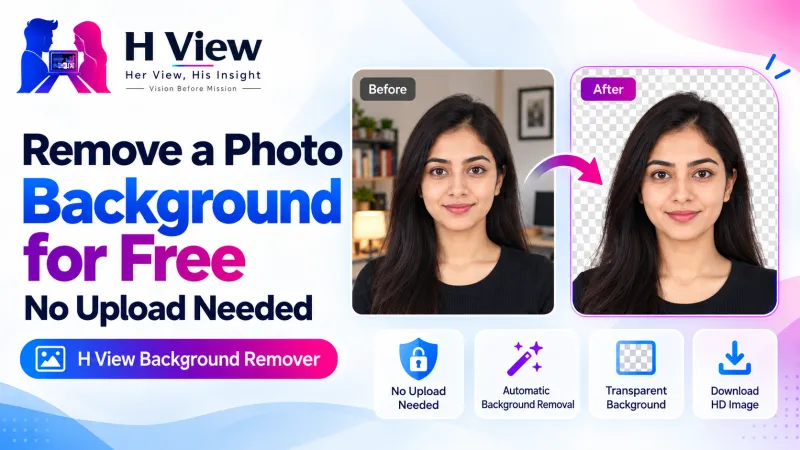
This maker does all of it in one place and in your browser: it cuts you out with the same AI model as our Background Remover, frames the head the way photo rules describe, and saves at the exact size. For other sizes, use the Image Resizer and the Image Compressor. Rules change, so always check the latest notice for your form.
- White background, automaticallyAn AI portrait model removes the background and puts plain white or light blue behind you.
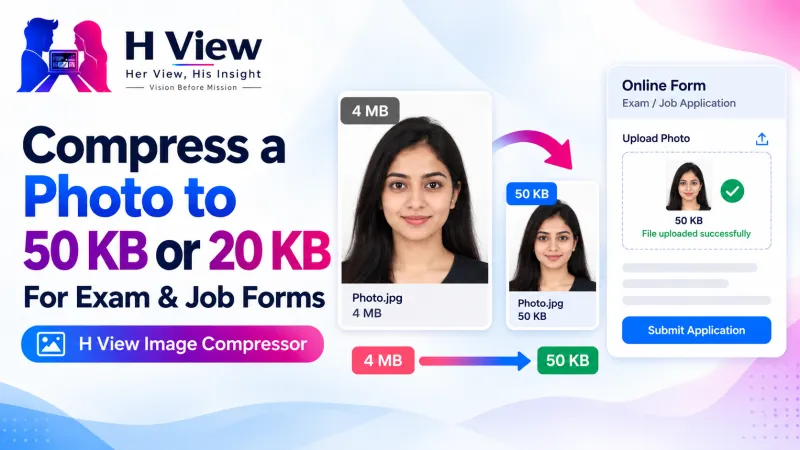
- Exact size and KBEach preset sets the pixel size and keeps the file inside the allowed KB range, such as 20–50 KB.
- Signature resizerCleans a phone photo of your signature, makes the paper white, trims it and fits it to 10–20 KB.
- Print sheetsSeveral copies on one 4 × 6 inch photo or an A4 page, with light cut lines.
Questions people ask
What is the passport size photo size in India?
The Indian passport photo is 35 × 45 mm (3.5 × 4.5 cm) with a plain white background. For online uploads this maker saves 630 × 810 pixels, within 10–250 KB.
How do I make a photo of 20 KB to 50 KB for an exam form?
Choose Photo, then “Exam form” or “Bank exams”. The photo is saved at the right pixel size and inside 20–50 KB automatically. Check the file size shown before you upload.
How do I resize my signature to 10–20 KB?
Sign in dark ink on plain white paper, take a photo, choose Signature and the form. The paper turns white, the signature is trimmed and saved inside 10–20 KB.
Is the background really changed to white?
Yes. An AI model separates you from the background and puts plain white (or light blue, or any colour you choose) behind you, so a home photo works.
Can I print passport photos at home or at a shop?
Yes. Choose “4 × 6 in sheet” for a photo lab, or “A4 sheet” for a home printer. Print at 100% size (no “fit to page”) so each photo stays 35 × 45 mm.
Are my photos uploaded?
No. The cut-out, framing and resizing all happen in your browser. Your photo and signature stay on your device.
More free tools
All 16 tools- Background RemoverCut out people and portraits in one click
- Image CompressorShrink photos, even to an exact KB size
- Image ResizerExact sizes for Instagram, passport and forms
- AI Photo EnhancerUpscale small or blurry photos 2× or 4×
- Image ConverterJPG, PNG and WebP, many files at once
- Video CompressorMake videos smaller for WhatsApp and email
From the H View blog

H View tools are free. They run in your browser using open-source software (licences), so H View does not receive or store your files. Results depend on your device and the file; use only files you own or have permission to use.
Our best stories, in your inbox.
The week’s best Her View, His Insight reading in one short, useful note.
Free. We only use your email to send The H View Brief. Unsubscribe any time.