
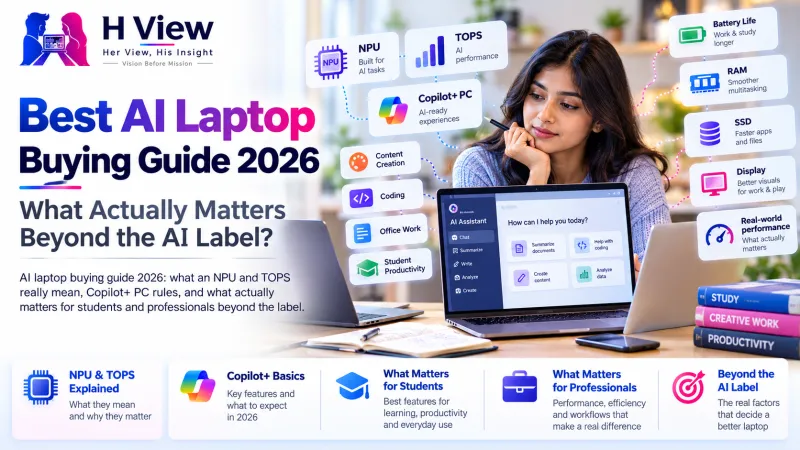
Best AI Laptop Buying Guide 2026: What Actually Matters Beyond the AI Label?
Every laptop box now says "AI". Here is what an NPU and TOPS actually mean, who benefits from an AI laptop, and the specs that still matter more for most buyers.
An AI laptop is a laptop with a dedicated NPU (neural processing unit) that runs AI features on the device, such as live captions, background blur and image tools, without draining the battery. It helps, but for most buyers RAM, storage, battery life, display and build quality still matter more than the AI label. Buy for how you work, not for the sticker.
Walk into any electronics store this season and nearly every laptop has "AI" somewhere on the box. A student buying a first laptop for college, a parent buying one for a child's online classes and a designer upgrading for work all hear the same pitch. The truth is that an AI laptop can be genuinely useful for some people and almost irrelevant for others.
What makes a laptop an "AI laptop"?
Laptops already had a CPU (the main processor) and a GPU (for graphics). AI laptops add a third chip area: the NPU, designed to run AI tasks efficiently. Its speed is usually quoted in TOPS, trillions of operations per second.
When Microsoft introduced Copilot+ PCs in May 2024, the minimum requirements were an NPU of at least 40 TOPS, 16GB of RAM and 256GB of storage, according to Tom's Hardware. That spec unlocked Windows features such as Recall, live caption translation, Cocreator image tools and Windows Studio Effects for webcams. Apple's MacBooks have their own Neural Engine, and Apple Intelligence features work on Macs with Apple silicon (M1 or later), as listed on Apple's website.
CPU, GPU and NPU in plain words
CPU
- The general brain
- Runs apps, browser, Office
GPU
- Graphics and heavy parallel work
- Gaming, video editing, big AI models
NPU
- Efficient, always-on AI tasks
- Captions, webcam effects, on-device assistants
Who actually benefits from an AI laptop?
| You are | Does the NPU matter? | What matters more |
|---|---|---|
| A student doing notes, browsing and Office | A little | Battery life, weight, 16GB RAM, keyboard |
| A professional on video calls all day | Yes, for webcam effects and captions without battery drain | Battery, webcam and microphone quality |
| A designer or video editor | Somewhat | GPU, colour-accurate display, RAM |
| A developer running AI models locally | Some | GPU memory, 32GB or more RAM, cooling |
| A gamer | Rarely | GPU, display refresh rate, cooling |
Most popular AI tools, such as ChatGPT, Gemini and Claude, run in the cloud. They work on almost any laptop with a browser and an internet connection. The NPU mainly helps with features that run locally.
 Also readBest Laptop Brands in India 2026: Which Brand Is Best for Students, Coding, Design, Business and Gaming?→
What should you check before buying?
- RAM: 16GB is a sensible minimum for most people in 2026
- Storage: an SSD of 512GB if you can, since 256GB fills up fast
- Battery life from real reviews, not only the brand's claim
- Display: brightness and resolution suited to your work
- Ports: USB-C charging, HDMI and enough USB-A for your devices
- Service network in your city and warranty terms
- Which AI features you will actually use, and whether they need the NPU
Also check software compatibility. Some laptops with Arm-based processors run most modern apps well, but a few older programs or specific engineering tools may not work as expected. If your college or office relies on particular software, confirm it first.
Her View
When buying a laptop for a daughter going to college, families often stretch the budget for features that sound impressive. Put the money where she will feel it every day: a light laptop with long battery life, a good keyboard and enough memory to keep working smoothly for four years. That matters far more than a bigger AI number on the box.
 Also readMacBook Air M5 vs Windows AI Laptop: Which Is Better Value in 2026?→
His Insight
TOPS figures are like megapixels on phones. Above a sensible level, more does not always mean better results in real use. Compare complete systems through independent reviews, and remember that the AI software available today will change. Buy a well-balanced machine with enough RAM, and the AI features will be a bonus rather than the reason.
H View Verdict
An AI laptop is worth it if you spend a lot of time on video calls, use on-device AI features or want a machine that is ready for more local AI over the next few years. For everyone else, prioritise RAM, storage, battery, display and service support. The AI label is a feature, not the whole story.
Frequently Asked Questions
What is an AI laptop?
It is a laptop with a dedicated NPU that runs AI tasks such as live captions, background blur and on-device assistants efficiently, alongside the usual CPU and GPU.
What are the Copilot+ PC requirements?
When announced in May 2024, Copilot+ PCs required an NPU of at least 40 TOPS, 16GB of RAM and 256GB of storage.
Do I need an AI laptop to use ChatGPT?
No. ChatGPT and most popular AI assistants run in the cloud and work in a web browser or app on almost any laptop with an internet connection.
How much RAM should a laptop have in 2026?
For most students and professionals, 16GB is a sensible minimum. Creative work, development or running AI models locally may need 32GB or more.
H View stories follow our editorial policy. Spotted an error? Tell us and we will correct it.
Rate this article
One tap is enough. No comment needed.
Was this article helpful?
Your answer goes straight to our editors.









Comments0
No comments yet. Start the conversation.