
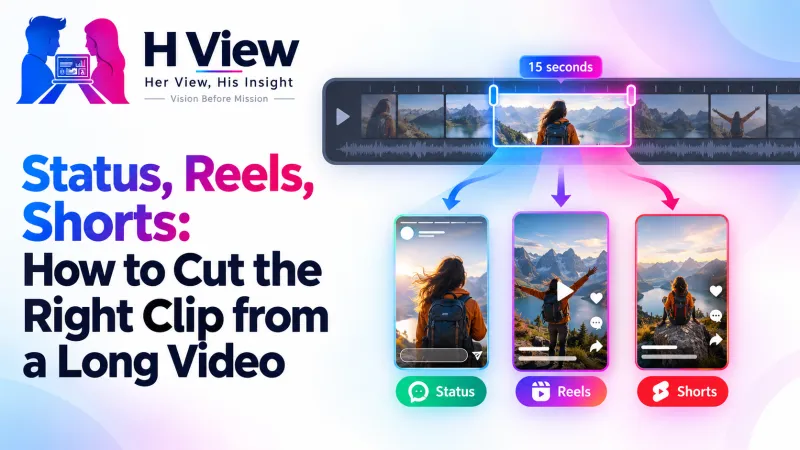
Status, Reels, Shorts: How to Cut the Right Clip from a Long Video
A 20-minute talk, a 2-hour function, a long product demo: somewhere inside is a great 15-second clip. Here's how to find it, frame it for 9:16 Reels and Shorts, handle the sound and keep it small enough to share.
To cut a great clip for Reels, Shorts or WhatsApp Status, find the single strongest moment, start right at the action, keep it short, crop to 9:16 with the subject centred, and fix the sound. The free H View Video Trimmer does the cut, mute and vertical crop in your browser, with no watermark.
Most good short videos aren't recorded as short videos. They're pulled out of something longer: a talk, a class, a wedding, a cooking session, a product demo. The skill isn't editing; it's choosing. Here's a simple way to find the clip that works, and prepare it for each platform.
How Do I Find the Best Moment?
- Look for a change: a laugh, a reveal, a before-and-after, a key line or a surprise.
- Start at the action, not before it. Viewers decide in the first second or two whether to keep watching.
- One idea per clip. If you need to explain context, it's probably two clips.
- End on a high point, not a trailing silence.
How Should I Frame It for Each Platform?
| Where it's going | Shape | Tip |
|---|---|---|
| Instagram Reels | 9:16 vertical | Keep the subject centred; edges may be covered by buttons |
| YouTube Shorts | 9:16 vertical | YouTube's help uses 9:16 for Shorts thumbnails too |
| WhatsApp Status | 9:16 vertical | Short and small files upload faster on mobile data |
| Feed posts on Instagram or LinkedIn | 1:1 square | Works well for talking-head clips |
See YouTube's thumbnail guidelines for its 16:9 and 9:16 shapes. The trimmer crops from the centre, so if your original is wide, make sure the important part is in the middle third.
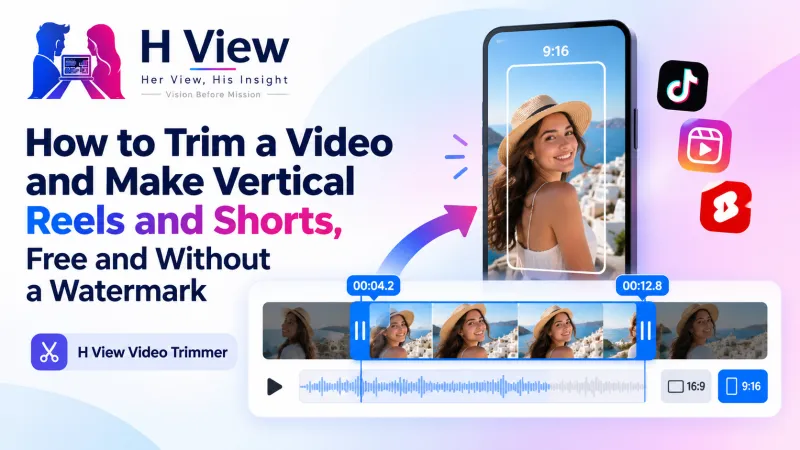 Also readHow to Trim a Video and Make Vertical Reels and Shorts, Free and Without a Watermark→
What About the Sound?
- Mute clips with loud background noise or music you don't own, then add licensed music inside the app you're posting to.
- For talks and classes, keep the voice and add captions in the app; many people watch without sound.
- Want just the audio for a podcast clip? Use Video to MP3.
How Do I Keep It Small Enough to Share?
Short clips are already smaller, but a 4K original can still be heavy. After trimming, run the clip through the Video Compressor at Balanced quality and 720p. Both tools use FFmpeg inside your browser, so your footage never leaves your device.
Her View
So many women share skills worth seeing: cooking, teaching, stitching, art, fitness. They often record long sessions but never post because editing feels like a separate job. Learning to pick one strong moment and cut it in a minute can turn a private hobby into a public voice.
 Also readWhy Online Forms Reject Your Photo and Signature, and How to Get Them Right the First Time→
His Insight
Short-form video rewards relevance and pace, not production budgets. The edit that matters most is deletion: remove everything that isn't the point. A clean 12-second clip with one clear idea usually outperforms a polished 60-second one that takes too long to start.
H View Verdict
Your long videos are full of short ones. Find one moment, start at the action, crop to 9:16 with the subject centred, handle the sound and compress before sharing. Free tools, no watermark, and your footage stays yours.
Frequently Asked Questions
How long should a Reel or Short be?
As long as the idea needs and no longer. Many effective clips are 10 to 30 seconds.
How do I make a vertical video from a horizontal one?
Use the Video Trimmer and choose 9:16 under Crop. It keeps the centre of the frame.
Should I mute the original sound?
Mute it if there's noise or music you don't have rights to; keep it for talks and explanations.
Will the clip have a watermark?
No. The H View Video Trimmer is free and adds nothing to your video.
Step-by-step guide: How to trim a video and make vertical Reels and Shorts.
H View stories follow our editorial policy. Spotted an error? Tell us and we will correct it.
Rate this article
One tap is enough. No comment needed.
Was this article helpful?
Your answer goes straight to our editors.











Comments0
No comments yet. Start the conversation.