
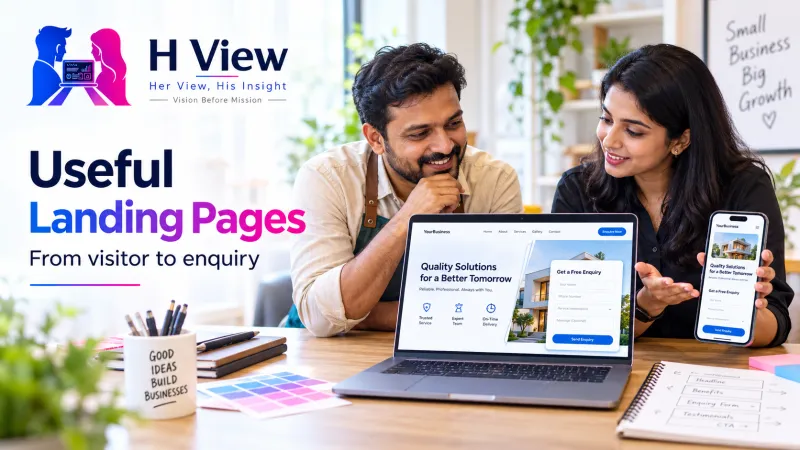
What Makes a Useful Landing Page? A Guide for Small Businesses
Build a useful landing page with a clear offer, honest proof, accessible forms and a reliable enquiry process for your small business.
A useful landing page helps one clearly defined visitor understand one offer and take a sensible next step. It needs an honest promise, enough information to make a decision and a working route to enquire or buy. For a small business, that usually matters more than adding another animation or filling the page with impressive-looking numbers.
Imagine a neighbourhood training centre advertising a beginner coding course. Someone clicks an advert expecting course dates and a practical explanation, but lands on a homepage covering six unrelated services. This illustrative example shows a common mismatch: the visitor has a specific question, while the page asks them to work out where to go next.
The visitor's journey is the page structure
Start with the question that brought the person here, then explain the offer, provide evidence and make the next step clear. A landing page is a guided conversation rather than a compressed company brochure. Every section should help the visitor understand, evaluate or act, with enough room to decline without being misled.
Who is this for, what problem does it address and what will I receive?
What does it cost, why should I trust it and what are the limitations?
What happens when I enquire, and how will the business contact me?
How is a landing page different from a full website?
A full website introduces the business, its services, policies and ways to get in touch. A campaign landing page concentrates on a particular offer or audience, while still giving people access to necessary business and privacy information. Neither format guarantees enquiries, because the offer, audience and follow-up process also influence the outcome.
| Situation | Useful destination | Reason |
|---|---|---|
| A search for the company name | Main business website | The visitor may want several kinds of information. |
| An advert for one course | Course landing page | The page can answer the precise promise made in the advert. |
| A customer comparing support packages | Service or comparison page | Scope, exclusions and ongoing responsibilities need explanation. |
| A limited event registration | Event landing page | Date, venue, eligibility and registration belong together. |
 Also readAI Is Entering Indian Classrooms. How Can Students Tell Whether It Helps Them Learn?→
What should visitors see in the first screen?
Explain the offer using language a customer would actually use. A headline such as “Beginner coding classes with guided practice” is easier to understand than an unsupported claim about transforming the future. Add a short explanation of who can join, the delivery format and the next available step, then use an image that represents the actual service.
The primary button should describe its action, such as “Ask for the course schedule” or “Request a website review.” Avoid a button that says “Get started” if it unexpectedly opens a payment screen. On mobile, check that text remains readable and that a sticky banner does not cover the offer, form or privacy information.
Build proof around what you can demonstrate
Real examples help people judge whether your service fits their situation. Show a genuine project, explain your role and make clear which outcome was measured and which is only an expectation. If you use a fictional business to teach a concept, label it as illustrative instead of presenting it as a client success story.
Testimonials should come from people who actually gave them, with permission to publish the relevant details. Avoid invented ratings, customer counts and guaranteed results, even when they make a design look persuasive. A modest, verifiable example is a stronger foundation for trust than a large claim your team cannot substantiate.
What belongs in the offer section?
Explain what is included, what the customer must provide and what happens after they agree to proceed. For a website service, this could cover the number and purpose of pages, responsibility for copy and images, revision boundaries and ongoing maintenance. If pricing depends on scope, explain what determines the quote rather than displaying a misleading starting price.
Use a short comparison only when the options are genuinely different. A business owner should be able to understand whether they need a single campaign page, a broader website or repair work on an existing site. Link to your guide to business website pages and conversion elements when the reader needs the wider picture.
Keep the enquiry form easy to complete
Ask for the information needed to respond usefully, rather than collecting everything the business might want later. A name, preferred contact method and a short description may be enough for an initial enquiry, depending on the service. Explain required fields, use visible labels and provide understandable errors when a submission cannot be accepted.
The World Wide Web Consortium's form guidance emphasises clear labels and instructions, while web.dev explains the importance of a usable form layout. These are practical requirements for people using phones, keyboards or assistive technology. A beautiful page still fails if someone cannot identify a field, recover from an error or tell whether their message was received.
A form is a complete delivery chain
Test the form with a clearly labelled test message, then confirm that the business actually receives it. Check the confirmation screen, inbox route and person responsible for responding. A successful on-screen message is not enough evidence that the enquiry reached the right team.
An illustrative before-and-after review
Consider the coding centre again, using a fictional example to make the decisions concrete. The original page has a vague headline, a decorative video and a long form asking for details that are not needed yet. The revised version states the intended learner, shows a sample exercise, explains the schedule enquiry and removes unrelated questions.
| Original friction | Practical revision | What to observe |
|---|---|---|
| Visitors cannot identify the course level | State prerequisites and show a sample lesson | Whether enquiries match the intended audience. |
| Button opens an unexplained form | Describe the next step before the button | Form starts, completions and questions received. |
| No one owns the inbox | Assign response responsibility | Time to first useful reply. |
| Heavy decorative media slows mobile use | Use appropriately sized, relevant media | Loading behaviour and task completion on real phones. |
Measure useful enquiries, not just button clicks
Decide what success means before changing the page. For a service business, a qualified enquiry may matter more than a raw form count, especially when spam is common. Record the traffic source, legitimate enquiries and follow-up outcome, while respecting consent requirements and avoiding sensitive details in analytics events.
If 200 relevant visits produce 10 genuine enquiries, the observed enquiry rate is 5 percent for that sample. That is an arithmetic example, not a benchmark or a prediction for your business. Compare similar periods and traffic sources, and change one meaningful element at a time so the results are easier to interpret.
Can animation improve a landing page?
Animation can explain a process or provide feedback when someone interacts with a control. It should not delay reading, hide essential text or keep moving while a person is trying to concentrate. Use subtle transitions, support reduced-motion preferences and make the content understandable even when decorative effects are unavailable.
 Also readHTML, React, PHP, Python or Node.js? Understand the Difference Through One College Project→
Her View: respect the customer's uncertainty
People often arrive with limited time and an incomplete understanding of what they need. Clear prices or quote conditions, honest limitations and a helpful next step reduce that uncertainty. Good design should make a decision easier without pressuring someone into a commitment they do not understand.
His Insight: connect design to operations
The page, form, email delivery and response process must work together. Before launch, test the whole journey on a phone and with a keyboard, then verify that the team can handle the promised follow-up. A landing page is useful when it supports a reliable service, rather than merely looking finished in a screenshot.
Frequently asked questions
Does every small business need a separate landing page?
No, because a clear existing service page may already meet the visitor's need. A separate page is useful when the audience or campaign requires a focused explanation. Review the purpose before creating another destination to maintain.
Should I remove every navigation link?
Not automatically, because visitors may need business, contact or policy information before trusting the offer. Reduce distractions while keeping necessary information accessible. Test whether the page remains understandable to someone arriving for the first time.
Will a redesign guarantee more leads?
No, because traffic quality, pricing, demand and follow-up also affect results. A redesign can address specific friction that you can observe. Agree on measurement and review the outcome before claiming improvement.
Sources and a practical next step
For implementation guidance, see W3C's form-label tutorial and web.dev's form design basics. For performance context, read H View's Core Web Vitals explainer. These references support the accessibility and usability guidance, while the fictional examples above illustrate the editorial recommendations.
Planning a landing page for your service?
Start with the audience, offer and action you want the page to support. H View can discuss the content, design and technical work needed after understanding those requirements. Use our contact page to share your goal and current website, then ask for a clear scope before commissioning the work.
H View stories follow our editorial policy. Spotted an error? Tell us and we will correct it.
Rate this article
One tap is enough. No comment needed.
Was this article helpful?
Your answer goes straight to our editors.



Comments0
No comments yet. Start the conversation.