
What AI Photo Enhancers Can and Can't Fix: Old Photos, Screenshots and Prints
AI upscalers can make small photos look surprisingly sharp, but they are not magic. Here's what AI photo enhancers really do, where they shine, where they invent detail, and how to get the best result from an old photo.
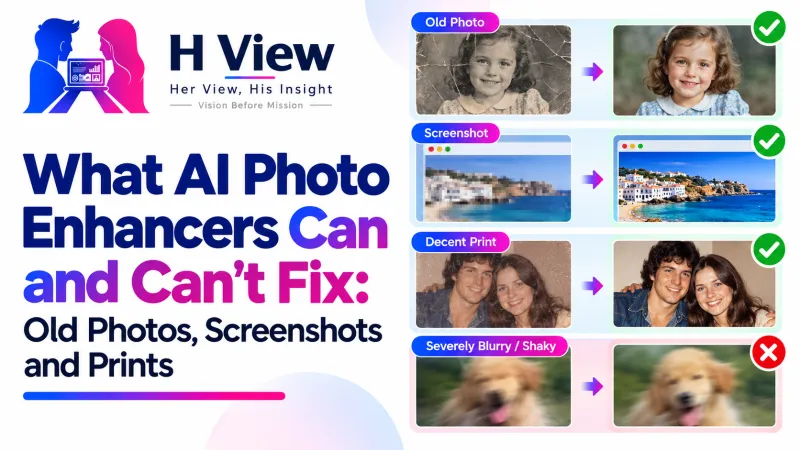
AI photo enhancers are best at making small but clear images bigger and crisper: old phone photos, chat forwards, screenshots and thumbnails. They are poor at rescuing badly out-of-focus or shaken shots, because they can only predict detail, not recover it. Expect cleaner edges and readable text, not a brand-new photo.
Social media is full of dramatic “before and after” upscales that make it seem any blurry picture can become a studio portrait. Then you try it on your grandmother's tiny scanned photo and get a face that looks slightly unlike her. Understanding what these tools actually do helps you use them well, and know when not to.
How Do AI Upscalers Work?
Traditional resizing stretches pixels and averages between them, so enlarged images look soft. AI upscalers like ESRGAN have been trained on many image pairs to learn what natural edges and textures look like at higher resolution. ESRGAN, short for Enhanced Super-Resolution Generative Adversarial Networks, was published in 2018 and placed first in the PIRM2018 super-resolution challenge (paper on arXiv). The H View AI Photo Enhancer runs an ESRGAN model in your browser at 2× or 4×.
What Can It Fix, and What Can't It?
| Works well | Struggles |
|---|---|
| Small but sharp photos that need to be bigger | Photos that are out of focus |
| Screenshots and text that looks pixelated | Motion blur from a shaky hand |
| Images saved from chats at low resolution | Faces only a few pixels wide |
| Logos and graphics that need a larger version | Heavy damage: tears, stains, missing parts |
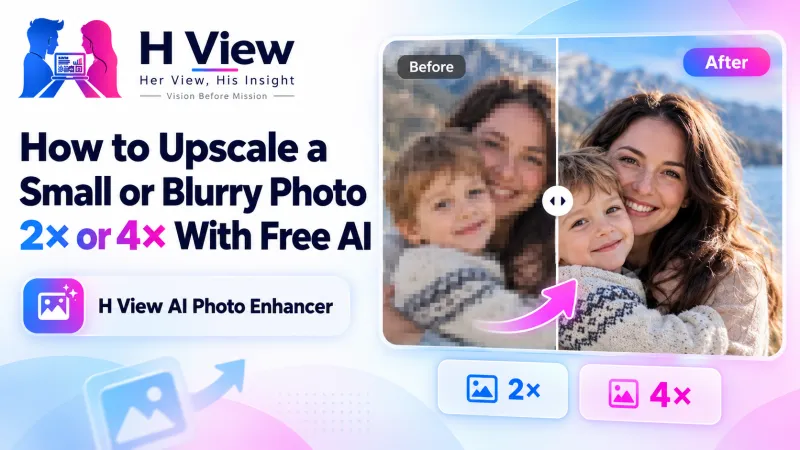 Also readHow to Upscale a Small or Blurry Photo 2× or 4× With Free AI→
Why Might a Face Look “Different” After Upscaling?
When very little information exists, the model fills gaps with patterns that look natural in general, not necessarily what that person looked like. For small faces, that can subtly change eyes or teeth. For important family photos, use 2× rather than 4×, compare with the before-and-after slider and keep the original alongside the enhanced copy.
How Do I Get the Best Result?
- Start with the best source you have. Rescan a printed photo at a higher resolution rather than upscaling a phone photo of it.
- Crop first to the part you care about, so the model works on fewer pixels.
- Use 2× for photos up to about 1,500 pixels wide, and 4× only for small images up to about 750 pixels.
- Save as PNG. As MDN notes, PNG is lossless, so the restored detail isn't lost again to compression.
- Resize to the final dimensions with the Image Resizer.
Her View
Old family photos carry stories that no one else can retell. It is lovely to see them sharper, but I'd always keep the original too. The faint, imperfect version is the true one; the enhanced copy is for printing and sharing.
 Also readOCR for Students and Offices: Turning Notices, Notes and Old Documents into Editable Text→
His Insight
Honesty matters with AI images. An upscale is a reconstruction, which is fine for a family album or a presentation, but don't use AI-enhanced photos as evidence, for identity verification or where accuracy is critical. For ID and exam photos, retake a fresh photo instead and use the Passport & Exam Photo Maker.
H View Verdict
AI photo enhancers are excellent for small, clear images and screenshots, and limited for blur and damage. Start with the best source, prefer 2× for faces, compare before saving and always keep the original. Free and private in your browser.
Frequently Asked Questions
Can AI fix a blurry photo?
It can sharpen edges and add detail to small images, but it cannot fully recover a photo that is badly out of focus or shaken.
Is 4× better than 2×?
Not always. 4× suits very small images; for faces and most photos, 2× gives more faithful results.
Will upscaling change how a person looks?
For tiny faces it can slightly, because the model predicts missing detail. Compare carefully and keep the original.
Is my photo uploaded?
No. The H View enhancer runs in your browser and your photo stays on your device.
Step-by-step guide: How to upscale a small photo 2× or 4×.
H View stories follow our editorial policy. Spotted an error? Tell us and we will correct it.
Rate this article
One tap is enough. No comment needed.
Was this article helpful?
Your answer goes straight to our editors.







Comments0
No comments yet. Start the conversation.