
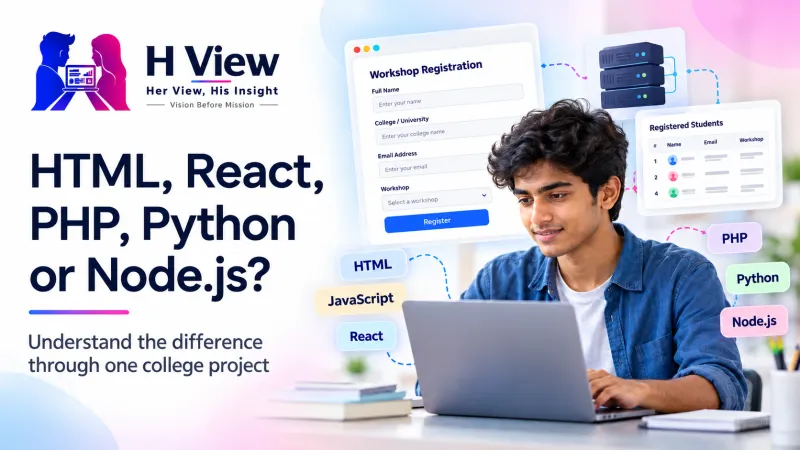
HTML, React, PHP, Python or Node.js? Understand the Difference Through One College Project
Follow a college event-registration project to understand what HTML, JavaScript, React, PHP, Python and Node.js actually do, and choose a sensible learning path.
A college project becomes easier to plan when you understand which technology does which job. HTML structures a webpage, JavaScript adds behaviour, React organises interfaces, and PHP, Python or Node.js can handle work on a server. You can learn these roles through one useful project without trying to master everything together.
Imagine your college club is organising a workshop. Students need to see the date, choose a session and register, while the organiser needs a reliable list of participants. Suddenly the question changes from which language is most fashionable to what the project actually needs. That is a much better place to start learning.
Why should students understand the system when AI can write code?
Artificial intelligence, or AI, can produce a working-looking form remarkably quickly. However, a form that appears successful might never save the registration, might accept the same student repeatedly or might reveal personal information. Someone still has to notice these problems and decide whether the software is ready for real people.
There is useful research behind this concern. In a January 2026 study by Anthropic, 52 developers learned an unfamiliar Python library. The AI-assisted group averaged 50% on an immediate quiz, compared with 67% without assistance, a difference of 17 percentage points. The small, specific experiment does not establish what happens to every beginner, but it does distinguish finishing a task from understanding it.
Our earlier article on whether coding is still worth learning explores the career question. Here, we will follow the work itself so you can identify the pieces of a real application and decide what to practise first.
What happens after someone presses Register?
The frontend is the part of the application a person interacts with, usually in a browser. The backend is the server-side work that applies rules, handles requests and communicates with stored data. A database stores organised records, such as the selected session and registration reference, so they can be retrieved later.
Follow one registration from screen to storage
The screen and the stored record are different parts of the system. A success message should reflect a real successful operation.
Suppose the workshop has 30 seats and two students request the final seat together. Disabling the button on one screen cannot coordinate everybody else's screens. The backend and database must enforce the capacity rule together, which is why an attractive interface alone cannot make a registration system reliable.
 Also readHow Nothing Went From a Strange Name to One of Tech’s Most Recognizable Brands→
How are HTML, React, PHP, Python and Node.js different?
These names are often placed in the same comparison, although they belong to different categories. Understanding that distinction removes much of the confusion in beginner roadmaps. You are choosing tools for particular responsibilities, rather than selecting one winner that replaces every other tool.
Match the tool to the job
| Technology | What it is | Possible project role |
|---|---|---|
| HTML | HyperText Markup Language structures web content. | It defines headings, labels, inputs and the registration button. |
| CSS | Cascading Style Sheets control presentation. | They make the form readable and usable on different screen sizes. |
| JavaScript | A programming language used in browsers and other environments. | It updates available choices and responds to user actions. |
| React | A library for building user interfaces with components. | It can organise reusable session cards and registration screens. |
| PHP | A programming language widely used for server-side web development. | It can validate registrations and save records on the server. |
| Python | A general-purpose programming language. | With appropriate web tools, it can provide the backend; it can also help analyse exported attendance. |
| Node.js | An environment for running JavaScript outside the browser. | It can run a JavaScript backend that processes registration requests. |
These roles can overlap as applications become more advanced. This map explains a simple starting architecture rather than every possible deployment.
React's official introduction explains components as pieces of an interface with their own appearance and logic. The Node.js introduction explains its JavaScript runtime. React is therefore not a replacement name for JavaScript, and Node.js is not another programming language you must learn independently of JavaScript.
Which route should you choose for your first project?
If your aim is to understand websites, begin with a small page using HTML and CSS, then add JavaScript interactions. MDN's first-website material provides a structured starting point. A plain browser project makes it easier to see what the browser does before additional tools hide some of that work.
If your immediate problem is cleaning attendance spreadsheets or organising files, Python may be a more direct starting point. For WordPress-oriented work, learning PHP alongside web fundamentals has a clear purpose, while a JavaScript-focused web path can later extend to Node.js. Our beginner language comparison covers the wider choice; use your intended task to narrow it down.
Choose one backend for this registration project rather than building three competing versions immediately. The useful comparison is whether you can understand, test and maintain your chosen route with the support available to you. A technology becomes valuable through the work it enables, not the number of names you place on a certificate.
How can you build without becoming dependent on copied code?
Begin with fictional student details and a project running in a practice environment. Avoid collecting classmates' real information while you are still learning access controls and storage. The following sequence keeps the project small enough to understand while giving each stage a visible result.
- Describe the rules before coding. Decide which fields are necessary and what should happen when a session is full.
- Build the page before adding storage. Make labels understandable and check that a keyboard user can move through the form.
- Add one interaction at a time. Explain what changes when a session is selected before introducing another feature.
- Connect one backend and database. Check invalid requests on the server even when the browser already checks them.
- Test failure as well as success. Try missing details, repeated submissions and an unavailable session, then document what happened.
Use AI to make your understanding visible
When copying hides the gap
- The page looks finished, but you cannot explain where its data goes.
- You request another complete rewrite whenever something breaks.
When assistance supports learning
- You predict what a function should do before running it.
- You explain an error, test a change and rebuild the small feature yourself.
This comparison is H View's suggested learning routine. It is not a claim that every use of generated code produces the same outcome.
Her View
Beginners often feel behind because every conversation introduces another tool. A small project gives that anxiety somewhere useful to go: you can make one label clearer, understand one error and help one user complete a task. Students deserve a learning path where those improvements count, even before the project looks impressive.
 Also readESTIC 2026 Begins Tomorrow: How Does a Student Idea Become Something People Actually Use?→
His Insight
The strongest demonstration is being able to explain a decision and its consequences. Show why you chose a backend, how you prevent duplicate registrations and which failure you discovered during testing. That conversation reveals more engineering judgement than a long technology list, and it gives you specific weaknesses to work on next.
H View Verdict
Learn enough coding to understand and verify the system you are creating. Start with a real requirement, choose a modest set of tools and let each feature earn its place. If you want to connect this project with business needs, our guide to what makes a business website useful to visitors shows why clear pages and actions matter beyond the classroom.
Frequently Asked Questions
Do I need React for my first website?
A simple website can be built with HTML, CSS and JavaScript without React. Introduce React when reusable components and interface state solve a problem you can already recognise.
Can HTML save registrations by itself?
HTML can define a form and submit its information to a destination. Persistently saving and managing registrations requires an appropriate receiving system and storage arrangement.
Should I learn PHP, Python and Node.js together?
You can choose one backend route for your first application. Understanding validation, data storage and request handling on that route makes later comparisons more meaningful.
Can I ask AI to generate the entire project?
You can use generated code as material to examine, but a working screen does not establish correctness or safety. Keep the project in a practice setting until you can explain its behaviour and have checked important failure cases.
What should I practise after finishing this example?
Rebuild one small feature without looking at the original implementation. Then write down how you tested it, which assumptions remain and what you would change for real users.
H View stories follow our editorial policy. Spotted an error? Tell us and we will correct it.
Rate this article
One tap is enough. No comment needed.
Was this article helpful?
Your answer goes straight to our editors.











Comments0
No comments yet. Start the conversation.