
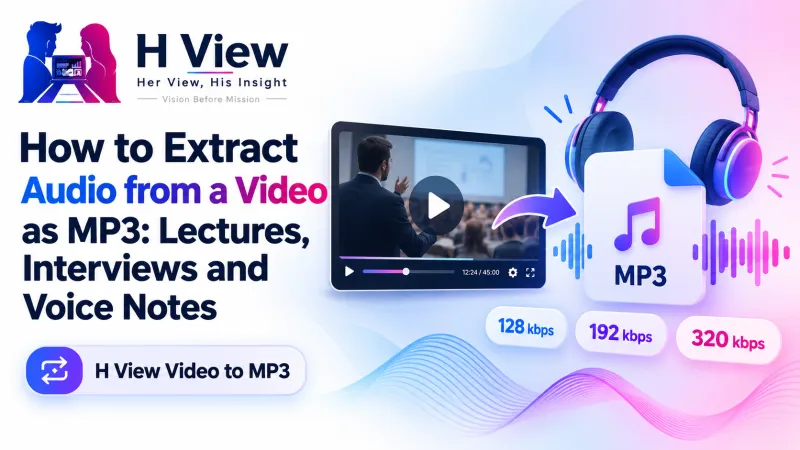
How to Extract Audio from a Video as MP3: Lectures, Interviews and Voice Notes
Sometimes you only need the sound: a recorded class, an interview to transcribe or the music from a video you made. Here's how to extract audio from video as MP3 for free, and which bitrate to choose.
To extract audio from video as an MP3 for free, open the H View Video to MP3 tool, add an MP4, MOV, WebM, MKV or other video file, choose 128, 192 or 320 kbps, press Extract and download the MP3. Because the picture is skipped, even long videos finish quickly, and the file never leaves your device.
A two-hour recorded lecture is a huge video file when all you need is the teacher's voice. An interview you want to transcribe, a sermon, a podcast you recorded on camera, a song from your own family video: in each case, the video is just carrying the sound. Keeping only the audio saves space and makes it easy to listen anywhere.
How Do I Extract Audio from a Video, Step by Step?
- Add a video. MP4, MOV, WebM, MKV, AVI and audio files work.
- Pick the quality. 128 kbps for speech, 192 kbps for most music, 320 kbps for the best quality.
- Extract. Only the sound is processed, so it's fast.
- Download the MP3, which plays on every phone and computer.
Try it now: Open the free Video to MP3 tool → Free · No sign-up · Files stay on your device.
Which Bitrate Should I Choose?
| Bitrate | Best for | File size |
|---|---|---|
| 128 kbps | Lectures, meetings, interviews, voice notes | Smallest |
| 192 kbps | Most music and mixed content | Medium |
| 320 kbps | Music you want at the highest MP3 quality | Largest |
Higher bitrates mean better quality and bigger files, as MDN's audio codec guide explains. For speech, 128 kbps is plenty; you won't hear a difference at higher settings, but you'll use more storage.
 Also readHow to Trim a Video and Make Vertical Reels and Shorts, Free and Without a Watermark→
How Does It Work Without Uploading?
The tool runs FFmpeg, the leading open-source multimedia framework, inside your browser. Your device reads the video, pulls out the audio track and saves it as MP3. Nothing is sent to H View. Short videos extract quickly on modern phones; very long files are faster on a computer.
Can I Convert a YouTube Video?
This tool works only with video files already on your device. Please extract audio only from videos you own or have permission to use: your own recordings, your classes, or content whose creator allows it. Downloading and converting other people's videos can break platform rules and copyright law.
Useful Combinations
- Cut the useful part first with the Video Trimmer, then extract only that.
- Keep a small video copy as well with the Video Compressor.
- Convert an iPhone MOV to MP4 for sharing with the Video Converter.
Her View
For students and working mothers, the commute or the kitchen is often the only free time to learn. Turning recorded classes into small audio files that play on any phone, without data-hungry video, makes learning fit into real lives instead of ideal schedules.
 Also readHow to Merge PDF Files and Split or Extract Pages for Free, Without Uploading Them→
His Insight
Extraction is fast because nothing is re-encoded visually. The audio is decoded and saved as MP3, while the video frames, which make up most of the file, are skipped. That is why a long lecture can become a small file in a short time, even on a phone.
H View Verdict
When the sound is all that matters, keep only the sound. Use 128 kbps for speech, 192 kbps for music, and extract only what you have the right to use. It's free and private.
Frequently Asked Questions
How do I extract audio from a video?
Add the video, choose the MP3 quality and click Extract. Download the MP3 when it's ready.
Which bitrate should I choose?
128 kbps is fine for speech and lectures, 192 kbps suits most music, and 320 kbps gives the highest quality.
Is my file uploaded?
No. Extraction happens inside your browser.
Does it work on phones?
Yes. Short videos extract quickly on modern phones; long files are faster on a computer.
Explore all H View free tools.
H View stories follow our editorial policy. Spotted an error? Tell us and we will correct it.
Rate this article
One tap is enough. No comment needed.
Was this article helpful?
Your answer goes straight to our editors.







Comments0
No comments yet. Start the conversation.