
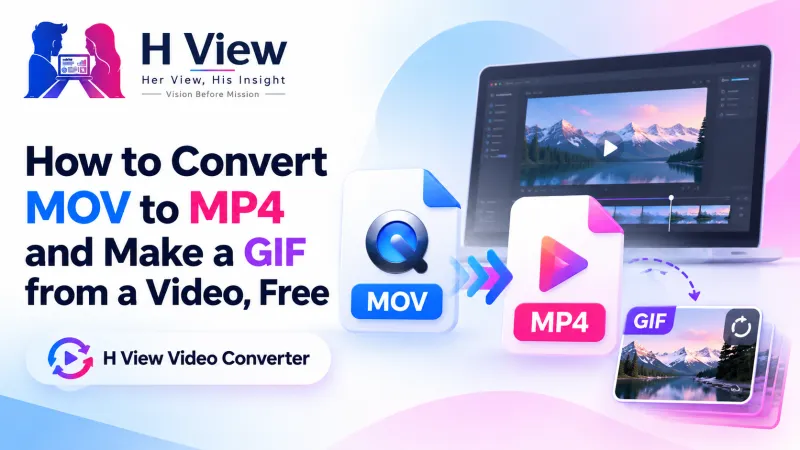
How to Convert MOV to MP4 and Make a GIF from a Video, Free
iPhones record MOV, screen recorders save WebM or MKV, and some apps only take MP4. Here's how to convert MOV to MP4 for free, make WebM for websites, or turn a short clip into a GIF, all in your browser.
To convert MOV to MP4 for free, open the H View Video Converter, add the MOV file, choose MP4 and press Convert, then download a video that plays on every phone, laptop and app. The same tool makes WebM for websites, MOV for Apple apps and GIFs from short clips, with no watermark and no upload.
Your friend sends a video from an iPhone and it won't open on the office laptop. A screen recording saves as WebM and the LMS refuses it. A client wants a tiny looping demo for a website, not a full video. All three are format problems, and all three take a minute to fix.
How Do I Convert MOV to MP4, Step by Step?
- Add the video. MOV, MKV, AVI, WebM and most common formats work.
- Pick the format. MP4 for everything, WebM for websites, MOV for Apple apps, or GIF for a short looping clip.
- Convert. Short clips take seconds; long videos a few minutes.
- Download the converted file.
Try it now: Open the free Video Converter → Free · No sign-up · No watermark · Files stay on your device.
Which Format Should I Choose?
| Format | Choose it for | Sound? |
|---|---|---|
| MP4 (H.264 + AAC) | Sharing anywhere: Android, iPhone, Windows, Mac, WhatsApp, social media, portals | Yes |
| WebM | Embedding on websites | Yes |
| MOV | Apple editing apps that prefer it | Yes |
| GIF | Short reactions, product demos, how-to steps | No |
MP4 with H.264 is the safe default because it plays almost everywhere. MDN's video codec guide describes AVC (H.264) as part of the MPEG-4 standard used across devices.
 Also readHow to Trim a Video and Make Vertical Reels and Shorts, Free and Without a Watermark→
How Do I Make a Good GIF from a Video?
- Keep it short: under 10 seconds. Trim the moment first with the Video Trimmer.
- Keep it narrow: 480 pixels wide is a good default for small files.
- Choose the frame rate: lower frame rates make smaller GIFs.
The converter builds a custom colour palette for each GIF, which keeps colours closer to the original video.
Why Is WebM Slower to Make?
WebM uses the VP8 encoder, which is slower than MP4's H.264 when running in a browser. The converter uses FFmpeg on your own device, so a laptop finishes faster than a phone. Choose MP4 unless you specifically need WebM.
Her View
Family videos travel between iPhones, Android phones and old laptops, and someone always ends up saying “it's not opening.” That someone is usually the person who then spends an evening searching for a converter that isn't full of ads. A simple, safe answer to “convert MOV to MP4” saves that evening.
 Also readHow to Convert WebP to JPG, PNG to JPG and iPhone Photos, Free and in Bulk→
His Insight
A container (MP4, MOV, WebM) and a codec (H.264, VP8) are different things, which is why two “video files” can behave so differently. Converting to MP4 with H.264 and AAC is the closest thing video has to a universal format. If size is also a problem, follow up with the Video Compressor.
H View Verdict
When a video won't play or upload, convert it to MP4. For websites use WebM, for short loops use GIF, and keep originals safe. Free, private and watermark-free.
Frequently Asked Questions
How do I convert MOV to MP4?
Add the MOV file, choose MP4 and click Convert. The MP4 plays on all phones and computers.
How do I make a GIF from a video?
Choose GIF, set the width (480 pixels is a good default) and frame rate, then convert. Trim long videos first.
Does conversion keep the sound?
Yes for MP4, WebM and MOV. GIFs have no sound.
Is the converted video uploaded?
No. Conversion happens in your browser.
Explore all H View free tools.
H View stories follow our editorial policy. Spotted an error? Tell us and we will correct it.
Rate this article
One tap is enough. No comment needed.
Was this article helpful?
Your answer goes straight to our editors.










Comments0
No comments yet. Start the conversation.