
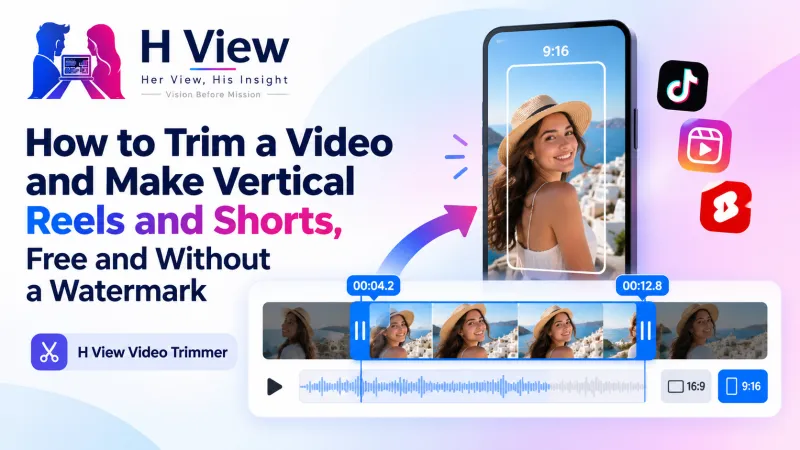
How to Trim a Video and Make Vertical Reels and Shorts, Free and Without a Watermark
Most videos need one quick cut before you share them. Here's how to trim video for free, mute the sound and crop it to vertical 9:16 for Reels, Shorts and WhatsApp Status, with no watermark and no app.
To trim video for free, open the H View Video Trimmer, add your video, play or drag to the moment you want and press “Set start,” then do the same for “Set end.” Optionally mute the sound or crop to 9:16 for Reels and Shorts, then press Trim and download the MP4. No watermark, no app and no upload.
Almost every video needs a quick cut before it's shared: the shaky first three seconds, the minute of silence before the speech, the part where someone walked in front of the camera. Full editing apps feel heavy for such a small job, and many free ones stamp their logo across your clip.
How Do I Trim a Video, Step by Step?
- Add a video. It opens in a player.
- Mark start and end. Play or drag to the moment and press “Set start” or “Set end,” or type the exact times.
- Choose extras. Remove the sound, or crop to 9:16 vertical or 1:1 square from the centre.
- Trim and download the clip as an MP4.
Try it now: Open the free Video Trimmer → Free · No sign-up · No watermark · Files stay on your device.
Which Crop Should I Use?
| Crop | Where it fits |
|---|---|
| 9:16 vertical | Instagram Reels, YouTube Shorts, WhatsApp Status, Stories |
| 1:1 square | Instagram feed posts, LinkedIn, Facebook |
| No crop | YouTube videos, presentations, sending the clip as it is |
YouTube's own guidance uses 9:16 for Shorts and 16:9 for regular videos, as its thumbnail help page shows. The trimmer crops from the centre of the frame, so keep your subject in the middle when you record a clip meant for vertical.
 Also readHow to Merge PDF Files and Split or Extract Pages for Free, Without Uploading Them→
Why Is the Cut Frame-Accurate?
Some quick trimmers only cut at “keyframes,” so your clip starts a second earlier or later than you chose. Ours re-encodes the clip using FFmpeg, the leading open-source multimedia framework, running in your browser, so the clip starts exactly where you set it. Trimming a short part of a long video is fastest.
What Should I Do After Trimming?
- Make the clip smaller for sharing with the Video Compressor.
- Keep only the audio, for a voice note or podcast clip, with Video to MP3.
- Turn a 3 to 5 second moment into a looping GIF with the Video Converter.
Her View
Creators, teachers and small business owners are told to “post Reels daily,” but nobody tells them how long editing takes. A tool that does the basic cut and the vertical crop in a minute, without a watermark that makes their work look borrowed, lets them focus on what they want to say.
 Also readHow to Make a Free UPI QR Code for Your Shop, With Your Logo, That Never Expires→
His Insight
The best short videos are usually edited by deletion. Find the strongest 10 to 30 seconds, cut everything before and after, and you have done most of the work. Muting is useful too: background noise or copyrighted music in a recording is a common reason a clip gets muted or flagged later.
H View Verdict
You don't need an editing app to cut a clip or make a vertical Reel. Mark the start and end, crop to 9:16 if it's for Reels or Shorts, mute if needed, and download a clean MP4. Free, quick and watermark-free.
Frequently Asked Questions
How do I cut a part of a video?
Open the video, move to where the clip should start and press Set start, move to the end and press Set end, then click Trim.
Can I make a vertical video for Reels or Shorts?
Yes. Choose 9:16 under Crop; the tool keeps the centre of the frame.
Will the trimmed video have a watermark?
No. The tool is free and adds nothing to your video.
Is my video uploaded?
No. Everything happens on your device.
Explore all H View free tools.
H View stories follow our editorial policy. Spotted an error? Tell us and we will correct it.
Rate this article
One tap is enough. No comment needed.
Was this article helpful?
Your answer goes straight to our editors.










Comments0
No comments yet. Start the conversation.