

WordPress Permalinks Explained: How URLs and Rewrite Rules Work
Why do readable WordPress URLs fail while the homepage still works? Learn what routes a request and how to keep old links working.
A WordPress permalink is the address visitors use to open a post, page or other piece of content. Rewrite rules help WordPress and the web server work out what to serve when someone requests a readable address. When that routing breaks, the homepage may still work while individual posts return a 404.
What is the difference between a permalink and a slug?
The slug is one part of the address. In /guides/website-backups/, website-backups is the slug and the whole address is the permalink. Changing the slug changes that page's address. Changing the permalink structure in Settings can affect a much larger set of addresses, so the two decisions deserve different levels of preparation.
For example, a site may publish posts under /2026/11/example-post/ and later prefer /example-post/. The shorter address may make sense for new posts, but links in newsletters, search results and other websites still point to the old one. Before switching a live site's structure, identify which URLs change and decide exactly where each old one should lead.
How does WordPress route a readable URL?
When a request arrives for a pretty URL that does not match a real file, the web server normally passes it to WordPress. WordPress compares the request path with its registered rewrite rules and works out which post, page, archive or other resource was requested. The page isn't usually stored as a separate HTML file at that path. It is assembled from database content and a template.
There are two places routing can go wrong. The server may return an error before WordPress receives the request, or WordPress may receive it and fail to match it to published content. A server configuration issue and a missing post can look alike to a visitor. Check a known published post and compare the result with other routes before assuming the problem affects the whole site.
| Symptom | What to check first |
|---|---|
| Most pretty URLs fail after a server move | Check whether the destination server forwards the request to WordPress. |
| Only one post fails | Check its status, current slug and whether another route uses that path. |
| Only one custom content type fails | Check whether its plugin is active and registers the expected routes. |
| Old URLs fail but the new ones open | Check the old-to-new redirect map and test a few links from outside the site. |
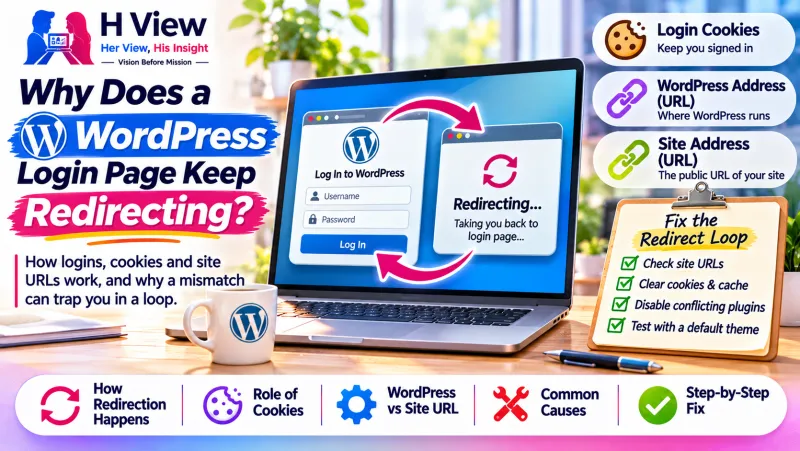 Also readWhy Does a WordPress Login Page Keep Redirecting? How Logins, Cookies and Site URLs Work→
What does saving the permalink settings do?
Saving the settings can regenerate WordPress rewrite rules. That can help if a plugin added a route and the stored rules no longer match what is registered. It cannot restore an unpublished post or guarantee that the web server is set up to pass requests to WordPress. If you are troubleshooting, record the current settings before clicking Save and avoid changing the structure just to see whether the error disappears.
On an Apache setup, configuration and permissions can affect whether WordPress can update the relevant rules. On Nginx, an Apache configuration file cannot fix the server's routing. If a hosting provider manages the server, ask them to check the request path and identify what served the 404. For plugin developers, the WordPress rewrite function reference explains why flushing rules should be done when needed rather than on every request.
A practical example: the homepage survives a migration
Imagine a cooking blog that has just moved hosts. The homepage loads and the editor opens, but every article link from Google returns a 404. The team checks the same published article by its ID and finds that WordPress can display it when asked directly. That narrows the investigation: the article exists, and the failure is more likely in how readable URLs reach the right content.
The team compares the old and new server routing, fixes the destination setup and tests several posts, a category archive and a media URL. They also check that a path that truly doesn't exist still returns a 404. A catch-all fix that sends every visitor to the homepage could make the immediate errors look better while hiding the fact that article links are still unusable.
How should you plan a permalink change?
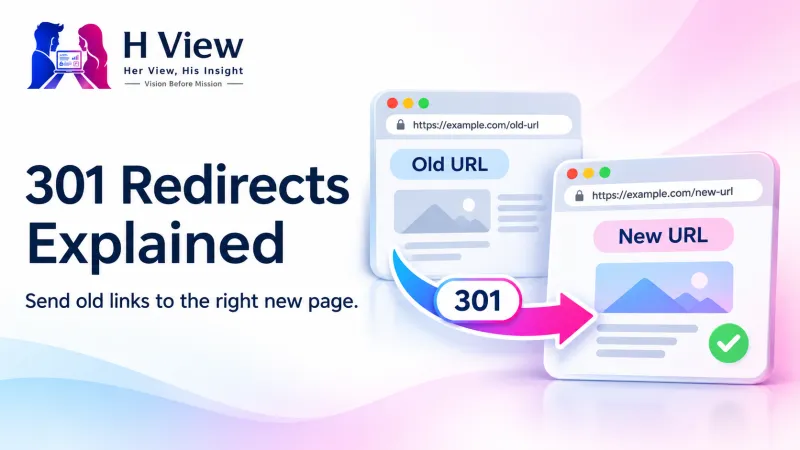
Export or list the existing public URLs and look for the ones readers use most. Keep each old URL next to its closest new equivalent. Where content has moved permanently, use a permanent redirect and test that it lands directly on the intended page. If there is no suitable replacement, consider keeping the original page available or returning a proper missing-page response.
After the switch, update menus, internal links, sitemap entries and canonical URLs to point to the new addresses directly. Test the old links from a logged-out session and check both the final page and the status code. You want readers to reach the intended content, and you want search engines to see a consistent preferred address. Google's redirect documentation explains the signals different redirects send.
Which URLs should you check before calling it fixed?
Pick a small sample that represents the site rather than testing several copies of the same route. Open a recent post, an older post, a standard page and an archive. If you sell products or offer a directory, include those routes too. Test an old link that should redirect and a made-up link that should still return a 404.
Use a private browser window to see what an ordinary reader gets. An administrator can sometimes see previews or uncached pages that visitors cannot. Record the original URL, where it lands and what the browser actually displays so someone else can repeat your test later.
 Also readWhere WordPress Stores Images, and Why They Can Go Missing After a Migration→
Her View
Before changing a URL, think of the places a reader may already have saved it. Search results are only one of them. A newsletter, a social post and a client email can keep sending people to an address long after the original author forgets it.
His Insight
Start with a working route and a failing route that you can reproduce. Compare the response and logs before changing anything. That comparison helps separate the server layer from the WordPress layer, especially when an attractive custom 404 makes the source of the response hard to identify.
H View Verdict
Keep a permalink structure that works for your readers and change it only with a clear reason and a tested redirect map. For a sudden 404 after a migration, investigate what is failing before renaming posts or trying a new structure. If you need help tracing the failure, see H View's WordPress repair service.
Frequently asked questions
Can changing a post title change its permalink?
An existing post can keep its current slug when you edit its title. Check the slug field before saving if keeping the address stable is important.
Do all permalink errors come from WordPress?
No. The web server, a proxy, a redirect rule or a cached response can also cause a failure. Use a known working route as a comparison and check which layer produced the error.
Should I change all URLs to remove dates?
Only if the change has a clear benefit and you can keep old links working. A shorter URL alone may not justify the work and risk on an established site.
Where can I check the available permalink settings?
Read the official WordPress permalink guide for the available structures. Test the choice on a private copy before applying a site-wide change.
H View stories follow our editorial policy. Spotted an error? Tell us and we will correct it.
Rate this article
One tap is enough. No comment needed.
Was this article helpful?
Your answer goes straight to our editors.







Comments0
No comments yet. Start the conversation.