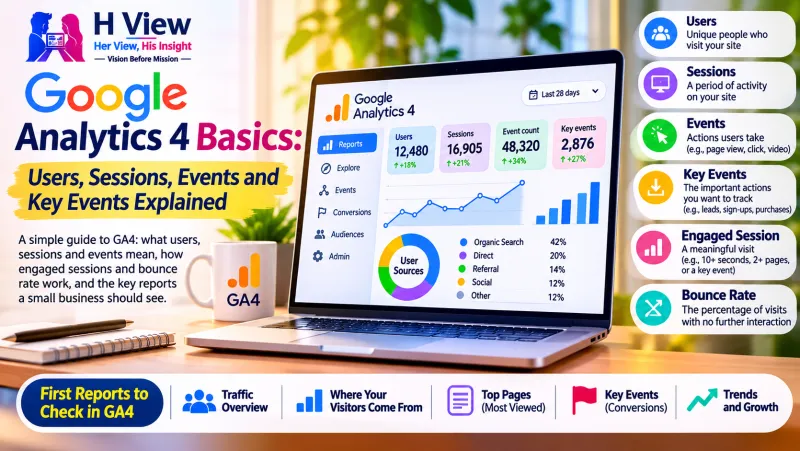
Google Analytics 4 (GA4) is Google's free tool for measuring how people find and use your website. It records almost everything as an event, such as a page view, scroll or form submission, and groups those events into sessions (visits) and users (people or devices). The actions that matter most to your business are marked as key events.
GA4 can look overwhelming at first. You do not need every report. Understanding a handful of terms lets you answer the questions that matter: how many people visit, where they come from, and whether they take the actions you want.
What do the main GA4 terms mean?
| Term | Plain meaning | Example |
|---|
| User | A person (or device and browser) that visited | Priya visited from her phone |
| Session | One visit, made up of everything a user did in that period | Priya opened three pages, then left |
| Event | A single action that GA4 recorded | page_view, scroll, click, form_submit |
| Engaged session | A visit that showed real interest | Stayed longer than 10 seconds, or viewed 2+ pages |
| Key event | An event you mark as important to your business | Enquiry form sent, WhatsApp button tapped |
How does GA4 collect events?
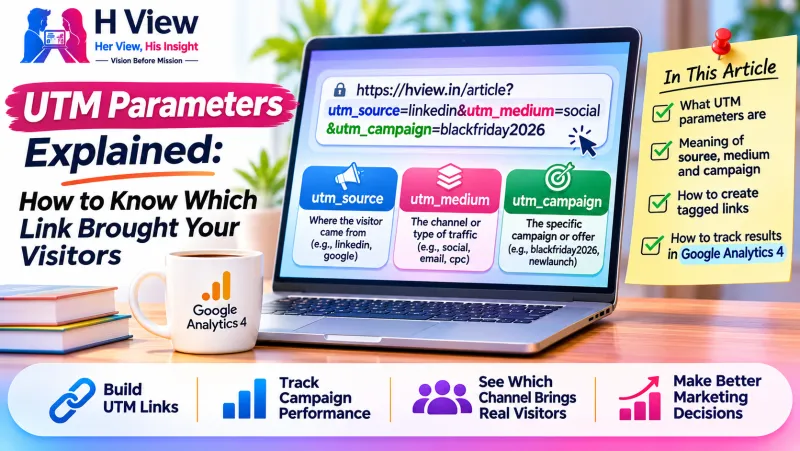
Google explains in its help page on events that some events are collected automatically once GA4 is installed, others are collected when enhanced measurement is switched on (such as scrolls, outbound clicks and file downloads), and others you set up yourself for actions specific to your site, such as a booking or a call button. Our guide to UTM parameters shows how to tell GA4 which campaign brought each visit.
 Also readBacklinks Explained: What They Are, Why They Matter and Which Ones to Avoid→
What are engaged sessions and bounce rate?
GA4 counts a session as engaged if it lasted longer than 10 seconds, had a key event, or included at least two page or screen views. Engagement rate is the share of sessions that were engaged, and bounce rate is the opposite: the share of sessions that were not engaged. Google sets out these definitions in its help page on engagement rate and bounce rate.
This is different from older Google Analytics versions, where a "bounce" simply meant a one-page visit. A visitor who reads a single article carefully for two minutes now counts as engaged.
Which reports should a small business check first?
- Acquisition → Traffic acquisition: where visitors come from (search, social, email, direct).
- Engagement → Pages and screens: which pages people view most.
- Engagement → Events: which actions happen, and how often.
- Key events: how many enquiries, calls or sales your site produced, and from which sources.
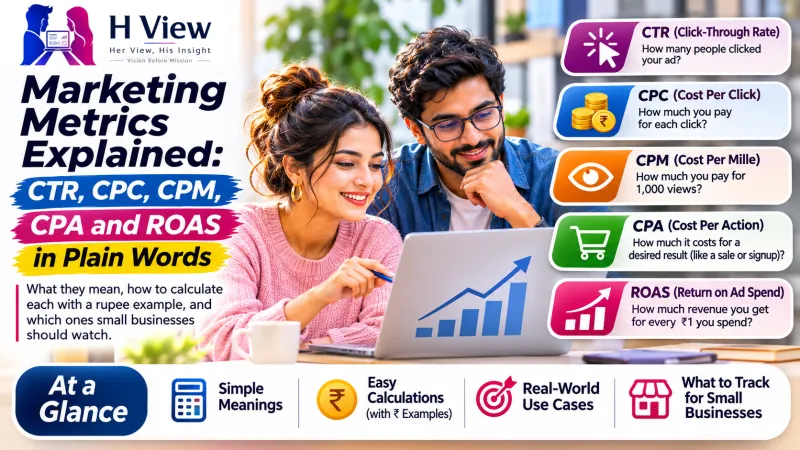
Check these monthly, compare with the previous period, and connect what you see to your marketing metrics, such as cost per enquiry.
What can GA4 not tell you?
GA4 counts what its tag can see. Visitors who block tracking or decline cookies may not be counted, so numbers are useful for trends rather than exact headcounts. It also cannot see offline results, such as a customer who read your site and then walked into your shop. Combine GA4 with what customers tell you directly.
Her View
Start with one question each month, such as "Which page brings the most enquiries?" A single clear answer is more useful than a dashboard you never open.
His Insight
Mark your real business goals as key events on day one. Without them, GA4 shows you traffic but cannot tell you whether that traffic helped your business.
Frequently asked questions
Is Google Analytics 4 free?
Yes, the standard version is free. A paid version exists for very large organisations with advanced needs.
What happened to "conversions" in GA4?
Google renamed conversions in GA4 to "key events". The idea is the same: actions you mark as important, such as form submissions or purchases.
Each tool counts in its own way and may miss visitors who block tracking. Small differences are normal; look at trends rather than exact matches.
Sources
Google Analytics 4 (GA4) Google का मुफ़्त टूल है जो मापता है कि लोग आपकी वेबसाइट कैसे ढूँढते और इस्तेमाल करते हैं। यह लगभग हर चीज़ को इवेंट के रूप में दर्ज करता है, जैसे पेज व्यू, स्क्रॉल या फ़ॉर्म सबमिशन, और इन इवेंट को सेशन (विज़िट) और यूज़र (लोग या डिवाइस) में बाँटता है। आपके बिज़नेस के लिए सबसे ज़रूरी कार्रवाइयाँ की इवेंट के रूप में चिह्नित होती हैं।
शुरुआत में GA4 भारी लग सकता है। आपको हर रिपोर्ट की ज़रूरत नहीं। कुछ शब्द समझकर आप ज़रूरी सवालों के जवाब पा सकते हैं: कितने लोग आते हैं, कहाँ से आते हैं, और क्या वे वो कार्रवाइयाँ करते हैं जो आप चाहते हैं।
GA4 के मुख्य शब्दों का मतलब क्या है?
| शब्द | सीधा मतलब | उदाहरण |
|---|
| यूज़र | व्यक्ति (या डिवाइस और ब्राउज़र) जिसने विज़िट की | प्रिया ने अपने फ़ोन से विज़िट की |
| सेशन | एक विज़िट, जिसमें उस दौरान यूज़र ने जो कुछ किया | प्रिया ने तीन पेज खोले, फिर चली गई |
| इवेंट | एक कार्रवाई जिसे GA4 ने दर्ज किया | page_view, scroll, click, form_submit |
| एंगेज्ड सेशन | ऐसी विज़िट जिसमें असली रुचि दिखी | 10 सेकंड से ज़्यादा रुकी, या 2+ पेज देखे |
| की इवेंट | वह इवेंट जिसे आप बिज़नेस के लिए ज़रूरी चिह्नित करते हैं | पूछताछ फ़ॉर्म भेजा, WhatsApp बटन दबाया |
GA4 इवेंट कैसे जुटाता है?
Google अपने इवेंट हेल्प पेज में बताता है कि कुछ इवेंट GA4 इंस्टॉल होते ही अपने-आप जुटते हैं, कुछ तब जुटते हैं जब एन्हांस्ड मेज़रमेंट चालू हो (जैसे स्क्रॉल, बाहरी क्लिक और फ़ाइल डाउनलोड), और कुछ आप अपनी साइट की ख़ास कार्रवाइयों के लिए ख़ुद सेट करते हैं, जैसे बुकिंग या कॉल बटन। हमारी UTM पैरामीटर गाइड बताती है कि GA4 को कैसे बताएँ कि कौन-सा कैंपेन हर विज़िट लाया।
एंगेज्ड सेशन और बाउंस रेट क्या हैं?
GA4 किसी सेशन को एंगेज्ड तब मानता है जब वह 10 सेकंड से ज़्यादा चला हो, उसमें कोई की इवेंट हुआ हो, या कम से कम दो पेज या स्क्रीन व्यू हुए हों। एंगेजमेंट रेट एंगेज्ड सेशन का हिस्सा है, और बाउंस रेट इसका उल्टा: वे सेशन जो एंगेज्ड नहीं थे। Google ये परिभाषाएँ अपने एंगेजमेंट रेट और बाउंस रेट हेल्प पेज में देता है।
यह पुराने Google Analytics संस्करणों से अलग है, जहाँ "बाउंस" का मतलब बस एक-पेज विज़िट था। अब जो विज़िटर एक लेख को दो मिनट ध्यान से पढ़ता है, वह एंगेज्ड गिना जाता है।
छोटे बिज़नेस को पहले कौन-सी रिपोर्ट देखनी चाहिए?
- Acquisition → Traffic acquisition: विज़िटर कहाँ से आते हैं (सर्च, सोशल, ईमेल, डायरेक्ट)।
- Engagement → Pages and screens: लोग सबसे ज़्यादा कौन-से पेज देखते हैं।
- Engagement → Events: कौन-सी कार्रवाइयाँ होती हैं, और कितनी बार।
- Key events: आपकी साइट से कितनी पूछताछ, कॉल या बिक्री हुई, और किन स्रोतों से।
इन्हें हर महीने देखिए, पिछली अवधि से तुलना कीजिए, और जो दिखे उसे अपने मार्केटिंग मेट्रिक्स से जोड़िए, जैसे प्रति पूछताछ लागत।
GA4 क्या नहीं बता सकता?
GA4 वही गिनता है जो उसका टैग देख पाता है। जो विज़िटर ट्रैकिंग ब्लॉक करते हैं या कुकी मना करते हैं, वे शायद न गिने जाएँ, इसलिए संख्याएँ सटीक गिनती से ज़्यादा रुझानों के लिए उपयोगी हैं। यह ऑफ़लाइन नतीजे भी नहीं देख सकता, जैसे वह ग्राहक जिसने आपकी साइट पढ़ी और फिर आपकी दुकान पर आया। GA4 को ग्राहकों की सीधी बातों के साथ मिलाइए।
Her View
हर महीने एक सवाल से शुरू कीजिए, जैसे "कौन-सा पेज सबसे ज़्यादा पूछताछ लाता है?" एक साफ़ जवाब उस डैशबोर्ड से ज़्यादा उपयोगी है जिसे आप कभी खोलते ही नहीं।
His Insight
पहले दिन से अपने असली बिज़नेस लक्ष्यों को की इवेंट के रूप में चिह्नित कीजिए। इनके बिना GA4 आपको ट्रैफ़िक तो दिखाता है, पर यह नहीं बता सकता कि उस ट्रैफ़िक से बिज़नेस को फ़ायदा हुआ या नहीं।
अक्सर पूछे जाने वाले सवाल
क्या Google Analytics 4 मुफ़्त है?
हाँ, सामान्य संस्करण मुफ़्त है। बहुत बड़े संगठनों की उन्नत ज़रूरतों के लिए एक पेड संस्करण भी है।
GA4 में "कन्वर्ज़न" का क्या हुआ?
Google ने GA4 में कन्वर्ज़न का नाम बदलकर "की इवेंट" कर दिया। विचार वही है: वे कार्रवाइयाँ जिन्हें आप ज़रूरी चिह्नित करते हैं, जैसे फ़ॉर्म सबमिशन या ख़रीद।
मेरे GA4 के आँकड़े विज्ञापन प्लेटफ़ॉर्म से अलग क्यों हैं?
हर टूल अपने तरीक़े से गिनता है और ट्रैकिंग ब्लॉक करने वाले विज़िटर छूट सकते हैं। छोटे अंतर सामान्य हैं; सटीक मिलान के बजाय रुझान देखिए।
स्रोत
Google Analytics 4 (GA4) అంటే జనం మీ వెబ్సైట్ను ఎలా కనుగొంటున్నారో, ఎలా వాడుతున్నారో కొలిచే Google ఉచిత టూల్. ఇది దాదాపు ప్రతిదాన్నీ ఈవెంట్గా నమోదు చేస్తుంది, పేజీ వ్యూ, స్క్రోల్ లేదా ఫామ్ సమర్పణ వంటివి, ఆ ఈవెంట్లను సెషన్లు (విజిట్లు), యూజర్లు (వ్యక్తులు లేదా డివైజ్లు)గా విభజిస్తుంది. మీ వ్యాపారానికి అత్యంత ముఖ్యమైన చర్యలను కీ ఈవెంట్లుగా గుర్తిస్తారు.
మొదట్లో GA4 భారంగా అనిపించొచ్చు. మీకు ప్రతి రిపోర్ట్ అవసరం లేదు. కొన్ని పదాలు అర్థమైతే ముఖ్యమైన ప్రశ్నలకు జవాబులు దొరుకుతాయి: ఎంతమంది వస్తున్నారు, ఎక్కడి నుంచి వస్తున్నారు, మీరు కోరుకునే చర్యలు చేస్తున్నారా.
 Also readUTM Parameters Explained: How to Know Which Link Brought Your Visitors→
GA4 ప్రధాన పదాల అర్థం ఏమిటి?
| పదం | సులభమైన అర్థం | ఉదాహరణ |
|---|
| యూజర్ | విజిట్ చేసిన వ్యక్తి (లేదా డివైజ్, బ్రౌజర్) | ప్రియ తన ఫోన్ నుంచి విజిట్ చేసింది |
| సెషన్ | ఒక విజిట్, ఆ సమయంలో యూజర్ చేసినదంతా | ప్రియ మూడు పేజీలు తెరిచి వెళ్లిపోయింది |
| ఈవెంట్ | GA4 నమోదు చేసిన ఒక్క చర్య | page_view, scroll, click, form_submit |
| ఎంగేజ్డ్ సెషన్ | నిజమైన ఆసక్తి చూపిన విజిట్ | 10 సెకన్ల కంటే ఎక్కువ ఉంది, లేదా 2+ పేజీలు చూసింది |
| కీ ఈవెంట్ | మీ వ్యాపారానికి ముఖ్యమైనదిగా మీరు గుర్తించిన ఈవెంట్ | ఎంక్వైరీ ఫామ్ పంపడం, WhatsApp బటన్ నొక్కడం |
GA4 ఈవెంట్లను ఎలా సేకరిస్తుంది?
GA4 ఇన్స్టాల్ చేయగానే కొన్ని ఈవెంట్లు ఆటోమేటిక్గా సేకరించబడతాయని, ఎన్హాన్స్డ్ మెజర్మెంట్ ఆన్ చేసినప్పుడు మరికొన్ని (స్క్రోల్లు, బయటి క్లిక్లు, ఫైల్ డౌన్లోడ్ల వంటివి) సేకరించబడతాయని, బుకింగ్ లేదా కాల్ బటన్ వంటి మీ సైట్కు ప్రత్యేకమైన చర్యల కోసం ఇంకొన్ని మీరే సెటప్ చేయాలని Google తన ఈవెంట్ల హెల్ప్ పేజీలో వివరిస్తుంది. ఒక్కో విజిట్ను ఏ క్యాంపెయిన్ తెచ్చిందో GA4కు ఎలా చెప్పాలో మా UTM పారామీటర్ల గైడ్ చూపిస్తుంది.
ఎంగేజ్డ్ సెషన్లు, బౌన్స్ రేట్ అంటే ఏమిటి?
ఒక సెషన్ 10 సెకన్ల కంటే ఎక్కువ ఉంటే, అందులో కీ ఈవెంట్ జరిగితే, లేదా కనీసం రెండు పేజీ లేదా స్క్రీన్ వ్యూలు ఉంటే GA4 దాన్ని ఎంగేజ్డ్గా లెక్కిస్తుంది. ఎంగేజ్ అయిన సెషన్ల వాటాయే ఎంగేజ్మెంట్ రేట్; దానికి వ్యతిరేకం బౌన్స్ రేట్: ఎంగేజ్ కాని సెషన్ల వాటా. ఈ నిర్వచనాలను Google తన ఎంగేజ్మెంట్ రేట్, బౌన్స్ రేట్ హెల్ప్ పేజీలో ఇస్తుంది.
"బౌన్స్" అంటే కేవలం ఒకే పేజీ విజిట్ అని అర్థమైన పాత Google Analytics వెర్షన్ల కంటే ఇది భిన్నం. ఒక్క వ్యాసాన్ని రెండు నిమిషాలు శ్రద్ధగా చదివిన విజిటర్ ఇప్పుడు ఎంగేజ్డ్గా లెక్కకొస్తారు.
చిన్న వ్యాపారం ముందుగా ఏ రిపోర్ట్లు చూడాలి?
- Acquisition → Traffic acquisition: విజిటర్లు ఎక్కడి నుంచి వస్తున్నారు (సెర్చ్, సోషల్, ఈమెయిల్, డైరెక్ట్).
- Engagement → Pages and screens: జనం ఏ పేజీలు ఎక్కువగా చూస్తున్నారు.
- Engagement → Events: ఏ చర్యలు జరుగుతున్నాయి, ఎంత తరచుగా.
- Key events: మీ సైట్ ఎన్ని ఎంక్వైరీలు, కాల్లు లేదా అమ్మకాలు తెచ్చింది, ఏ మూలాల నుంచి.
వీటిని ప్రతి నెలా చూడండి, మునుపటి కాలంతో పోల్చండి, కనిపించినదాన్ని ఒక్కో ఎంక్వైరీ ఖర్చు వంటి మీ మార్కెటింగ్ మెట్రిక్స్తో అనుసంధానించండి.
GA4 ఏం చెప్పలేదు?
తన ట్యాగ్ చూడగలిగినదాన్నే GA4 లెక్కిస్తుంది. ట్రాకింగ్ను బ్లాక్ చేసే లేదా కుకీలను తిరస్కరించే విజిటర్లు లెక్కలోకి రాకపోవచ్చు. కాబట్టి సంఖ్యలు కచ్చితమైన లెక్క కంటే ధోరణులకు ఉపయోగపడతాయి. మీ సైట్ చదివి తర్వాత మీ షాప్కు నడిచి వచ్చిన కస్టమర్ వంటి ఆఫ్లైన్ ఫలితాలనూ అది చూడలేదు. కస్టమర్లు నేరుగా చెప్పేదానితో GA4ను కలిపి చూడండి.
Her View
ప్రతి నెలా ఒక్క ప్రశ్నతో మొదలుపెట్టండి, ఉదాహరణకు "ఏ పేజీ ఎక్కువ ఎంక్వైరీలు తెస్తోంది?" మీరు ఎప్పుడూ తెరవని డాష్బోర్డ్ కంటే ఒక్క స్పష్టమైన జవాబు ఎక్కువ ఉపయోగకరం.
His Insight
మొదటి రోజు నుంచే మీ నిజమైన వ్యాపార లక్ష్యాలను కీ ఈవెంట్లుగా గుర్తించండి. అవి లేకపోతే GA4 ట్రాఫిక్ను చూపిస్తుంది కానీ ఆ ట్రాఫిక్ మీ వ్యాపారానికి సాయపడిందో లేదో చెప్పలేదు.
తరచుగా అడిగే ప్రశ్నలు
Google Analytics 4 ఉచితమా?
అవును, ప్రామాణిక వెర్షన్ ఉచితం. అధునాతన అవసరాలున్న చాలా పెద్ద సంస్థల కోసం పెయిడ్ వెర్షన్ కూడా ఉంది.
GA4లో "కన్వర్షన్లు" ఏమయ్యాయి?
GA4లో కన్వర్షన్ల పేరును Google "కీ ఈవెంట్లు"గా మార్చింది. ఆలోచన అదే: ఫామ్ సమర్పణలు లేదా కొనుగోళ్ల వంటి, మీరు ముఖ్యమైనవిగా గుర్తించే చర్యలు.
నా GA4 సంఖ్యలు ప్రకటన ప్లాట్ఫామ్ సంఖ్యలకు ఎందుకు భిన్నంగా ఉన్నాయి?
ప్రతి టూల్ తనదైన పద్ధతిలో లెక్కిస్తుంది, ట్రాకింగ్ బ్లాక్ చేసే విజిటర్లను వదిలేయొచ్చు. చిన్న తేడాలు సాధారణం; కచ్చితమైన సరిపోలిక కంటే ధోరణులను చూడండి.
ఆధారాలు






Comments0
No comments yet. Start the conversation.