
What Is a 301 Redirect? Changing URLs Without Losing Visitors or Search Visibility
A 301 takes readers from a permanently moved URL to its replacement. Learn how to build and test a redirect map that keeps old links useful.
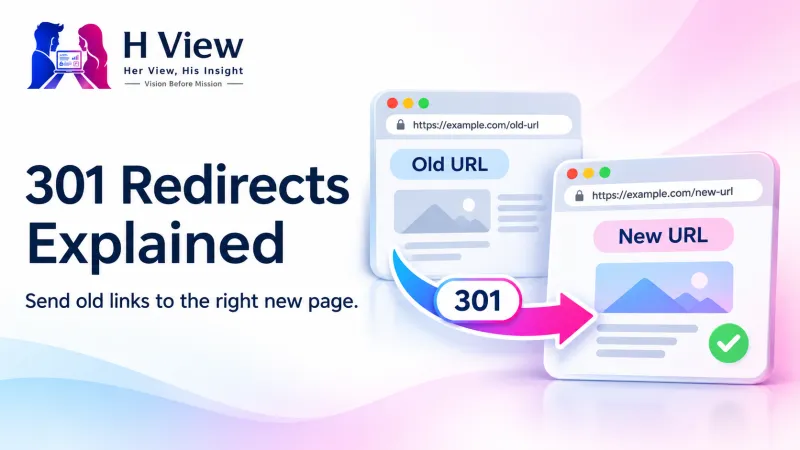
A 301 redirect tells a browser and search engines that a URL has moved permanently. When someone follows an old link, the server sends them to the replacement instead of showing an error. It is useful when you rename an article, merge two pages or move a website to a new domain. The most important decision is where each old URL should lead: a redirect can work perfectly at the server level and still send readers to the wrong place.
What happens when someone opens an old URL?
Imagine a visitor opening /old-contact/ from a saved email. The server responds with status 301 and a Location header pointing to /contact/. The browser then requests the new address and, if that page is available, shows it to the visitor. The old page does not need to display a message or a link; the redirect happens before the browser loads the destination.
For Google Search, a permanent redirect is a signal that the destination should become the preferred URL. Search engines still have to revisit and process the old and new URLs, so you should expect a transition period. A 301 helps preserve continuity, but it does not promise that rankings, impressions or traffic will remain exactly the same. Google's redirect guidance explains how permanent and temporary redirects differ.
When should you choose 301, 302 or 404?
| Situation | Response | Why |
|---|---|---|
| An article has a new permanent address | 301 | The old link should take people to the replacement. |
| A page will return to its old address after a brief promotion | 302 or 307 | The move is temporary, so the original URL still matters. |
| A page is gone and has no relevant replacement | 404 or 410 | A clear missing-page response is more useful than an unrelated destination. |
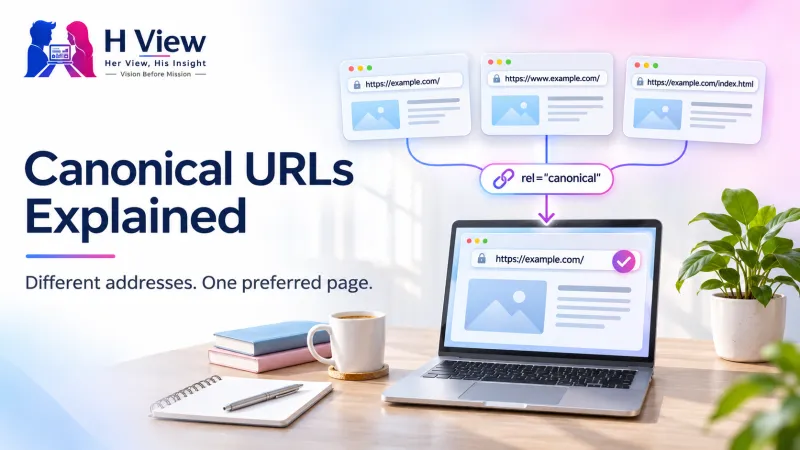
| The same content has multiple URLs that must remain accessible | Consider a canonical tag | It signals the preferred URL without moving the visitor. |
 Also readWhere WordPress Stores Images, and Why They Can Go Missing After a Migration→
How do you decide where each old URL should go?
Start with a list of the URLs you are changing. A sitemap is useful, but also look at internal links, analytics, Search Console and external links you know about. A page omitted from the current sitemap may still have readers arriving from an old newsletter or from a bookmark. Put the old URL, intended destination and test result in adjacent columns so the team can review the mapping before it goes live.
Match each old page to the destination that best serves the same purpose. A guide about replacing a lost document should lead to the updated guide, not a generic homepage. If you combined two closely related articles into one stronger guide, both old links can point to that guide. If no destination answers the original need, a useful 404 page with navigation and search gives readers a clearer outcome than silently sending them somewhere unrelated.
A practical example: moving a service page
Imagine a small studio renaming /website-help/ to /website-repairs/. It has links to the old address in its own articles and in a directory it does not control. The studio publishes the new page, sets a 301 from the old address and updates its internal links to point directly to the new one. A visitor from the directory still lands on the right service, while visitors navigating within the site no longer have to pass through the redirect.
A month later the studio notices that an even older link first goes to /website-help/ and only then reaches the current page. That is a redirect chain. The team updates both historical URLs to go straight to the final page. The improvement is small for a single visit, but keeping mappings direct makes it easier to troubleshoot when the site changes again.
How do you test a 301 before calling the job done?
Test the old address and the final address separately. In your browser’s Network panel, check that the old address returns 301 and that its Location points to the intended destination. Then confirm that the destination returns 200 and actually shows the expected content. Test a few addresses from each group if you added a broad rule. One working example does not prove that a pattern handles trailing slashes, letter case or query parameters correctly.
Also check for loops, where the destination sends you back to the starting address, and avoid making several redirects do work that one rule could handle. Verify that the new page is eligible to appear in search, points to the right canonical URL, and is listed in the sitemap if appropriate. Update menus and article links to use it directly. A redirect to a page that is blocked from indexing can still get a human visitor to the page, but it does not accomplish the intended search migration.
What should you monitor after a website move?
Watch the important pages first: the ones customers use to contact you, the ones that earn search visits and the ones other sites link to. Compare their old and new URLs in Search Console and check the server logs for unexpected missing pages. When you find an unmapped URL, verify what was on the old page before adding a new rule. Keep a record of changes so that someone can tell an intentional removal from a missed redirect.
Google’s site move guidance recommends keeping redirects in place for at least a year. For old links that still bring visitors, it can make sense to keep them longer. If you moved domains, keep control of the old domain and its HTTPS setup for as long as you want its links to keep working.
 Also readCanonical URLs Explained: Which Page Should Search Engines Treat as Primary?→
Her View
Think about the reader who saved the link because they needed a particular answer. If they land on a page that answers it, the move feels uneventful. That is a better measure of the redirect than whether every old address leads somewhere.
His Insight
A good redirect map doubles as a test plan. Give each important URL an expected destination, test the response after launch, and record any exceptions. If something looks wrong later, you can tell whether the issue is the rule, the destination or the search engine’s transition to the new address.
H View Verdict
Use a 301 for a permanent move with a relevant destination, and test the full journey from the old link to the final page. If you are planning a domain move or several URL changes at once, see H View’s website migration services.
Frequently asked questions
Does a 301 automatically update links on other websites?
No. Those links remain as they were until their owners change them. The redirect lets visitors follow the old address in the meantime.
Can I undo a 301?
You can remove the server rule, but browsers and intermediaries may cache a permanent redirect. Use a temporary redirect while the destination is still undecided.
Should I redirect every broken URL?
No. Redirect URLs that have a relevant replacement. A genuine 404 is appropriate when the requested content is gone and there is nowhere useful to send the visitor.
H View stories follow our editorial policy. Spotted an error? Tell us and we will correct it.
Rate this article
One tap is enough. No comment needed.
Was this article helpful?
Your answer goes straight to our editors.











Comments0
No comments yet. Start the conversation.