
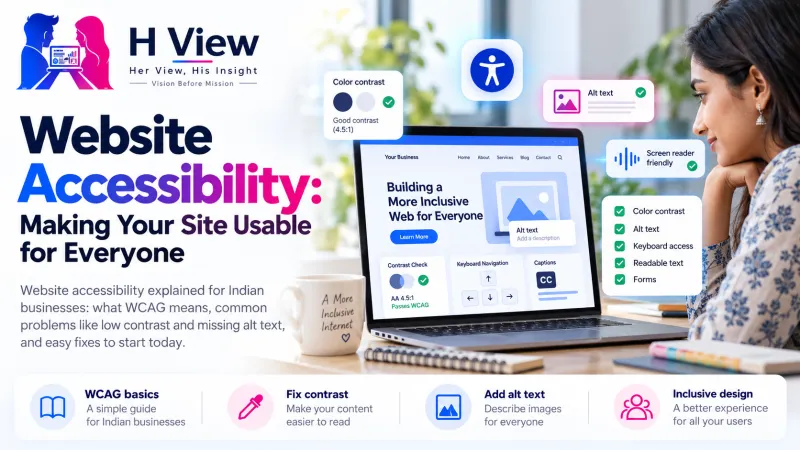
Website Accessibility: Making Your Site Usable for Everyone
An accessible website works for people with low vision, hearing loss, motor difficulties and older users too. Here is what website accessibility means and the simple fixes to start with.
Website accessibility means building your site so that everyone can use it, including people who are blind or have low vision, people with hearing loss, people who cannot use a mouse and older visitors. In practice, it comes down to readable text, good colour contrast, image descriptions, clear forms and a site that works with a keyboard and screen readers.
What is website accessibility?
An accessible website is one that a person can see, hear, understand and operate, whatever their abilities or the device they use. A visitor might be reading with a screen reader, a program that speaks the text on a page aloud. Another might zoom the page to 200% because of weak eyesight, use only a keyboard because of a hand injury, or watch your videos on mute in a busy clinic waiting room.
The global reference for this is the Web Content Accessibility Guidelines (WCAG), published by the World Wide Web Consortium (W3C). The current version, WCAG 2.2, was published on 5 October 2023. Its success criteria are set at three levels, A, AA and AAA, and most organisations aim for level AA.
The four principles of WCAG
Every WCAG rule sits under one of these four principles.
Why does website accessibility matter for Indian businesses?
First, because of the number of people involved. According to the Government of India, Census 2011 counted about 2.68 crore persons with disabilities. Add older parents and grandparents with weaker eyesight or shaky hands, and people with a temporary injury, and the audience grows much larger.
Second, because most websites still get the basics wrong. The WebAIM Million study tests the home pages of the top one million websites every year. Its February 2026 results show how common the problems are:
Accessibility on the top one million home pages (2026)
Third, accessibility helps everyone. Clear headings, readable text and big buttons make a site easier on a small phone screen in bright sunlight too. Many of the same fixes also help search engines understand your pages. India's own Guidelines for Indian Government Websites and Apps (GIGW 3.0) are based on international standards including WCAG 2.1 and refer to the Rights of Persons with Disabilities Act, 2016, which shows how seriously the topic is now taken.
 Also readMobile-First Design: Why Your Website Must Work on Phones First→
What are the most common accessibility problems?
WebAIM's 2026 data shows that a handful of mistakes cause most of the trouble. Here is what each one means and how to fix it.
| Problem | Share of home pages (2026) | What it means | Simple fix |
|---|---|---|---|
| Low contrast text | 83.9% | Light grey text on white, or text on busy photos, is hard to read | Use dark text on a light background and check contrast |
| Missing alt text | 53.1% | Screen readers cannot describe the image | Add a short description to every meaningful image |
| Missing form labels | 51% | Users do not know what to type in a box | Give every field a visible label, such as "Phone number" |
| Empty links | 46.3% | A link has no text, often just an icon | Add text or an accessible name to icon links |
| Empty buttons | 30.6% | A button gives no clue what it does | Label buttons clearly, such as "Search" or "Book now" |
| Missing page language | 13.5% | Screen readers may read in the wrong accent or language | Set the page language in the site's HTML |
How do you make your website accessible, step by step?
You do not have to rebuild your site. Start with the fixes that help the most people.
- Fix colour contrast. WCAG level AA asks for a contrast ratio of at least 4.5:1 for normal body text. Free online contrast checkers tell you if your colours pass.
- Describe your images. For a boutique, "Red Banarasi silk saree with gold zari border" is far more useful than "IMG_2041". Decorative images can have empty alt text so screen readers skip them.
- Use real headings in order. Headings help screen reader users jump around a page, just like sighted readers scan. Do not pick a heading only because you like its size.
- Label every form field. Placeholder text inside a box disappears when you type, so add a proper label above it.
- Make buttons easy to tap. WCAG 2.2 sets a minimum target size of 24 by 24 CSS pixels, or enough space around smaller targets. Bigger is kinder.
- Check keyboard use. Press the Tab key from the top of your page. You should be able to reach every link and button and see where you are.
- Caption your videos. Captions help people with hearing loss and everyone watching on mute.
- Write link text that makes sense alone. "See our fee structure" beats "Click here".
Many of these overlap with good mobile design. Our guide to mobile-first design covers tap-friendly buttons and readable layouts in more detail.
How can you test your site for accessibility?
A 20-minute accessibility check
- Zoom your browser to 200% and see if the page still reads well
- Navigate the home page and contact form using only the Tab and Enter keys
- Run a free automated checker such as WAVE or Lighthouse on key pages
- Check that every product or service image has a meaningful description
- Fill in your enquiry form and confirm every field has a visible label
- Turn on your phone's screen reader (TalkBack on Android, VoiceOver on iPhone) and listen to your home page
Automated tools catch only some issues, so a quick human check matters too.
Pay special attention to the pages that bring business. If your enquiry form or booking page is hard to use, you lose leads, as we explain in what makes a business website convert and our guide to landing pages that turn visitors into leads.
Who benefits from an accessible website?
Who an accessible site helps
Accessibility is not a small niche. It is good design for many people.
 Also readWhat Makes a Business Website Convert? Pages and Elements That Matter→
Her View
Think of your father trying to book a doctor's appointment online, squeezing his eyes at grey text on a white page, or a young woman with a visual impairment trying to order from a boutique that only labels its products "image1". When a site does not work for them, the message they hear is "this is not for you." Accessibility is how a business says the opposite: you are welcome here, just as you are.
His Insight
Treat accessibility like a quality standard, not a charity project. The WebAIM data shows that six problem types appear on a large share of websites, so fixing them is a clear, limited job. Start with the pages that earn money: home, services, product pages and the enquiry form. Add accessibility checks to your publishing routine, such as alt text and heading order for every new page, so the problems do not come back.
H View Verdict
Website accessibility is about making sure no customer is locked out of your business. You do not need to reach perfection overnight. Fix contrast, describe images, label forms, make buttons easy to tap, check keyboard use and caption videos. These steps make your site better for people with disabilities, older visitors and every phone user, and they make your business look more caring and professional.
Want this done for your business?
If checking contrast, alt text and forms across your whole site feels like a lot, the H View team can review your website and fix the accessibility basics for you. H View studies how your business works today and builds the right digital platform for it, from search visibility to turning manual work into automated systems.
- Website SEO
- GEO and AI search visibility
- Websites and apps
- CRM and ERP
- Management portals
- Automation and digitisation
Frequently Asked Questions
What is WCAG?
WCAG stands for Web Content Accessibility Guidelines, published by the W3C. It is the international standard for accessible websites. The latest version, WCAG 2.2, was published in October 2023, and most organisations aim for its level AA.
Does website accessibility help SEO?
Many accessibility fixes also support SEO. Descriptive alt text, clear headings and meaningful link text help search engines understand your pages. More importantly, a site that more people can use usually keeps visitors longer and brings more enquiries.
What is alt text and how do I write it?
Alt text is a short written description of an image that screen readers read aloud and that shows if the image fails to load. Describe what matters in the image in a few words, such as "Dentist explaining treatment to a patient". Skip phrases like "image of".
Can an accessibility plugin make my site fully accessible?
No single plugin or widget can fix everything. Problems like missing alt text, unclear forms and poor heading structure need to be fixed in the content and design itself. Tools help you find issues, but people still need to fix them.
How do I check my website's colour contrast?
Use a free contrast checker and enter your text and background colours. For normal body text, WCAG level AA asks for a ratio of at least 4.5:1. Automated tools like WAVE and Lighthouse will also flag low contrast text on a page.
H View stories follow our editorial policy. Spotted an error? Tell us and we will correct it.
Rate this article
One tap is enough. No comment needed.
Was this article helpful?
Your answer goes straight to our editors.


Comments0
No comments yet. Start the conversation.