
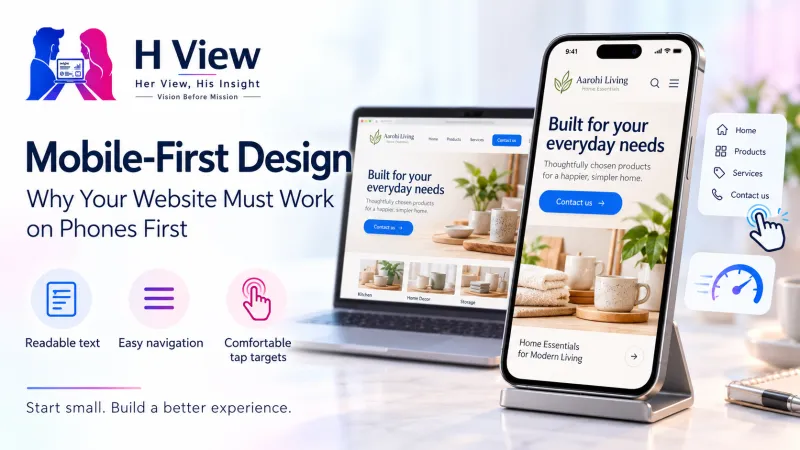
Mobile-First Design: Why Your Website Must Work on Phones First
Most Indians go online on a phone, and Google reads your site the way a phone does. Here is what mobile-first design means and how to get it right.
Mobile-first design means you plan and build your website for a small phone screen first, then add extras for tablets and laptops. It matters because most Indians reach the internet on a phone, and Google now crawls and indexes websites using a smartphone crawler, so the phone version of your site is the version that counts.
What is mobile-first design?
Mobile-first design is a way of planning a website. Instead of designing a wide desktop page and then squeezing it onto a phone, you start with the narrowest screen. You decide what a visitor on a phone needs most, put that at the top, and only then add more columns, bigger images or extra details for larger screens.
Think of a boutique in Jaipur. On a laptop, the home page might show a large banner, three collections side by side and a long story about the founder. On a phone, a customer standing at a bus stop wants three things: see the new collection, check the price and send a WhatsApp message. Mobile-first design puts those three things within the first scroll.
It is closely linked to responsive design, which means one website that adjusts its layout to the screen size. Mobile-first is the order you design in; responsive is the technique that makes the same page work everywhere.
Desktop-first vs mobile-first
Desktop-first
- Designed on a wide screen
- Phone layout is an afterthought
- Heavy images and menus shrink badly
- Buttons often too small to tap
Mobile-first
- Designed on a phone screen
- Most important action shown first
- Light pages that load quickly on 4G
- Extras added for bigger screens
Same business, same content, different starting point.
Why does your website need to work on phones first?
There are two simple reasons: your customers and Google.
First, your customers. According to the Telecom Regulatory Authority of India, India had 1,087.50 million broadband subscribers at the end of June 2026, and 1,021.43 million of them used mobile wireless broadband. Only 47.71 million were wired broadband connections. For most of your visitors, the phone is not the second screen. It is the only screen.
How India gets online (June 2026)
Second, Google. Google first announced mobile-first indexing in 2016, which means it uses the mobile version of a page to decide what the page is about and how to rank it. In October 2023, Google said the switch was complete. From 5 July 2024, Google crawls sites with its smartphone crawler, and content that cannot be reached on a mobile device at all can no longer be indexed. Google's mobile-first indexing best practices ask site owners to show the same important content, headings, images and structured data on mobile as on desktop.
So if your phone version hides your service list or your address to "save space", Google may not see it either.
 Also readWhat Makes a Business Website Convert? Pages and Elements That Matter→
What does a good mobile-first website include?
A mobile-first business website is not just a smaller desktop site. It is built around how people use phones: one thumb, short attention, patchy network, and a strong urge to call or message.
- A clear first screen: what you do, where you are and one main button, such as "Book a visit" or "Chat on WhatsApp".
- Tap-friendly buttons: large enough for a thumb, with space between them so people do not tap the wrong one.
- Readable text: body text that does not need pinching and zooming, with comfortable line length.
- Simple navigation: a short menu, usually five or six links, and a search box if you sell many products.
- Light images: compressed photos that resize to the screen instead of huge desktop banners.
- Short forms: name, phone and one question are often enough for a first enquiry.
- Click-to-call and maps: a phone number that dials when tapped and a map link that opens directions.
For a coaching centre in Kota, that could mean the batch timings, fees enquiry button and a call link appear before any photo gallery.
How do you design a website mobile-first, step by step?
The mobile-first design process
Start narrow, then grow the layout outwards.
- List the top three tasks. Look at your enquiries. If most kirana store customers ask "Do you deliver to my area?", that answer belongs on the first screen.
- Sketch one column. On paper, draw a phone-shaped box and arrange the content in a single column, most important at the top.
- Write short. Phone readers scan. Use short paragraphs, clear headings and bullet points.
- Set up responsive basics. Your developer or theme should include the viewport tag that web.dev's responsive design guide recommends,
width=device-width, initial-scale=1, and images set to never grow wider than the screen. The same guide suggests about 70 to 80 characters per line for comfortable reading. - Add for larger screens. Only after the phone version works, add a second column, larger photos or extra sections for laptops.
- Test on a real, ordinary phone. Try a budget Android phone on mobile data.
How do you check if your site is mobile-friendly?
You can do a useful check in ten minutes, without paying anyone.
- Open your site on your own phone and a cheaper phone, and time how long the first screen takes to appear
- Try to call, message or book using only your thumb
- Check that no text runs off the side and that you never need to scroll sideways
- Make sure pop-ups do not cover the whole screen on arrival
- Fill in your own enquiry form on the phone and see if it feels quick
- Open Google Search Console and look at the Core Web Vitals report for mobile URLs
Speed is part of mobile experience. Our guide to Core Web Vitals: LCP, INP and CLS explains how Google measures loading, responsiveness and layout shifts, and how to read the free reports. If you are still choosing a platform, see WordPress, custom website or website builder, since most modern themes and builders are responsive, but some are much heavier than others.
What are the most common mobile design mistakes?
| Mistake | Why it hurts | Simple fix |
|---|---|---|
| Tiny buttons close together | People tap the wrong link and give up | Make buttons bigger and add space between them |
| Full-screen pop-up on arrival | Visitors cannot see what they came for | Use a small banner or show it later |
| Huge banner images | Slow loading on mobile data | Compress images and use sizes that fit phones |
| Hiding content on mobile | Google indexes the mobile version, so hidden content may be missed | Keep the same important content, just arrange it differently |
| Phone number as an image | Cannot be tapped to call | Use a text number with a click-to-call link |
| Blocking zoom | People with weak eyesight cannot read | Allow pinch-to-zoom |
For the pages every business site needs, and where the call to action should sit, read what makes a business website convert.
 Also readWordPress, Custom-Built Website or Website Builder: Which Should Your Business Choose?→
Her View
Picture a mother booking a paediatrician appointment with one hand while holding a sleepy child with the other. Or a college student checking a coaching centre's fees on a crowded local train. These are your real visitors. Mobile-first design is really a form of kindness: it respects people's time, their data packs and their tired thumbs. When a small business makes the phone experience easy, it tells customers, "We thought about you before you even arrived."
His Insight
The numbers make the decision for you. With over a billion mobile broadband subscriptions in India and Google indexing the smartphone version of pages, the desktop layout is now the secondary one. Practically, judge every design choice by one test: does it help a phone visitor complete the top task faster? Track it too. In your analytics, compare mobile and desktop enquiry rates. If phones bring most of the visits but few of the leads, your mobile layout is where the money is leaking.
H View Verdict
Mobile-first design is no longer a nice extra for Indian businesses. Your customers are on phones, and Google reads your site the way a phone does. Start with the top three tasks, design one clear column, keep pages light, keep the same content on every screen, and test on an ordinary phone. Do this, and your website will feel easier for customers and clearer for search engines.
Want this done for your business?
If your website looks fine on a laptop but feels clumsy on a phone, the H View team can redesign it mobile-first around what your customers need most. H View studies how your business works today and builds the right digital platform for it, from search visibility to turning manual work into automated systems.
- Website SEO
- GEO and AI search visibility
- Websites and apps
- CRM and ERP
- Management portals
- Automation and digitisation
Frequently Asked Questions
Is mobile-first design the same as responsive design?
Not exactly. Responsive design is the technique that lets one website change its layout to fit any screen. Mobile-first design is the approach of planning that layout for phones first and then expanding it for bigger screens. Most good websites use both together.
Does Google rank websites based on the mobile version?
Yes. With mobile-first indexing, Google uses the mobile version of your pages for indexing and ranking. Google completed this switch in 2023, and from 5 July 2024 it crawls with its smartphone crawler. That is why your mobile pages should carry the same important content as desktop.
Do I need a separate mobile website or an app?
Usually no. A single responsive website that works well on phones is simpler to manage and is the setup Google recommends. An app makes sense only when customers use your service often, such as for repeat orders or bookings.
How can I test my website on mobile for free?
Open it on two or three real phones, including a budget Android, on mobile data. Try the main tasks with one thumb. Then check the Core Web Vitals report in Google Search Console and test key pages in PageSpeed Insights for mobile scores.
Will mobile-first design make my desktop site look worse?
No. A mobile-first site still adds wider layouts, larger images and extra sections for laptop screens. It simply makes sure the core content and actions work on the smallest screen first, which often makes the desktop version cleaner too.
H View stories follow our editorial policy. Spotted an error? Tell us and we will correct it.
Rate this article
One tap is enough. No comment needed.
Was this article helpful?
Your answer goes straight to our editors.








Comments0
No comments yet. Start the conversation.