
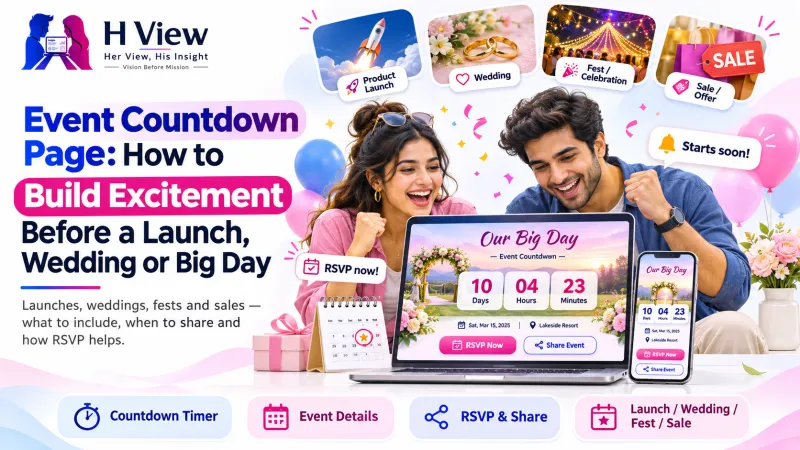
Event Countdown Page: How to Build Excitement Before a Launch, Wedding or Big Day
A live countdown turns "save the date" into anticipation. How to use an event countdown page for launches, weddings, college fests and sales, and how to make one with a map and RSVP.
An event countdown page shows a live timer to your launch, wedding or event, along with the key details and a way to RSVP or add it to a calendar. Sharing it a few weeks ahead keeps the date in people's minds and gives you a reason to post reminders. The H View Interactive Event Countdown Creator makes one with a map, calendar button and RSVP.
Which events benefit from a countdown?
| Event | Why a countdown helps |
|---|---|
| Product or app launch | Builds anticipation and collects early interest |
| Shop opening or festive sale | Gives customers a clear "be there" moment |
| Wedding or engagement | Guests abroad plan travel; family enjoys watching it tick down |
| College fest or conference | One link for date, venue and registration |
| Webinar or live stream | Reduces no-shows when people add it to their calendar |
What should an event countdown page include?
- Event name and a one-line promise ("Our new menu launches Friday at 7 p.m.").
- Date, time and time zone, especially for online events with guests abroad.
- Venue with a map, or the online link to be shared later.
- Add to calendar button.
- RSVP or registration, with a contact for questions.
- Dress code or what to bring, if relevant.
 Also readFestival Greetings for Customers: How Businesses Can Send Branded Wishes That Don't Feel Like Spam→
When should you share the countdown?
- Announcement: 3–6 weeks before for weddings and conferences; 1–2 weeks for launches and sales.
- Midpoint reminder: share the same link with a teaser or behind-the-scenes photo.
- Final reminder: 24 hours and 1 hour before.
Calendar invites reduce forgotten events; Google's Calendar help explains how add-to-calendar links appear for guests.
How do you make an event countdown page?
- Open the Event Countdown Creator and choose Neon Night (parties, launches) or Corporate (business events).
- Enter the event name, date, time, venue, address, message, dress code and RSVP contact. Add a photo or poster.
- Press Create my link and share it on WhatsApp, Instagram bio, email or a printed QR code.
As of November 2026, the self-made countdown is free; a hand-made branded version with your logo and colours starts at ₹499.
 Also readProduct Decisions: A Startup Founder’s First Big Marketing Choice→
Tips for launches and sales
- Put the countdown link in your Instagram bio and WhatsApp Business status.
- Print a QR code at the shop counter; the QR Code Surprise page explains how printed QR links work.
- Keep promises realistic: under India's consumer protection rules, sale claims must be accurate.
Frequently asked questions
Does the countdown update itself?
Yes. It counts down live on every device to the date and time you set.
Can I change the date later?
Make a new link with the new date and share it as an update.
Is it good for online events?
Yes. Mention the time zone and share the joining link closer to the day.
H View stories follow our editorial policy. Spotted an error? Tell us and we will correct it.
Rate this article
One tap is enough. No comment needed.
Was this article helpful?
Your answer goes straight to our editors.






Comments0
No comments yet. Start the conversation.