
Animated Greeting Cards: How to Send a Digital Card for Any Occasion (and What to Write)
Not every occasion has a festival or a birthday attached. Here is how to send a thoughtful animated greeting card for get well, farewell, sorry, miss you and more.
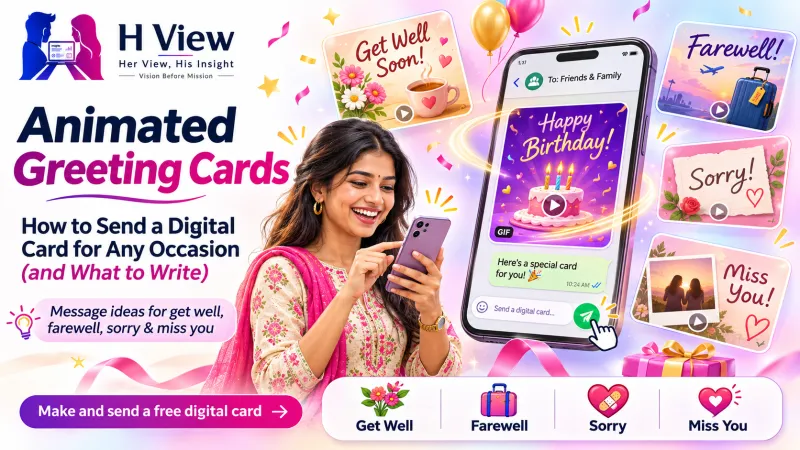
An animated greeting card is a digital card that opens with a small animation before revealing your message, and it works for any occasion without a fixed festival or date. You can make one free with the H View Digital Greeting Card Maker, choose the Confetti Card or Keepsake Letter design, and send it as a private link on WhatsApp.
When is an animated greeting card the right choice?
Many of life's important moments have no ready-made template: a friend recovering from surgery, a colleague's last day, an apology, a new job, or simply missing someone. A plain text can feel too small for these, and a long letter can feel too heavy. A short card that opens with a flourish sits comfortably in between.
What should you write in a greeting card?
Three short parts work for almost every occasion: name the moment, say how you feel, and offer something specific (a wish, a memory or help). Keep it to two or three sentences.
Get well soon
- "Rest, heal and let everyone spoil you for a while. I'll bring the biryani when you're ready."
- "Thinking of you every day. No need to reply, just get better."
Farewell to a colleague
- "The office will be quieter and the tea breaks shorter. Thank you for everything you taught me. All the best in your new role."
- "Wherever you go next is lucky to have you. Stay in touch."
Sorry
- "I was wrong, and I'm sorry. You matter more to me than being right."
- "No excuses. I hurt you and I want to make it right. Can we talk?"
Miss you
- "The city feels different without you. Counting days till your next visit."
- "Saw something today that made me laugh and I wanted to tell you first."
New job or promotion
- "All those late nights finally paid off. So proud of you. Treat is due!"
Just because
- "No reason. Just wanted you to know you make life better."
 Also readAnimated Birthday Wishes: 30 Message Ideas and How to Send a Surprise on WhatsApp→
How do you make and send an animated greeting card?
- Open the Digital Greeting Card Maker.
- Choose Confetti Card for happy news or Keepsake Letter for heartfelt messages.
- Type their name, your message and your name. Add one photo if it suits the moment.
- Press Create my link, then share it on WhatsApp, Instagram, Telegram or email.
The card opens in any phone browser with no app or sign-up. As of November 2026, the self-made card is free, and a hand-made Personal premium card with your photos and a premium theme starts at ₹149.
Which occasion-specific creators can you use instead?
| Occasion | Better fit |
|---|---|
| Birthday | Birthday Wishes Creator |
| Thanks | Virtual Thank You Card |
| Achievement | Congratulations Animation |
| Anniversary | Anniversary Wishes Creator |
| Something private | Secret Message Creator |
 Also readThe Festival Spending Hangover: How to Recover After Too Many Offers and EMIs→
Is a digital card as meaningful as a paper one?
What makes a card meaningful is the message, not the paper. Research on gratitude letters summarised by the Greater Good Science Center at UC Berkeley suggests people tend to underestimate how much a sincere note means to the person who receives it. For more on the history of cards, see Wikipedia's greeting card article.
Frequently asked questions
Is the digital greeting card free?
Yes. Making and sharing it costs nothing and needs no account.
Can I send the same card to several people?
Each card is personalised with one name, so make a separate link for each person. It only takes a minute.
Can they reply?
They reply in the chat where you shared the link, just like any message.
How private is the card?
Links are private and hidden from search engines, but anyone with the link can open it, so avoid personal details such as addresses.
H View stories follow our editorial policy. Spotted an error? Tell us and we will correct it.
Rate this article
One tap is enough. No comment needed.
Was this article helpful?
Your answer goes straight to our editors.






Comments0
No comments yet. Start the conversation.