

Photo Slideshow Ideas for Birthdays, Weddings and Farewells: How to Tell a Story with Pictures
A good slideshow is a story, not a photo dump. How to choose, order and caption pictures for birthdays, weddings and farewells, and how to share an animated slideshow on WhatsApp.
A memorable photo slideshow tells a story in order: a beginning, a few turning points and a warm ending, using 15 to 30 well-chosen photos with short captions. The H View Animated Photo Slideshow Creator plays your pictures with smooth cinema-style transitions, captions and music, as a link people open on their phones.
How many photos should a slideshow have?
For a slideshow watched on a phone, 15 to 30 photos is plenty. At four to five seconds per photo, that is about one to two and a half minutes, long enough to feel special and short enough that people watch to the end. A projected slideshow at a wedding or retirement party can run longer, up to about 5 minutes.
How do you choose the right photos?
- Pick faces over places. Expressions carry emotion; scenery fills gaps.
- Remove near-duplicates. Keep the best of every burst.
- Include a few "imperfect" photos: the blurry laugh, the messy kitchen. They feel real.
- Check permission before including other people, especially children.
 Also readAnimated Birthday Wishes: 30 Message Ideas and How to Send a Surprise on WhatsApp→
How should you order a slideshow?
| Occasion | Story structure |
|---|---|
| Birthday | Childhood → school and college → this past year → a "look at you now" ending |
| Wedding or anniversary | How they met → first trip → proposal → family moments → today |
| Farewell or retirement | First day → team moments → milestones → messages from colleagues |
| Graduation | First day of school → hard work → friends → the degree |
What captions work best?
Keep captions under about 8 words and let the photos speak: "Our first chai date, 2019", "The day you got the job", "Still the same smile". One caption every few photos is enough.
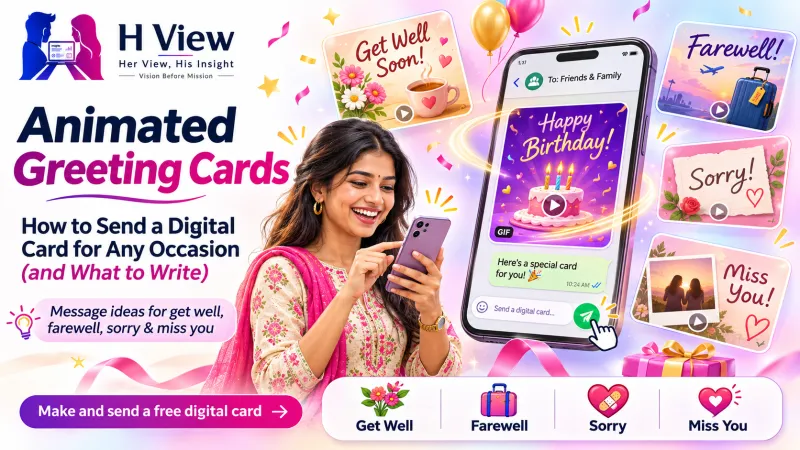 Also readAnimated Greeting Cards: How to Send a Digital Card for Any Occasion (and What to Write)→
How do you make an animated photo slideshow?
- Open the Photo Slideshow Creator and choose the Cinema design.
- Add the person's name, your message, your name and a photo to try the free version.
- For a full slideshow with many photos, captions and music, request the hand-made version on the same page. As of November 2026, it starts at ₹399, and you pay by UPI only after the details are agreed.
- Share the link on WhatsApp, or play it on a TV through your phone at the event.
Tips for music and sharing
- Choose music you have the right to use; many free libraries such as the YouTube Audio Library list licence terms.
- Compress large photos before sharing; phone photos are often 3–5 MB each.
- Back up originals in Google Photos or another cloud service; Google's Photos help explains sharing albums with family.
Frequently asked questions
Can I add music to the slideshow?
Yes, in the hand-made version. Tell the team the song, or choose from licence-free tracks.
Will it play on a TV?
Yes. Open the link on a phone and cast or mirror the screen, or open it in a laptop browser connected to a projector.
Can friends add photos too?
For a collaborative album, try the Digital Memory Book, where friends add their own pages.
H View stories follow our editorial policy. Spotted an error? Tell us and we will correct it.
Rate this article
One tap is enough. No comment needed.
Was this article helpful?
Your answer goes straight to our editors.










Comments0
No comments yet. Start the conversation.