
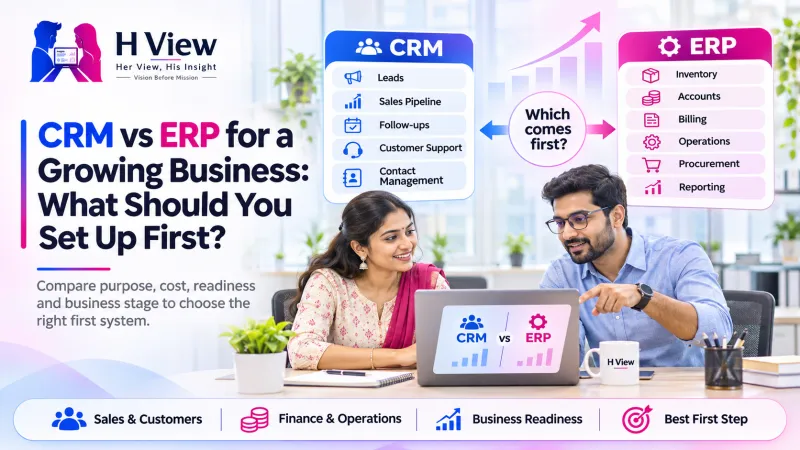
CRM vs ERP for a Growing Business: What Should You Set Up First?
CRM helps a business manage customer conversations and sales activity, while ERP connects internal operations such as finance, stock and purchasing. This guide explains how to choose based on the problem you need to solve first.
CRM and ERP systems solve different business problems. A CRM helps teams keep customer details, sales conversations and follow-ups organised; an ERP connects internal work such as finance, purchasing, inventory and operations. A growing business should choose the system that addresses its most expensive or frequent gap first, rather than buying both because the company has reached a particular size.
What does a CRM system do?
Customer relationship management software gives a team a shared place to record leads, customers, messages, sales stages and next actions. It can reduce the chance that a promising enquiry sits in one employee’s personal inbox or that two people contact the same customer without context. A CRM is especially useful when the business has regular enquiries, repeat sales, several people involved in selling, or a long decision process.
Imagine a small website studio receiving enquiries through its contact form, phone and WhatsApp. Without a clear routine, the team may forget who asked for a quote, what was promised or when to follow up. A CRM can record the source, service requested, owner and next step. It does not make the offer stronger or guarantee a sale, but it can help the team handle conversations more consistently.
What does an ERP system do?
Enterprise resource planning software brings together information and workflows used to run the business. Depending on the product and configuration, that may include accounts, purchasing, stock, orders, production, payroll or other internal processes. It is useful when teams are working from disconnected spreadsheets, figures do not agree between departments, or staff repeatedly re-enter the same information in different places.
For example, a small food distributor may need to see what is in stock, what has been ordered, what is owed to suppliers and which customer orders are ready to ship. An ERP can connect those parts of the operation, but it needs accurate processes and clean data. If product codes, opening stock or approval rules are inconsistent, moving the confusion into new software will not fix it.
SAP’s plain-language overview describes CRM as more focused on customer-facing work and ERP as supporting wider business operations. Read its CRM vs ERP comparison and ERP overview for examples of the functions these systems can cover. Products differ, so confirm features with each vendor instead of assuming every system includes the same modules.
 Also readBest Free Tools Every Small Business Owner Should Use→
How do you decide which one comes first?
Begin with the problem employees complain about most and the cost of leaving it unresolved. If leads are missed, follow-ups are inconsistent or no one knows the status of a sale, evaluate CRM first. If orders, inventory, purchasing or financial records are fragmented and errors slow down delivery, explore ERP first. If both problems are real, list them separately and identify which one creates the greatest customer or cash-flow risk today.
Then trace one real process from beginning to end. For a sales process, map how an enquiry arrives, who qualifies it, how a quotation is sent and how the team knows to follow up. For an operational process, map how an order moves through stock, purchasing, fulfilment and accounting. The map often reveals that the issue is unclear ownership or a missing procedure, not only a lack of software.
What should you check before choosing software?
- Team readiness: Who will maintain records and train new users?
- Data quality: Are customer, product and financial records consistent enough to import?
- Daily workflow: Can the system support how the team works, or will it add unnecessary steps?
- Integration: Can it connect to the email, accounting, website or inventory tools you already use?
- Ownership and access: Can you control staff permissions, export your data and remove access when roles change?
- Total cost: Include setup, migration, training, support and future user or module fees.
- Exit plan: Understand how to retrieve your data if the product no longer fits.
Ask vendors to demonstrate a real workflow using a sample from your business. A dashboard full of features may look impressive but tell you little about whether staff can record a lead, issue a quote or reconcile an order without workarounds. Ask who handles implementation and support, what is included in the quoted price, and how changes are managed.
Can a business use CRM and ERP together?
Yes. Some businesses connect a CRM with an ERP so customer-facing teams can see relevant order or account information while operations can work from the same underlying data. This can be valuable when a company has enough volume to justify the integration and clear rules about which system owns each record.
Integration is not automatically the right first step for a small team. It can add cost and complexity, and poor data can spread across both systems. A business should first document the information that needs to move, decide which tool is the source of truth for each field, and test the connection with a limited set of records. SAP notes that some ERP products include CRM features, while dedicated CRM products may offer more specialised customer-management workflows. Compare the actual product features rather than relying on category labels.
Common mistakes to avoid
Buying software before agreeing on the process is one of the most common mistakes. Another is trying to customise every screen before employees have used the standard workflow. Teams can also underestimate migration work, overlook staff training or measure success only by how many accounts were created. A system that staff do not use consistently will not provide a reliable view of the business.
Set a small, measurable first goal. That could be recording every new sales enquiry in one place, reducing the time needed to find stock information, or making a weekly report more accurate. Review the goal after a pilot. If a spreadsheet or simple CRM already meets the need safely, it may be sensible to keep using it while the business grows. Software should follow a genuine operational need.
Her View
Employees and customers feel the impact of systems through everyday interactions. A CRM can help a customer avoid repeating their request, while an ERP can help prevent an order from being delayed because two teams have different stock figures. But technology only improves the experience when people understand how to use it and the business acts on the information it captures.
 Also readAI Receptionists for Small Businesses: What They Can Do—and When a Person Should Step In→
His Insight
For a founder, the useful question is not “Which system do successful companies use?” It is “Where are we losing time, information or trust right now?” Write down the failure points, get input from the people doing the work, and ask vendors to show how their product handles those exact steps. That keeps the decision grounded in the business you have, not an imagined future company.
H View Verdict
CRM is generally the better first evaluation when customer follow-up and sales visibility are the main pain points. ERP deserves attention first when disconnected internal operations are causing errors, delays or poor financial visibility. Some businesses eventually need both, but they should implement them in stages, define data ownership and train the people who will use them daily.
Frequently asked questions
Is CRM part of ERP?
Some ERP products include customer-management features, while others integrate with a separate CRM. The depth of those features varies, so compare the workflows the business actually needs.
Which is cheaper, CRM or ERP?
There is no universal price rule. Costs depend on users, modules, implementation, integrations, support and data migration. Request a total-cost estimate for the first year and ongoing use.
Can a small business use ERP software?
Yes, if operational complexity justifies it and the team is ready to manage the change. A small business should still compare the setup effort and ongoing cost against a simpler tool.
Should I move all my data at once?
Usually it is safer to clean the data and test a small, representative sample first. Confirm that records, permissions and reports work before expanding the migration.
Sources
H View stories follow our editorial policy. Spotted an error? Tell us and we will correct it.
Rate this article
One tap is enough. No comment needed.
Was this article helpful?
Your answer goes straight to our editors.







Comments0
No comments yet. Start the conversation.