
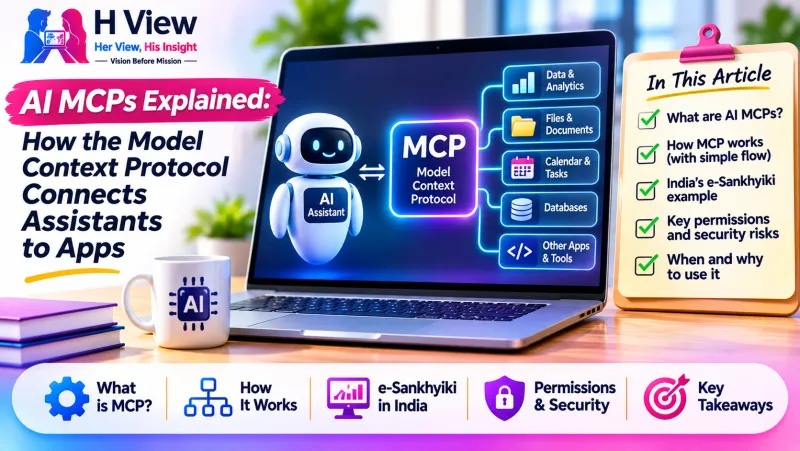
AI MCPs Explained: How the Model Context Protocol Connects Assistants to Apps
A plain-language guide to AI MCPs: how Model Context Protocol connects assistants to apps, India’s e-Sankhyiki example, and what users should check before granting access.
A useful AI assistant can answer questions, but much of the information people need sits elsewhere: in a spreadsheet, an official data portal, a project tracker or a company’s own records. Model Context Protocol, usually shortened to MCP, is an open standard designed to help compatible AI applications connect with those tools and sources in a consistent way. It is attracting attention as AI moves from chatbots that mainly respond to prompts toward assistants that can retrieve information and, with permission, take actions.
That promise needs context. MCP is not a new AI model, and connecting an assistant to an MCP server does not automatically make it accurate or safe. It is a way to describe and carry out connections. The results still depend on the data, the software behind the connection, the permissions granted and the human checks around it.
What does MCP mean in everyday language?
Think of an AI application as a visitor who can speak but cannot open the doors to your other apps. A connector needs to show which information is available and which actions are allowed. MCP provides a shared language for that exchange. A service can expose an MCP server, and a compatible AI application can connect to it without every service and assistant needing a completely different integration.
The protocol has three useful building blocks. Tools are actions a model may request, such as searching a catalogue or creating a calendar event. Resources are information the application can make available, such as a document or database result. Prompts are reusable instructions a server can offer. Which capabilities are available depends on the server and the client; MCP does not mean the assistant can do everything.
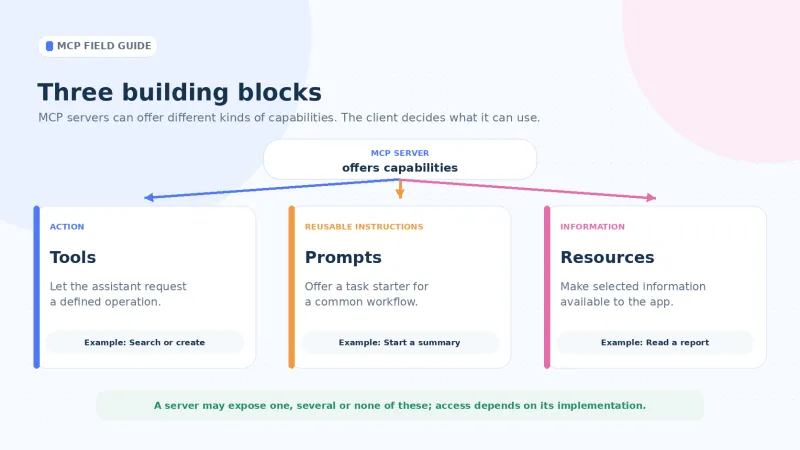
For example, a small business could ask an assistant to query its sales system and prepare a draft report. Sending that report to a customer or changing an order is more consequential and should require separate permission and review.
How does an MCP connection work?
The AI application, often called the host, manages the conversation. An MCP client inside it communicates with an MCP server. The server acts as a bridge to a service, dataset or local tool and describes the capabilities it offers. The model can then use that information when forming a response.
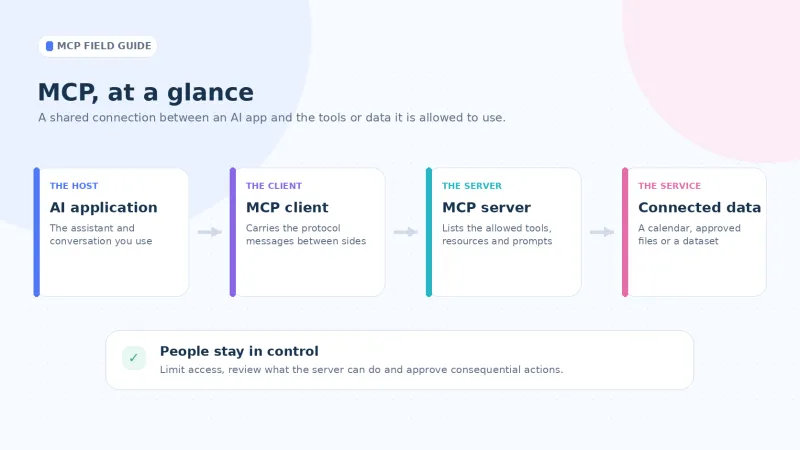
This can reduce repetitive integration work, but it does not eliminate ordinary engineering responsibilities. Authentication, access controls, testing, logging, reliability and maintenance still matter. A connector with a familiar interface can still be poorly designed or unsafe.
MCP is also different from an AI agent. An agent is a system that uses a model, instructions and available capabilities to pursue a task. MCP is one way for that system to discover and communicate with external tools and data. It does not set an organisation’s policy, decide whether an action is appropriate or guarantee that a model will choose correctly.
 Also readAI Can Now Find Security Flaws Humans Missed for Years—Is That Good News or a Bigger Cybersecurity Risk?→
Why is MCP getting attention now?
MCP has moved from a developer conversation into more visible product and public-sector use. In February 2026, India’s National Statistics Office under the Ministry of Statistics and Programme Implementation announced a beta MCP server for the e-Sankhyiki portal. The government release said its first version included seven data products, including the Periodic Labour Force Survey, Consumer Price Index and National Account Statistics. It described querying selected datasets through compatible AI tools without first downloading large files. That is a practical example of the idea: offer an AI application a standard route to defined official data.
The protocol is evolving, too. The July 28, 2026 specification update introduced a stateless request model, changes to routing and caching, authorization improvements and a formal extension framework. These are mainly implementation details, but they matter to developers building services that need to scale and manage access carefully. For everyday users, the point is that MCP continues to evolve; a client or server built for an earlier version may not support every newer capability in the same way.
This does not mean every business needs an MCP server today. A company with one stable integration may gain little from adding another layer. A service that wants to offer selected information to multiple compatible assistants may have a stronger use case. The better question is whether a standard connection solves a real problem more clearly than the alternatives.
What can MCP make easier?
For users, a well-designed connection can reduce copying and pasting between an assistant and the apps where work happens. A researcher might retrieve figures from a data portal and ask for a summary. A developer might ask a coding assistant to search project documentation. A team could connect an assistant to approved internal knowledge so it can consult current material instead of relying only on general training.
A server can expose selected capabilities to different AI applications, but the organisation still decides what each tool can access, how users authenticate and how errors are investigated. MCP standardises the route, not the quality of the data or business rules.
H View’s guide to Nothing OS 5.0 already notes a consumer-facing example: Nothing has described MCP support for selected information in Essential Space. That kind of feature may help people search their own saved material, but it also makes clear why permission controls must be understandable.
What should users and organisations be careful about?
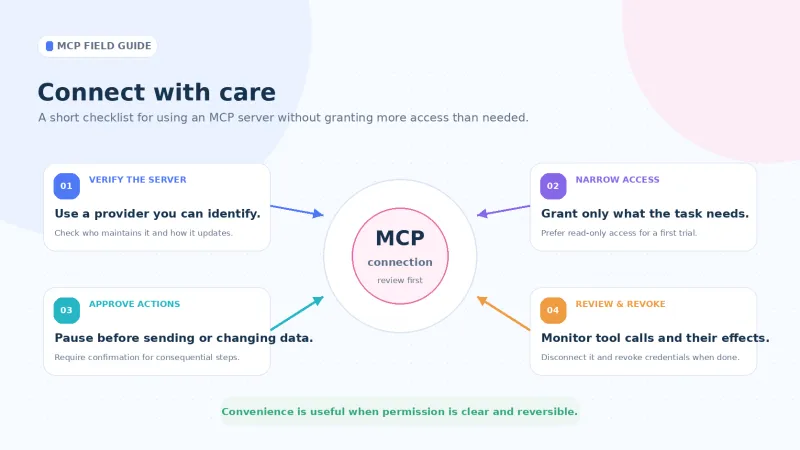
A connection can expose more than a user expects. A read-only search tool is different from one that can send emails, edit files, approve payments or change customer records. Before connecting, check which account it will use, what permissions it requests and whether those permissions can be narrowed. “Connect to my work account” is not enough detail to understand the access being granted.
Prompt injection is another concern. A document, webpage or tool response can contain text that tries to manipulate an AI into revealing information or using another connected tool. OWASP’s MCP Security Cheat Sheet warns that tool descriptions and returned content can influence the model’s context. Connected data should be treated as information to assess, not as trusted instructions. Sensitive actions need safeguards outside the model’s own interpretation.
The server itself deserves scrutiny. An unfamiliar package, a lookalike name or a server that changes its behaviour after installation can create a supply-chain problem. A polished description or listing is not a security audit. Organisations should review the provider, permissions, update process, logging and support arrangements, and restrict each server to the data it actually needs.
Start with a trusted service and the narrowest permissions available; prefer read-only access for an initial trial. Review what data the connection can see, require confirmation before it shares information or changes records, and keep a way to disconnect it and revoke credentials. Organisations should test with non-sensitive data and monitor tool calls.
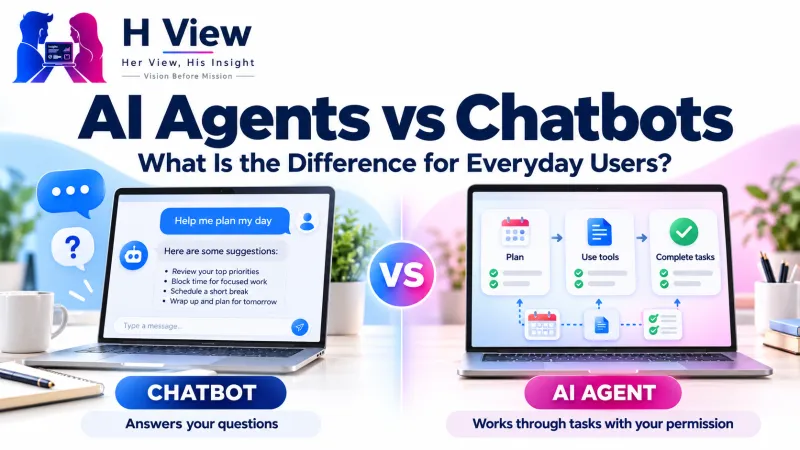 Also readAI Agents vs Chatbots: What Is the Difference for Everyday Users?→
Her View
MCP could make AI more useful for people who work across many apps, but convenience should not hide the consent decision. Before connecting a personal account, users should be able to understand what an assistant can read, what it can change and when it may act. If the interface cannot answer those questions, waiting is a reasonable choice.
His Insight
For developers and business owners, the opportunity is interoperability; the responsibility is to design narrow capabilities. A server should offer a specific task with a clear name, understandable inputs and predictable effects. “Search these approved reports” is easier to govern than a broad tool that can inspect or modify an entire account. MCP standardises part of the conversation between systems; product design determines whether the result is dependable.
Frequently asked questions
Is MCP an AI model?
No. MCP is an open protocol that helps compatible AI applications connect to tools, resources and prompts exposed by a server. A separate AI model interprets the request and generates a response.
Does an MCP server automatically get access to my files or account?
No. Access depends on how the server is configured, which identity or credentials it uses and what permissions a user or organisation grants. Check the scope before connecting, and revoke access when it is no longer needed.
Is MCP safe to use?
MCP is a communication standard, not a guarantee that every server or implementation is safe. Use trusted providers, grant only the required permissions, review tool behaviour and require confirmation for consequential actions.
Does every business need MCP?
No. It may help when a service needs to offer selected tools or data to multiple compatible AI applications. For a workflow that already works reliably, an MCP integration may add complexity without enough benefit.
MCP is worth understanding because it may help AI assistants reach useful, current information and services. H View’s view: the strongest deployments will make permissions obvious, keep capabilities narrow and leave people in control of consequential actions. See the MCP documentation and OpenAI’s MCP guide for technical details.
H View stories follow our editorial policy. Spotted an error? Tell us and we will correct it.
Rate this article
One tap is enough. No comment needed.
Was this article helpful?
Your answer goes straight to our editors.




Comments0
No comments yet. Start the conversation.