
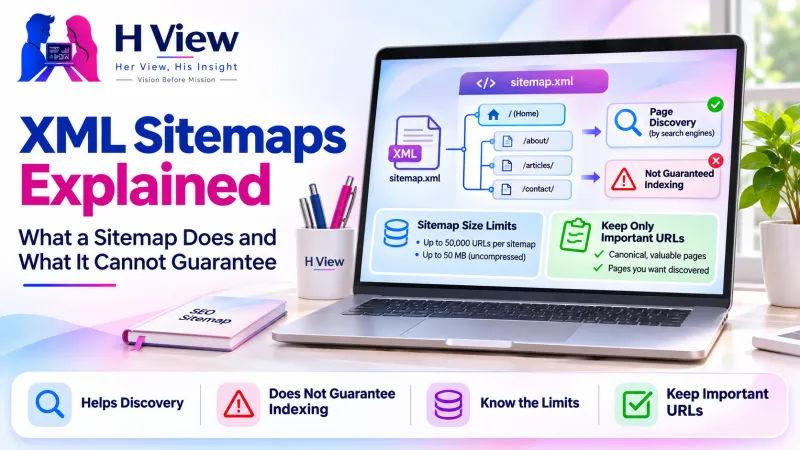
XML Sitemaps Explained: What a Sitemap Does and What It Cannot Guarantee
An XML sitemap lists the pages you want search engines to find. What it does, what it cannot promise, and why submitted pages can still be missing from Google.
An XML sitemap is a file that lists the pages on your website you want search engines to know about, often with the date each page last changed. It helps Google discover your pages, especially new or hard-to-reach ones, but it does not guarantee that every listed page will be crawled, indexed or shown in search results.
That last point surprises many site owners. They submit a sitemap in Search Console, see pages listed, and assume the job is done. Understanding what a sitemap really does makes missing pages much easier to explain.
What does a sitemap actually do?
Think of a sitemap as a list you hand to a librarian: "these are the books in my collection". It helps them find books they might have missed on the shelves, but the librarian still decides which books to catalogue and display. Google's sitemaps overview describes a sitemap as a way to tell Google which pages and files you think are important, and notes that it helps Google crawl a site more efficiently. Its Sitemaps report help states plainly that there is no guarantee a URL discovered in a sitemap has been or will be crawled or indexed.
Who benefits most from a sitemap?
- New websites with few links pointing to them yet.
- Large websites where some pages are many clicks away from the home page.
- Sites with many images or videos that need extra description.
- Sites whose pages change often, such as shops and news sites.
A small, well-linked site can often be discovered without one, but having a sitemap rarely hurts and usually helps.
 Also readRobots.txt and Noindex: Two Different Reasons Search Engines May Miss a Page→
What are the basic sitemap rules?
| Rule | Why it matters |
|---|---|
| One sitemap can hold up to 50,000 URLs or 50 MB uncompressed | Larger sites split URLs across several sitemaps and list them in a sitemap index (Google) |
| List only the preferred (canonical) version of each page | Listing duplicates or redirected URLs sends mixed signals |
| Include only pages that return a normal "200 OK" and can be indexed | Pages marked noindex, blocked or broken should not be listed |
| Keep the "last modified" date honest | Google uses it as a hint only when it is consistently accurate |
WordPress has generated a basic sitemap automatically since version 5.5, usually at /wp-sitemap.xml, and many SEO plugins replace it with their own.
Why are some submitted pages still missing from Google?
- Google has not crawled them yet. Discovery and crawling take time.
- The page tells Google not to index it, for example with a noindex tag.
- Google treats another URL as the main version, because of duplicates or canonical tags.
- Google decided the page does not add enough value compared with similar pages.
- Technical problems: server errors, slow responses or blocked resources.
Search Console's Page indexing report usually gives a reason for each excluded URL, which is the best starting point. Our article on robots.txt and noindex explains two of the most common reasons.
Her View / His Insight
Her View: A sitemap is an invitation, not a guarantee. Focus your energy on making each listed page genuinely useful; that is what convinces search engines to keep it.
His Insight: Treat the sitemap as a clean inventory. If it lists redirects, deleted pages or duplicates, fix the sitemap before worrying about rankings.
Frequently asked questions
Do I need to resubmit my sitemap every time I publish?
No. Once Google knows your sitemap's location, it checks it periodically. Resubmitting is useful mainly after major structural changes.
Does a sitemap improve rankings?
No. It helps discovery. Rankings depend on how useful and relevant the pages are.
Should every page be in my sitemap?
Only pages you want people to find in search. Leave out thank-you pages, admin areas, duplicates and pages marked noindex.
Pages missing from search?
HView's Digital Solutions team can review sitemaps, indexing reports and site structure as part of a technical SEO audit.
References

H View stories follow our editorial policy. Spotted an error? Tell us and we will correct it.
Rate this article
One tap is enough. No comment needed.
Was this article helpful?
Your answer goes straight to our editors.












Comments0
No comments yet. Start the conversation.