

How a PHP Contact Form Works: Validation, Email Sending and Error Handling Explained
A PHP contact form does three jobs: check what was typed, send or store the message, and tell the visitor what happened. How each step works and why "sent" on screen does not always mean delivered.
A PHP contact form works in three steps: it checks (validates) what the visitor typed, sends the message by email or saves it, and then shows the visitor a clear success or error message. Problems usually happen at one of those steps, and a form can show "Thank you, message sent" even when the email never reaches your inbox.
For many small businesses, the contact form is the main way new customers get in touch. Understanding what happens after someone clicks "Send" helps you spot when enquiries are quietly going missing.
What happens when someone submits a PHP form?
- The browser sends the form data (name, email, message) to a PHP script on your server.
- The script validates the data: are required fields filled, is the email address in a valid format, is the message a sensible length?
- The script protects against misuse: spam checks, limits on repeated submissions and safe handling of anything it will display back.
- The script sends or stores the message: it emails the business, saves it in a database, or both.
- The script responds to the visitor with a success or error message.
What is validation, and why does it matter?
Validation means checking input before using it. PHP includes built-in validation filters, for example to check that an email address is in a valid format. Good validation improves the quality of enquiries and helps block junk. It should also give visitors clear messages, such as "Please enter your phone number", rather than silently failing.
Any text the form shows back to the visitor must be escaped so it cannot be used to inject code into the page. This is a basic security step that older or copied form scripts sometimes miss.
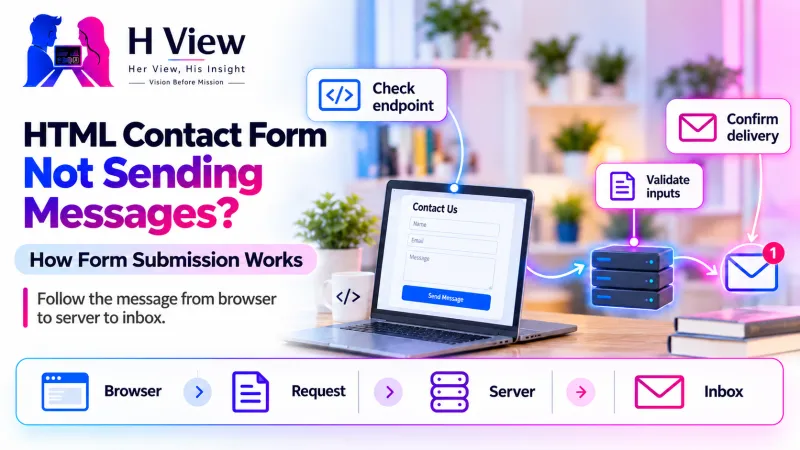 Also readHTML Contact Form Not Sending Messages? How Form Submission Works→
Why can a form say "sent" when nothing arrives?
PHP's built-in mail() function returns true when the message is accepted for delivery by the server's mail system. The PHP manual notes that this does not mean the email will actually reach its destination. After that point, many things can go wrong:
| Where it fails | What happens |
|---|---|
| Server mail is disabled or limited | The host does not actually send the message onward |
| The "From" address uses your domain without authentication | Receiving servers treat it as suspicious and reject or spam it |
| Spam filtering at the receiving end | The message lands in spam or is silently dropped |
| Wrong recipient address in the script | Messages go to an old or mistyped inbox |
| The script shows success before checking results | The visitor sees "sent" even when sending failed |
Major inbox providers now expect authenticated email. Gmail's sender guidelines require SPF or DKIM for all senders, which is why many sites send form emails through an authenticated mail service rather than the server's default mail. Our article on SPF, DKIM and DMARC explains these records.
How do reliable forms reduce lost enquiries?
- Save each submission in a database or admin area, so an email failure does not lose the enquiry.
- Send through authenticated email from your own domain.
- Show honest messages: success only after the message is stored or accepted, and a helpful error otherwise.
- Test regularly by submitting the form yourself and checking that it arrives.
Her View / His Insight
Her View: A visitor who never hears back assumes you are not interested. A missing enquiry is not just a technical problem; it is a lost relationship.
His Insight: Test your form after every hosting, domain or email change. These are the moments forms most often break without anyone noticing.
Frequently asked questions
How often should I test my contact form?
At least monthly, and always after changes to hosting, email, domain or the site's code.
Is a plugin or ready-made form service safer than custom PHP?
Not automatically. Well-maintained tools handle many details for you, but any form still needs correct email setup and regular testing.
Why do I receive lots of spam through my form?
Forms without spam protection attract automated submissions. Validation, rate limits and spam checks reduce this without blocking real visitors.
Worried your form is losing enquiries?
HView's Digital Solutions team can trace how your form handles submissions and email, then agree a clear repair scope. See also PHP and Laravel development.
References
H View stories follow our editorial policy. Spotted an error? Tell us and we will correct it.
Rate this article
One tap is enough. No comment needed.
Was this article helpful?
Your answer goes straight to our editors.










Comments0
No comments yet. Start the conversation.