
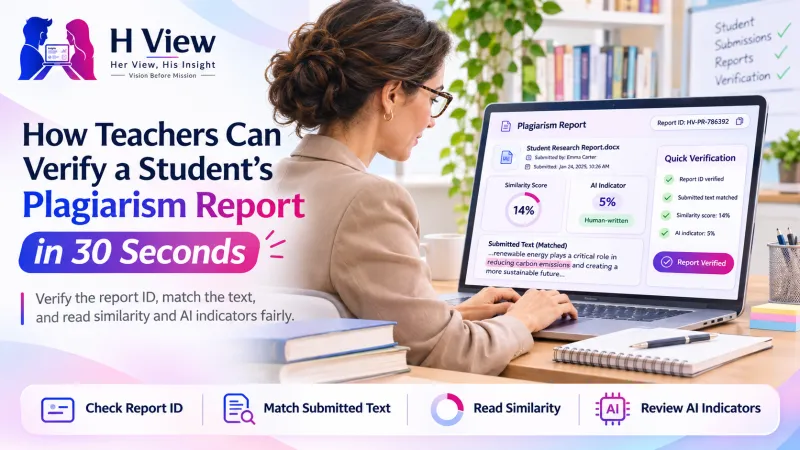
How Teachers Can Verify a Student's Plagiarism Report in 30 Seconds
A screenshot of a low score proves nothing. Here is how teachers and professors can verify a plagiarism report against the exact text a student submitted, and how to read it fairly.
To verify a plagiarism report, open the H View report verification page, enter the report ID printed on the student's report and paste the text they submitted. The page confirms whether that exact text was checked, and shows the date, word count, similarity and AI-writing indicators, so a report cannot be reused for a different document.
Why can't teachers trust a screenshot of a plagiarism score?
A screenshot or a PDF only shows that some text was checked at some point. A student could check an early draft, a different essay or a friend's work and attach that result. Without a way to tie the report to the submitted text, the score tells you very little.
Every H View report carries a text fingerprint: a code worked out from the exact words that were checked, ignoring spacing and capital letters. If even one sentence changes, the fingerprint changes. That is what lets you verify plagiarism report claims in seconds instead of re-running checks yourself.
How do you verify a plagiarism report step by step?
- Ask for the report ID. It starts with HV followed by eight characters and is printed on the report, next to a QR code.
- Open the verification page at hview.in/plagiarism-checker/verify/, or scan the QR code on the printed report.
- Paste the text the student submitted to you, not the copy attached to the report.
- Read the result. "Verified" means the text matches exactly. "Text does not match" means the report is genuine but was made for different wording.
A "does not match" result is not automatically misconduct. Students often fix a typo after checking. Ask them to re-run the check on the final version.
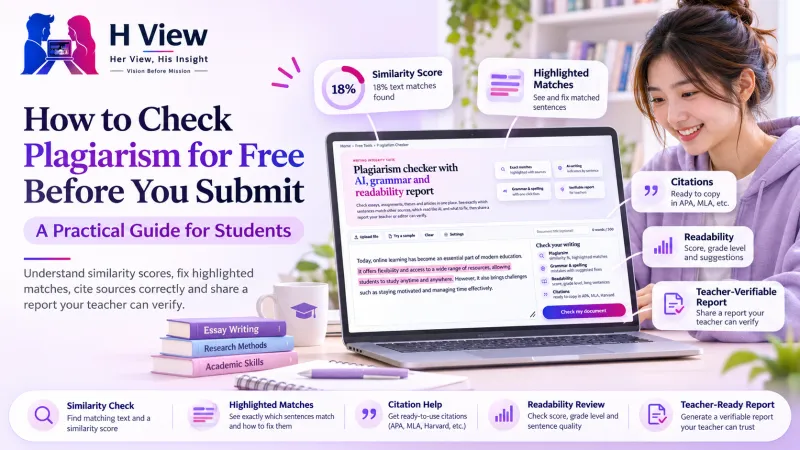 Also readHow to Check Plagiarism for Free Before You Submit: A Practical Guide for Students→
How should you read the similarity score fairly?
The similarity score is the share of a student's words that appear, in runs of several words, in public sources such as web pages, Wikipedia, research paper abstracts and H View articles. A few principles help keep the conversation fair:
- Look at the sources, not just the number. Ten matches to common phrases are not the same as one copied paragraph.
- Check what was excluded. By default, quoted text and the references list are left out, which is how most university checkers behave.
- Remember what the tool cannot see. It does not search private collections such as past student submissions or paywalled journals.
What do AI-writing indicators mean for grading?
AI-writing indicators highlight sentences with patterns common in machine-generated text, such as very even sentence lengths and stock phrases. They are an estimate, not proof. Formal, carefully edited writing by a human can score high, and lightly edited AI text can score low.
Use them to start a conversation: ask the student to explain a highlighted paragraph, show their notes or talk through their sources. Never use the indicator alone to decide a grade or a penalty.
 Also readAI Tutors vs Traditional Coaching: What Works Better for Indian Students?→
How can a class or department use report IDs?
| Practice | Why it helps |
|---|---|
| Ask for a report ID with every major submission | Students check and fix their own work before you see it |
| Set a similarity range for discussion, not a hard cut-off | Avoids penalising quotes and common phrases |
| Require citations in one style (APA, MLA, Harvard or Chicago) | The checker generates references in all four |
| Teach paraphrasing with a highlighted report | Students see exactly where their wording follows a source |
Is student privacy protected?
Yes. Submitted text is never added to a database or used to check anyone else's work. Reports are private links that are hidden from search engines and are deleted automatically, after 1 day to a year depending on the student's plan. Verification only compares the fingerprint of the text you paste; it does not show the student's original document to anyone who has the ID.
Frequently asked questions
Do I need an account to verify a report?
No. The verification page is free and open to anyone with a report ID and the submitted text.
What if the report has expired?
Reports are kept for 1 day without an account, 7 days on a free account, 90 days on Plus and a year on Pro. If it has expired, ask the student to check the final text again.
Does a verified report mean the work is original?
It means the report belongs to that exact text. Whether the work is original still depends on reading the matches and sources with care.
Can students check their work before giving me the ID?
Yes, and they should. The free plagiarism checker also flags grammar, spelling and readability, so you receive cleaner work.
H View stories follow our editorial policy. Spotted an error? Tell us and we will correct it.
Rate this article
One tap is enough. No comment needed.
Was this article helpful?
Your answer goes straight to our editors.








Comments0
No comments yet. Start the conversation.