
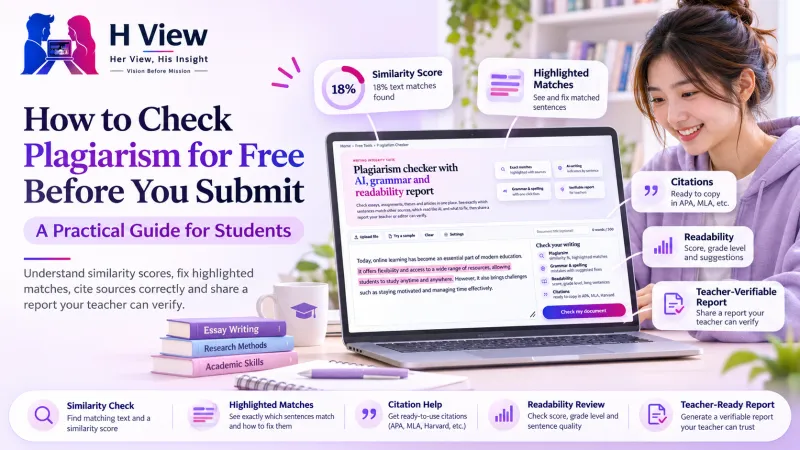
How to Check Plagiarism for Free Before You Submit: A Practical Guide for Students
A similarity score is only the start. Here is how to check an essay or assignment for plagiarism for free, read the highlights, fix or cite each match and submit with confidence.
To check plagiarism for free, paste your essay or assignment into a checker that shows where each match comes from, not just a percentage. Then fix every highlighted passage by rewriting it in your own words or quoting and citing it, check again, and keep the report. The H View Plagiarism Checker does this in one place, along with grammar, readability and AI-writing indicators.
Why should you check for plagiarism before submitting?
Most plagiarism in student work is accidental. A sentence copied into your notes during research, a definition you remembered word for word, or a paragraph you meant to rewrite and forgot. Universities and schools usually run submissions through their own software, so it is far better to find these overlaps yourself while you still have time to fix them.
Checking first also helps you write better. When you see exactly which ideas came from a source, you learn where your argument needs your own voice and where a citation would make it stronger.
What does a similarity score actually mean?
A similarity score is the share of your words that also appear, in runs of several words, in other sources. It is not a verdict. A 12% score made of properly quoted and cited definitions can be perfectly acceptable, while a 4% score from one uncited paragraph can still be a problem.
- Low (under about 10%): usually common phrases, quotes or reference-list entries. Still look at each match.
- Some matches (10–25%): check whether each passage is quoted and cited. Rewrite anything that is not.
- High (above 25%): large parts of the text follow a source closely. Rework those sections before submitting.
Every institution sets its own rules, so always follow your course guidelines rather than any single number.
 Also readAI Tutors vs Traditional Coaching: What Works Better for Indian Students?→
How do you check an assignment step by step?
- Paste or upload your text. The checker accepts pasted text or a Word, PDF or plain-text file. Add a document title so the report is easy to find later.
- Choose what to ignore. Text inside quotation marks and your references list are left out of the score by default, which is how most university checkers work too.
- Run one check. Plagiarism, grammar and spelling, readability and AI-writing indicators are checked together, usually in under a minute.
- Read the highlights, not just the number. Each matching passage is coloured by source. Tap it to see the source and open it side by side.
- Fix, cite and check again. Rewrite, or quote and cite, then run the check once more to confirm the score has dropped.
How should you fix a highlighted passage?
You have two honest options for every match:
- Quote and cite it when the exact wording matters, such as a definition or a famous line. Put it in quotation marks and add a citation. The checker can generate the reference in APA 7, MLA 9, Harvard or Chicago style for each source.
- Paraphrase and still cite it when only the idea matters. Close the source, explain the idea in your own words and structure, then add the citation. Changing a few words while keeping the original sentence shape is not paraphrasing.
If a match is your own earlier work or a source you are allowed to reuse, you can exclude that source so it no longer counts towards the score.
What else should you check before you submit?
Plagiarism is only one reason marks are lost. The same check highlights:
- Spelling and grammar mistakes, with one-click fixes, in British, American, Australian or Canadian English.
- Readability: a reading-ease score, the grade level and every sentence over 30 words or written in the passive voice.
- AI-writing indicators: sentences with patterns common in AI-generated text. These are estimates, not proof, and should only prompt you to reread a passage in your own voice.
How can your teacher verify your report?
Every report has an ID and a QR code. Your teacher can open the report verification page, enter the ID and paste the text you submitted. It confirms whether the text is exactly the one that was checked, so a report cannot be reused for a different document. Plus and Pro members can also download the report as a PDF.
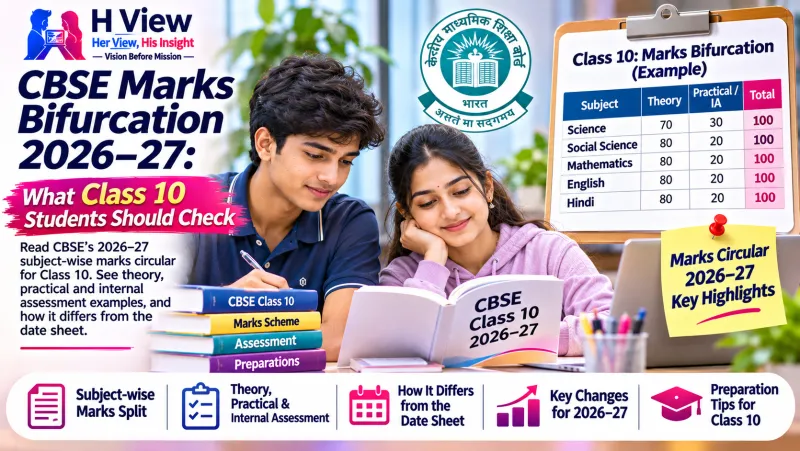 Also readCBSE Marks Bifurcation 2026–27: What Class 10 Students Should Check→
Is your essay kept private?
Yes. Your text is never added to a database, never shown to anyone else and never used to check other people's work. Reports are deleted automatically: after 1 day without an account, 7 days on a free account, 90 days on Plus and a year on Pro. You can delete one at any time.
How many free checks do you get?
| Plan | Checks | Words per check |
|---|---|---|
| No account | 1 a day | 500 |
| Free account | 3 a day | 1,000 |
| Plus (₹99 a month) | 50 a month | 5,000 |
| Pro (₹249 a month) | 200 a month | 15,000 |
Frequently asked questions
Can a free checker find everything Turnitin finds?
No. Turnitin compares work with its private store of past student submissions, which no outside tool can access. A public checker is a careful first check, not a replacement for your institution's system.
Will paraphrasing tools hide plagiarism?
Running a source through a rewording tool without citing it is still plagiarism, and the result often reads awkwardly. Write the idea in your own words and cite the source.
Do quotations count towards the score?
Not by default. Text in quotation marks and the references list are excluded, and you can change both in the settings.
Does a high AI-writing score mean I will be accused of using AI?
No tool can prove that text was written by AI. Treat the indicator as a prompt to reread and personalise the highlighted sentences, nothing more.
Try the free H View Plagiarism Checker on your next assignment.
H View stories follow our editorial policy. Spotted an error? Tell us and we will correct it.
Rate this article
One tap is enough. No comment needed.
Was this article helpful?
Your answer goes straight to our editors.








Comments0
No comments yet. Start the conversation.