
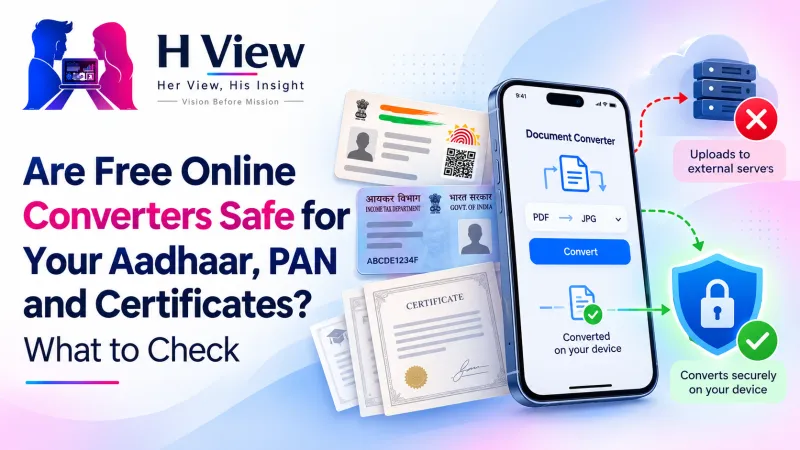
Are Free Online Converters Safe for Your Aadhaar, PAN and Certificates? What to Check
We upload ID cards and certificates to "free" converters without a second thought. Here's what usually happens to those files, how to tell whether a tool processes them on your device, and safer habits for sensitive documents.
Many free online converters are convenient but not private: they upload your file to their server, process it there and send it back. For Aadhaar, PAN, bank statements and certificates, prefer tools that process files inside your browser, share a masked Aadhaar where possible, and avoid sites that don't explain what happens to your documents.
Think about the last time you converted a JPG to PDF or compressed a document for a form. You searched, clicked the first result, uploaded the file and downloaded the output. It took a minute. But for that minute, a copy of your ID card, mark sheet or salary slip sat on a computer you know nothing about.
What Happens When You Upload a File to a Converter?
On a typical server-based converter, your file travels over the internet, is stored on the company's server while it's processed, and the result is sent back. What happens next depends entirely on that company: how long it keeps files, who can access them, and whether it's protected. Some services explain this clearly; many don't.
Server-Based vs In-Browser Tools: What's the Difference?
| Server-based converter | In-browser tool | |
|---|---|---|
| Where your file goes | Uploaded to the company's server | Stays on your phone or laptop |
| Speed | Depends on your upload speed | Depends on your device |
| Privacy | Depends on the company's policies | The file never leaves your device |
| Works on a slow connection | Struggles with large files | Yes, once the page has loaded |
All H View free tools are built the second way: compression, conversion, PDF creation, background removal and OCR all run inside your browser, and we never receive your files.
 Also readHow to Sign a PDF and Fill Forms Online for Free, Without Printing→
How Can I Tell Whether a Tool Uploads My File?
- Read the page: look for clear statements such as “processed in your browser” or “files are not uploaded,” and check the privacy policy.
- Watch the progress: an “Uploading…” bar is a giveaway that the file is leaving your device.
- Try it offline: after the tool has fully loaded, switch off Wi-Fi and mobile data. If it still converts your file, the work is happening on your device.
- Be wary of sign-up walls that ask for your phone number just to download a converted file.
What Other Habits Keep Documents Safe?
- Share a masked Aadhaar when only identity proof is needed. UIDAI offers a masked version that hides all but the last 4 digits of the number.
- Use official sources for official documents. Many certificates can be fetched as verified PDFs from DigiLocker.
- Don't forward documents on group chats or leave them in a shared phone's gallery.
- Delete downloaded copies from shared computers and cyber cafés before you leave.
Which H View Tools Help With Documents?
- Images to PDF: combine document photos into one PDF.
- Compress PDF: meet upload limits like 200 KB.
- Merge, Split & Organise PDF: keep only the pages you need to share.
- PDF Editor & e-Sign: fill and sign without printing.
Her View
Women's documents and photos are too often misused once they're out in the world. I would rather we build habits where our ID cards and pictures stay with us by default. It shouldn't take a scare to start thinking about where a file goes.
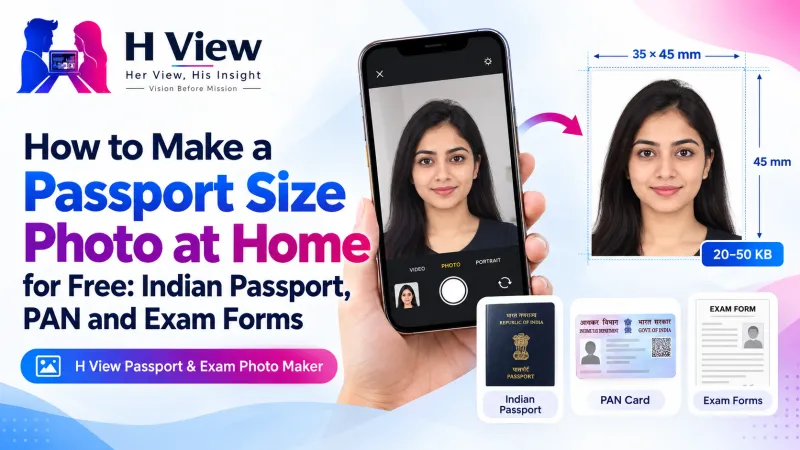 Also readHow to Make a Passport Size Photo at Home for Free: Indian Passport, PAN and Exam Forms→
His Insight
“Free” usually has a business model behind it: ads, upsells or data. That doesn't make every converter bad, but it means you should know what you're trading. In-browser processing removes the question entirely for the tools that support it, and modern browsers are powerful enough to make that practical.
H View Verdict
Free online converters are fine for a meme; be more careful with your Aadhaar, PAN and certificates. Prefer in-browser tools, share masked or official copies, and delete stray downloads. Convenience and privacy can go together.
Frequently Asked Questions
Are free online converters safe?
Some are, but many upload files to their servers. For sensitive documents, use tools that process files in your browser and clearly say so.
How do I know a tool doesn't upload my file?
Read its privacy statement, watch for upload progress bars, and try it with the internet switched off after the page loads.
What is a masked Aadhaar?
A version of the Aadhaar from UIDAI that hides all but the last 4 digits of the number, useful when only identity proof is needed.
Do H View tools upload my documents?
No. Every H View tool processes files in your browser, and the files stay on your device.
H View stories follow our editorial policy. Spotted an error? Tell us and we will correct it.
Rate this article
One tap is enough. No comment needed.
Was this article helpful?
Your answer goes straight to our editors.





Comments0
No comments yet. Start the conversation.