

Best Digital Marketing Tools in 2026: What Marketers Actually Need and What They Can Skip
Open LinkedIn for a few minutes and you will probably come across a colourful graphic…
 Harika October 6, 2026
  By HarikaUpdated August 19, 202613 min read54 views
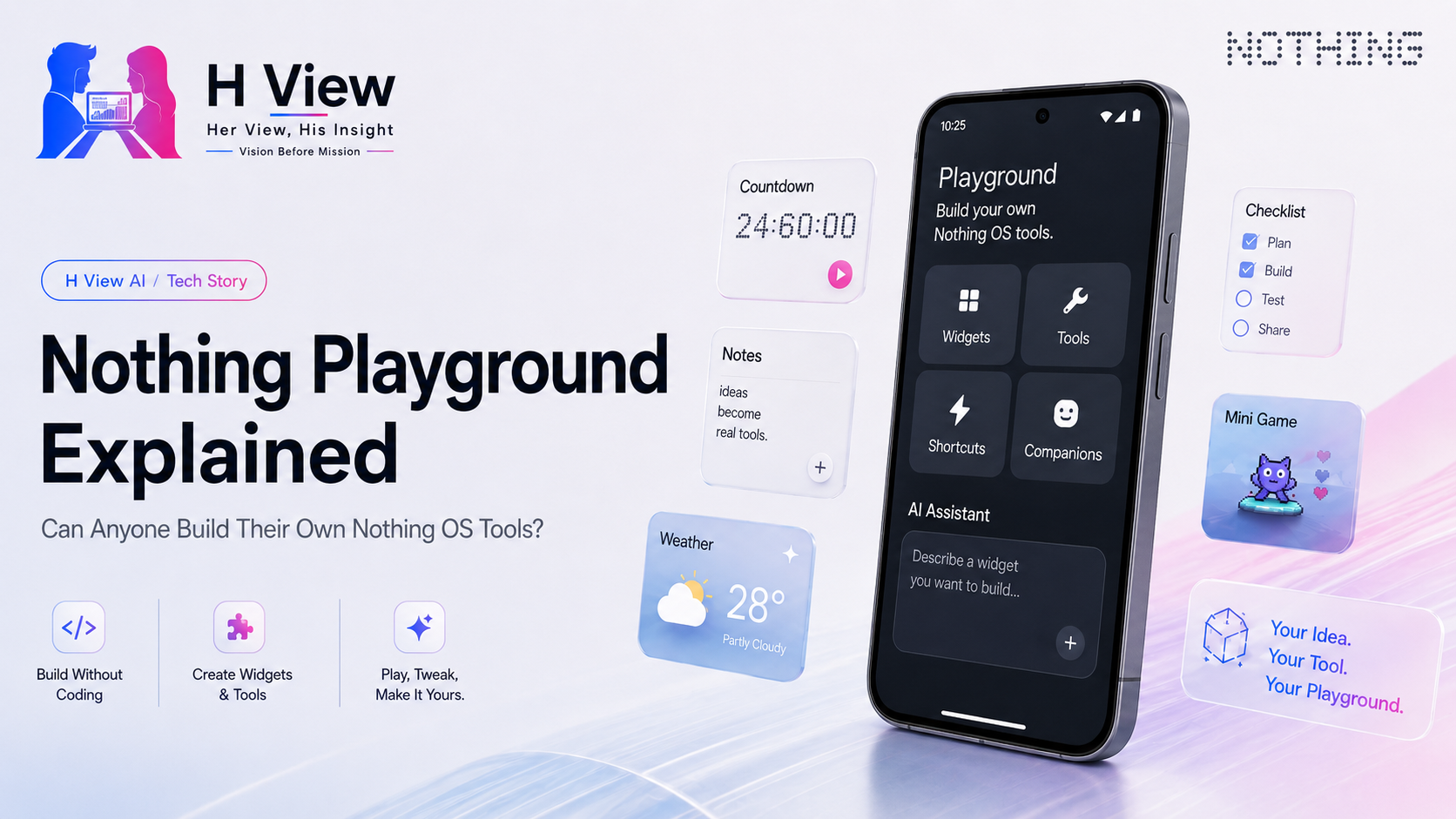
Nothing has always tried to make its software feel more personal than ordinary Android, but with Nothing Playground and Essential Apps, the company is attempting something more ambitious than changing icons, widgets or lock-screen layouts. It wants users to be able to create small software tools for themselves without learning traditional app development.
That idea is easy to misunderstand. Nothing Playground is not a replacement for the Google Play Store, and Essential Apps are not meant to compete with full-scale services such as WhatsApp, Instagram or Google Maps. The real promise is much smaller and, in some ways, more interesting: if you want a simple tool, widget or personalised experience that does not already exist, Nothing wants you to be able to describe it and create it with AI assistance instead of opening Android Studio and writing code from scratch.
As of August 2026, that vision is still in beta. The Playground website is live, community creations can be browsed, and Nothing has begun rolling out an on-device Essential Apps builder to selected users. At the same time, access is still limited, some users are waiting for invitations, and there are active reports of login or download problems. (playground.nothing.tech)
That makes Playground one of Nothing’s most interesting software experiments right now. It also means the experience needs to be understood for what it is today, not only for what it might become.
Nothing Playground is best understood as a creative layer around Nothing OS where users can discover, build and share lightweight software experiences. Those experiences are called Essential Apps, and the public Playground already shows examples ranging from small utilities and games to animations and playful home-screen tools. (playground.nothing.tech)
The platform reflects a different idea of personalisation. Traditional smartphone customisation usually starts with choices someone else has already made for you: pick one of several wallpapers, select an icon pack, install a widget, or change a theme. Playground tries to move one step further by letting users create something that may not exist at all.
Imagine a student who wants a small home-screen countdown showing how many days remain until an exam, with a separate progress bar for revision. There are plenty of productivity apps that could do something similar, but most include far more features than that student actually needs. With Essential Apps, the goal is to make that tiny, specific use case possible without asking the user to become a developer.
The same idea could apply to a freelancer who wants a basic widget showing unpaid invoices, a traveller who wants a simple currency reference for one trip, or someone who wants a small hydration tracker without downloading an entire fitness application. These are not revolutionary pieces of software, but that is exactly why the concept makes sense. Many of the things people want from their phones are simple.
The names are closely connected, which can make the system confusing at first.
Essential Apps are the small applications, widgets or utilities themselves. Nothing Playground is the broader environment around them, including discovery, sharing and creation.
Nothing first introduced Essential Apps as part of its wider Nothing OS 4.0 direction. At that stage, the idea was already tied to AI-assisted creation and community sharing. Nothing also imposed temporary limits on how many Essential App widgets could run on different phones, which suggests the company was thinking about performance and resource use from the beginning. (nothing.community)
The platform became more interesting in July 2026 when Nothing announced that selected users could start building, previewing and deploying Essential Apps directly on their phones. Before that, the creative workflow was more dependent on the web. Moving the builder onto the phone makes the idea feel much closer to everyday use. (nothing.community)
Instead of thinking of app creation as something that begins on a laptop and ends on a phone, Nothing is trying to make the phone itself the development environment.
For the type of tools Nothing is targeting, yes.
The entire point of Essential Apps is to lower the technical barrier. Users can describe what they want, and AI helps generate the result. That is very different from the normal Android development process, where a developer needs to understand programming languages, interface design, app architecture, testing and distribution.
The important limitation is scope. Nothing is not suggesting that someone can casually describe a complex social network or banking platform and receive a finished production app. Essential Apps are much better suited to small, focused tools.
That actually makes the platform more believable.
A person might ask for a simple checklist that resets every morning, a widget that shows the number of days until a deadline, or a small visual tracker for a personal routine. Those ideas are narrow enough for AI-assisted generation to be useful while still feeling personal.
This is where Playground could become more than a novelty. If it gives users a way to solve very specific problems without downloading bloated applications, then the lack of traditional coding becomes genuinely valuable rather than simply impressive.
The public Playground gallery already gives a sense of how varied these creations can become. At the time of checking, Nothing was showcasing examples such as Tetris, Space Shooter, Just FACTORIAL, Flight Mode Animation and Outfit Tip. (playground.nothing.tech)
That mix is important because it shows that Nothing is not forcing the platform into one category. Some creations are useful, some are playful, and some exist mostly because the creator wanted to experiment.
There is also a community-made creation called Loop, which brings looping GIF-style content to the home screen. Nothing’s listing identifies it as a community-provided creation and warns users to install such experiences at their own discretion. (playground.nothing.tech)
This variety is probably one of Playground’s strongest qualities. Nothing has built much of its brand around visual identity and user expression, and a community creation platform gives users a way to contribute to that identity instead of simply accepting the company’s default design decisions.
If the platform grows, the most interesting creations may not necessarily come from Nothing itself.
The on-device builder changes the character of Essential Apps more than it might seem.
If a person has to sit at a computer, open a website, create something, sync it to a phone and then test it, the process still feels like development. If the same user can describe an idea directly on the phone, preview it there and make changes without leaving the device, the experience starts to feel more like personalisation.
That difference matters for ordinary users.
Consider a student on a train who suddenly decides they want a widget that shows three upcoming assignment deadlines. If the creation process is simple enough, they could potentially build that tool in a few minutes without waiting until they reach a laptop.
Nothing says access to the native Essential Apps builder is rolling out in stages through Google Play. (nothing.community)
The long-term success of Playground may depend on whether Nothing can make this process feel as easy as editing a widget rather than as complicated as building an application.
The concept sounds open, but the reality is still restricted.
Not everyone who can see the Playground website has full access to the creation tools. Community discussions from July and August show users who applied for access earlier and were still waiting for invitations. Some reported repeatedly checking email for beta access even after the Play Store version of Essential Apps had begun appearing. (nothing.community)
That creates a slightly awkward situation. Nothing is promoting a future where ordinary users can build their own tools, but many ordinary users still cannot fully try that idea.
This is understandable for a beta. Nothing needs to control load, watch performance and identify problems before opening the system to everyone. The issue is communication. A user who installs the app may reasonably assume they should be able to build immediately, only to discover that access is staged.
A clearer explanation inside the app would reduce much of that confusion.
The other sign of Playground’s beta status is reliability.
Community users have reported sign-in loops, connection errors and situations where the app would not open correctly even after reinstalling or clearing storage. One Phone (3) user described completing the login process only to be sent back to the sign-in screen. Another user reported that Essential Apps would not launch properly on a Phone (3a Pro). (nothing.community)
There has also been some confusion around the relationship between the Play Store version and the Essential Apps system component included with Nothing OS. Community discussions suggest that in some cases users needed the underlying component to be updated as well. (nothing.community)
These are not reasons to dismiss Playground. Beta software often has rough edges.
But they do change how the feature should be described. This is not yet something every Nothing owner should rely on for an important workflow. It is better treated as a creative experiment for users who are comfortable with occasional bugs and incomplete access.
The current gallery is fun, but the platform becomes much more powerful if Essential Apps can safely interact with useful device data.
Community discussions already show users imagining health widgets and other tools that pull information from existing services. (nothing.community)
That opens a much larger possibility.
A user could eventually create a home-screen card that combines tomorrow’s first calendar event, a step goal and the local weather in exactly the layout they prefer. Another person might want a widget that shows only unpaid invoices and upcoming payment dates. Someone else might want a simple control panel for a few smart-home devices.
Traditional app developers usually build for a broad audience. Playground could make software for an audience of one.
That is the part of the idea I find most compelling.
The challenge is that useful software often needs permissions, access to personal information and links to third-party services. The moment Essential Apps move beyond visual widgets and simple local tools, Nothing has to think much more carefully about security.
Community-built software always introduces risk.
A harmless animation does not need much access to the phone. A health widget, finance tool or location-aware utility could require sensitive information.
Nothing already places warnings on community-created Playground listings, making it clear that these are third-party creations and should be installed at the user’s discretion. (playground.nothing.tech)
That is sensible for a small beta, but it will not be enough if Playground becomes widely used.
Nothing will need strong permission controls, sandboxing and moderation. Users should understand exactly what an Essential App can read, what it can modify and whether any information leaves the device.
The more powerful Playground becomes, the more important those safeguards will be.
There is a natural tension here. If Nothing restricts Essential Apps too heavily, they may remain decorative. If it gives them deep system access too quickly, the security risks grow.
Finding that balance may be harder than building the AI creation interface itself.
Playground makes more sense when viewed alongside Nothing’s other software experiments.
Essential Voice tries to turn natural speech into cleaner written text. Essential Space is designed to capture and organise information. Essential Apps takes another step and asks whether software itself can become more personalised.
Together, these features suggest that Nothing is not only trying to add AI functions to Android. It is experimenting with how users interact with the operating system.
The traditional smartphone model is fixed: developers build applications, users install them, and everyone adapts to the interfaces those developers chose.
Nothing Playground asks a different question: what if some parts of the phone could be generated around what one user wants at that moment?
That future is still far away. The current Playground is a beta for small tools and community experiments, not a fully dynamic AI operating system.
Still, the direction is clear enough to be worth watching.
What makes Playground interesting to me is not the idea of becoming a developer without learning to code. I am more interested in the possibility of needing fewer oversized apps.
A lot of applications solve one simple problem and then surround it with accounts, subscriptions, notifications and features I never use. If I only want a countdown, a small tracker or one piece of information on my home screen, creating that simple tool myself sounds much more appealing than downloading another full application.
The experience still needs to become easier before it reaches ordinary users. Waiting for beta access, dealing with login issues or wondering whether a system component is updated works against the simplicity Nothing is promising.
For now, Playground feels like something enthusiasts will enjoy experimenting with. The interesting moment will come when someone who has never thought about software development can create a useful widget without even thinking of it as “building an app.”
From a technical and long-term value perspective, Playground will succeed or fail based on what Essential Apps are eventually allowed to do.
AI can already generate simple interfaces and utilities. That alone will not keep people interested forever. The real value comes when those tools can safely interact with calendars, health data, smart-home systems, files or other services.
Nothing also has to control performance. The company has already limited the number of Essential App widgets on different devices, which suggests that resource use is a real concern. (nothing.community)
If Nothing can combine useful integrations, strict security controls and reliable performance, Playground could become a genuine differentiator for Nothing OS.
If it remains mainly a gallery of novelty widgets, people may enjoy it briefly and then move on.
Nothing Playground is one of the company’s most interesting software ideas because it gives users a role that smartphone platforms usually reserve for developers.
Instead of searching an app store for something close to what you need, the long-term promise is that you describe the need and create the tool yourself.
The current reality is still early. Access to the builder is staged, some users are waiting for invitations, and login or download problems continue to appear in community discussions. The types of apps being created are also still relatively lightweight. (nothing.community)
That does not make Playground insignificant. It simply means the idea is ahead of the polish.
The public gallery already shows that users are willing to experiment, and the move to an on-device builder makes creation much more immediate. If Nothing opens access more widely, improves reliability and gives Essential Apps safe access to useful device information, Playground could evolve into something much more valuable than another widget marketplace.
For now, we would describe it as a promising creative beta with a genuinely interesting future, rather than a finished no-code app platform for everyone.
Nothing Playground is Nothing’s platform for discovering and creating community-built experiences, including Essential Apps. The official site currently describes Essential Apps as a beta where users can build apps and browse community creations.
The platform is designed around AI-assisted creation rather than traditional coding. Users describe what they want to build, and the system helps generate the experience. The current focus is lightweight apps and widgets rather than complex full-scale Android applications.
Not yet. Nothing says access to the native builder is rolling out in stages, and community users continue to report waiting for beta invitations.
Yes, for users who have access. Nothing announced in July 2026 that Essential Apps can now be built, previewed and deployed directly on supported Nothing phones.
Playground contains community-created software, and Nothing warns on individual listings that community creations are provided by third parties and should be used at the user’s discretion. Users should review permissions and avoid installing unfamiliar creations that request unnecessary access.
Current Playground listings state compatibility with Nothing phones running Nothing OS 4.0 and later for some creations, while feature limits and builder availability can vary by model and rollout stage.
Some beta users have reported login loops and connection errors. Because access is staged, a successful installation does not necessarily mean the account has full builder access yet.
Harika is the co-founder of H View and covers AI, technology, gadgets, digital tools, online platforms, and modern internet trends. Her articles focus on simplifying complex topics with practical explanations, balanced opinions, and reader-first insights.
Share your real experience and help other readers decide better.
No community views yet. Be the first to share yours.

Open LinkedIn for a few minutes and you will probably come across a colourful graphic…
Harika October 6, 2026 
When an employee resigns, many organisations move quickly into replacement mode. The manager informs HR,…
Harika October 6, 2026 
For many corporate employees, the workday begins long before they actually start working. They wake…
Harika October 5, 2026 
Many projects begin with an assumption that sounds reasonable on paper: the client will explain…
Harika October 1, 2026