
Black Friday Campaign Page for Small Businesses: A Clear Offer Checklist
A Black Friday page should make the offer, dates, limits and next step easy to understand. Use this checklist to prepare a clear campaign page without confusing customers or relying on last-minute social posts.
A good Black Friday campaign page tells a customer what the offer is, when it applies, what is excluded and how to use it. For a small business, this clarity matters more than adding a countdown timer or a dramatic discount badge. In 2026, Black Friday falls on 27 November, but a campaign can begin earlier; the page should state its own dates and terms so a visitor is not left guessing.
Why use a focused campaign page?
A post on social media can introduce an offer, but it may be difficult to find again and may not answer every customer question. A dedicated page gives the business one address to share in social posts, email, messaging and its own website. It can explain the product or service, show the price or offer, answer common questions and provide the next step in one place.
The page does not need to be elaborate. A clear headline, a short explanation, a few relevant details and a working purchase or enquiry route can be enough. If a business offers a service that requires a conversation before quoting, it should say so and invite a person to request details rather than implying that a fixed-price checkout is available.
1. Write the offer in plain language
State exactly what the customer receives. “25% off selected packages” is more useful than “Huge savings for everyone,” especially if some products or dates are excluded. If the offer applies to a new customer, a minimum order or a particular booking window, write that beside the offer. Avoid presenting a discount as an all-time low unless the business can substantiate that claim.
Keep one main offer in focus. If several deals are available, group them in a small comparison table with the item or service, the price or saving, the relevant dates and the action required. A customer should be able to compare options without reading a wall of promotional language.
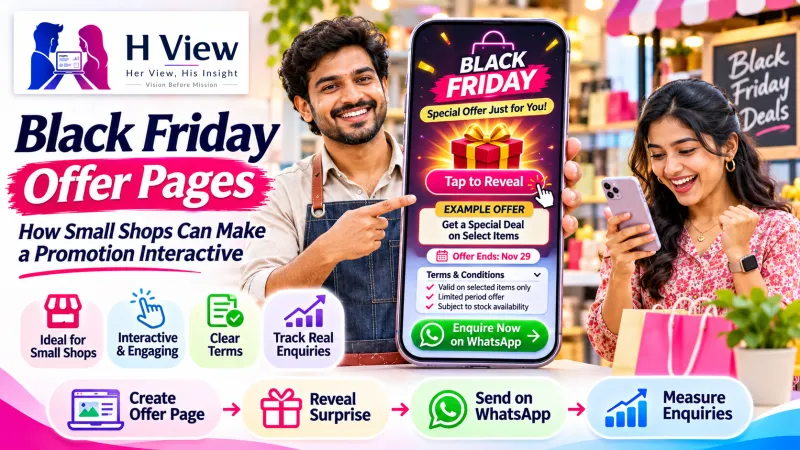 Also readBlack Friday Offer Pages: How Small Shops Can Make a Promotion Interactive→
2. Make the dates and limits easy to see
Specify when the promotion opens and closes, which time zone applies if customers are in different regions, and whether a booking or a completed purchase must happen before the deadline. If stock or appointment slots are limited, explain how availability is confirmed. Do not use a countdown that resets or suggests a deadline that is not real.
For a service business, say how many projects can be accepted and when work can begin. If the business cannot start every project immediately, share the expected queue or booking window. Honest limits protect the customer relationship and help the team avoid accepting more work than it can deliver.
3. Show what happens after someone clicks
Use a button label that matches the destination: “View the package,” “Book a call,” “Send an enquiry” or “Buy now.” Then test the whole path. Does the button open the right page? Does a form submit? Does the confirmation appear? Does the team receive the enquiry and know who will reply? A campaign page can attract visitors and still fail if this final step is broken.
If customers contact the business through WhatsApp, describe that clearly and check that a staff member is available to respond. Keep another route for people who do not use WhatsApp. When a customer asks a question, the reply should be consistent with the published offer, and staff should know what details they can promise.
4. Check the mobile experience and page speed
Many shoppers will open a campaign from a mobile notification or social post. Check that the page loads well on a normal phone connection, the offer remains visible without awkward zooming, and buttons can be tapped comfortably. Review floating chat buttons, language selectors and cookie notices so they do not cover the offer or call to action.
Use real product or service images that help explain the offer. Compress large files and avoid stacking several animations before the visitor reaches the key information. Google’s Search Essentials recommends useful content, descriptive titles and crawlable links as basic practices; a campaign page should serve the customer first and follow those foundations.
5. Add trust and answer concerns before launch
Include current contact details, a short explanation of the business, service or delivery information, payment options and any relevant return or cancellation terms. If customers need an invoice, a consultation or an installation after purchase, say what to expect. For a new brand without many reviews, useful details about the people, process and support can build more trust than generic claims about being “the best.”
Before the sale begins, ask someone unfamiliar with the offer to read the page. Can they explain the offer, deadline, exclusions and next step in their own words? If not, rewrite it. Keep screenshots or a copy of the campaign terms so the team can answer questions consistently while the promotion is running.
6. Measure the campaign without losing sight of service
Track visits, clicks, completed enquiries and purchases, but also check whether those enquiries are relevant and whether staff can respond on time. A large number of clicks may not help if the page is attracting people who misunderstand the offer. Review questions and drop-offs during the campaign and fix confusing information promptly.
After the promotion closes, compare results with the business’s normal activity. Note which channel brought useful customers, which offer was easiest to explain and where people stopped. This review can help improve the next seasonal campaign. Avoid claiming that the page “caused” every sale if customers also came through other channels or were already planning to buy.
Launch-day checklist
- Offer and eligibility are clear in the first screen.
- Start and end dates are accurate and visible.
- Prices, exclusions and availability are checked.
- Every button, form and payment link works.
- Mobile layout and floating controls have been reviewed.
- Customer questions have an owner and response process.
- Analytics measure completed enquiries or orders.
Her View
Seasonal discounts can help customers discover a business, but people remember how a company treated them after the sale too. Clear terms, accessible support and a realistic delivery promise make the promotion feel fair. A campaign should create confidence, not pressure someone into a rushed decision.
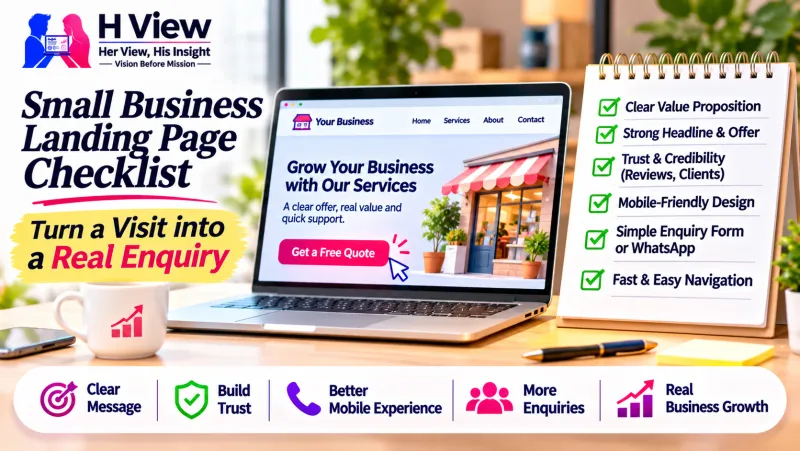 Also readSmall Business Landing Page Checklist: Turn a Visit into a Real Enquiry→
His Insight
For an owner, a campaign page is also a promise to the team. Before promoting the deal, confirm the stock, schedule, staffing and follow-up process. If the business cannot fulfil the offer, reduce the scope or adjust the dates before customers see it.
H View Verdict
A Black Friday page succeeds when customers understand the offer and can complete the next step without confusion. Put the details in plain language, check the mobile journey, assign enquiry follow-up and measure the outcomes that matter to the business. The best campaign is one the team can deliver honestly from the first click to the final service.
Frequently asked questions
When is Black Friday 2026?
Black Friday falls on 27 November 2026. Individual businesses may run promotions on different dates, so state the exact campaign period on the page.
Does every small business need a separate campaign page?
No. A focused page is useful when a business needs one clear destination for a specific offer. A simple announcement may be enough for a small promotion, provided customers can find its terms and contact the business.
What should a Black Friday landing page include?
It should explain the offer, dates, eligibility, exclusions, availability, customer support and the next action. Include accurate contact and service information as well.
How can a business avoid confusing customers?
Use one main offer, plain language and a visible deadline. Test the page with someone unfamiliar with the promotion and ask them to explain it back to you.
Sources
H View stories follow our editorial policy. Spotted an error? Tell us and we will correct it.
Rate this article
One tap is enough. No comment needed.
Was this article helpful?
Your answer goes straight to our editors.

Comments0
No comments yet. Start the conversation.