
Why Your Scanned PDF Is 5 MB, and What Actually Makes a PDF Small
Three pages, five megabytes. A scanned PDF is really a stack of photos, and that's why it's heavy. Here's what makes a PDF large, why typed PDFs stay tiny, and the settings that shrink scans for upload limits.
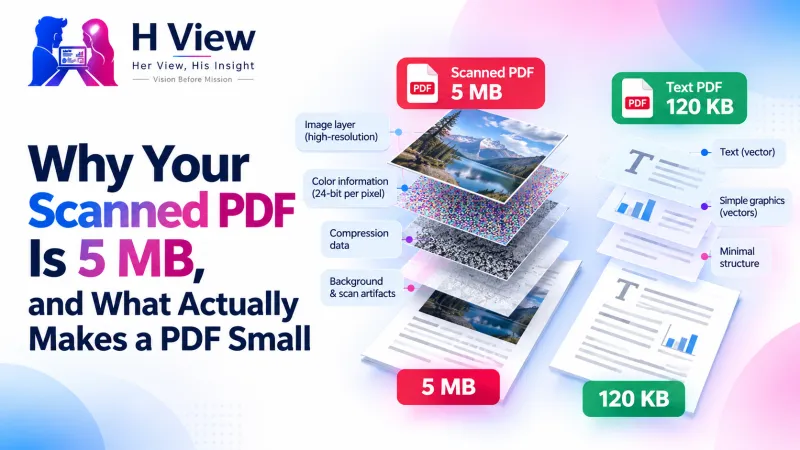
A scanned PDF is large because every page is a full-size photo. Typed PDFs store letters as text, which takes very little space, but a scan stores millions of coloured pixels per page. To make a scanned PDF small, reduce the picture inside it: lower resolution, stronger JPEG compression and black-and-white instead of colour. The H View Compress PDF tool does all three for free.
Here's a puzzle many of us have met. A 40-page typed report you exported from Word is 400 KB. A three-page mark sheet you scanned on your phone is 5 MB. Same format, wildly different sizes. Once you understand why, shrinking PDFs for uploads stops being guesswork.
What Is Actually Inside a PDF?
A PDF is a container. As Adobe explains, it's an open ISO standard designed to look the same on any device. Inside it can hold:
- Text and fonts: stored as characters, so a full page of text is only a few kilobytes.
- Vector drawings: lines and shapes described mathematically, also small.
- Images: photos, logos and, in a scan, the entire page as one picture. This is where the size lives.
Why Do Scans Get So Big?
| Factor | Why it adds size | What to change |
|---|---|---|
| Resolution | A modern phone photo has millions of pixels, far more than an A4 page needs on screen | Scale pages to a sensible resolution |
| Colour | Colour stores three channels of information per pixel; greyscale stores one | Use black and white for printed documents |
| Compression | Some scanner apps save pages with little or no compression | Re-save images with JPEG compression |
| Extra pages | Blank backs, instruction sheets and duplicates | Delete them before compressing |
JPEG compression works well on photographic content like scanned paper, as MDN's image format guide notes, which is why scans shrink so dramatically while typed PDFs barely change.
 Also readHow to Compress a PDF to 200 KB or 100 KB for Government and Job Portals, Free→
Which Compression Setting Fits Which PDF?
- Typed document with a few photos: “Keep text sharp.” Only the photos are re-saved; text, links and form fields stay intact.
- Scans and photo PDFs: “Smallest file,” ideally with black and white on. Pages become well-compressed pictures, so text can't be selected afterwards.
- A hard portal limit: “Exact size” at 100, 200 or 500 KB, or your own number.
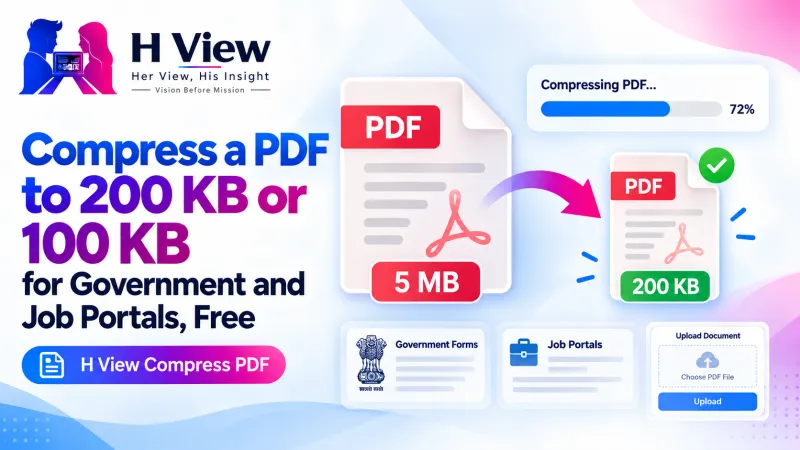
Our step-by-step guide on compressing a PDF to 200 KB or 100 KB walks through each option.
How Do I Scan Smaller in the First Place?
- Photograph each page flat and straight, filling the frame, so there's less empty background.
- Build the PDF with Images to PDF and switch on “Reduce file size.”
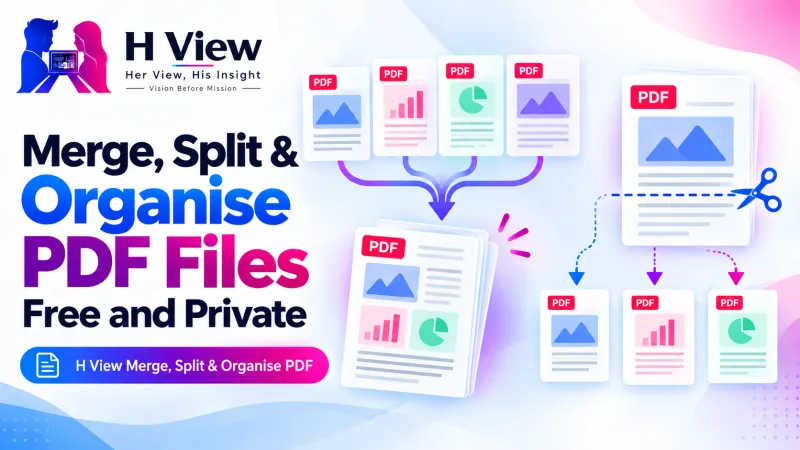
- Remove unwanted pages with Merge, Split & Organise PDF.
- Compress last, and check every page is readable.
Her View
When something on a government portal fails, people often blame themselves: “I must be doing it wrong.” Usually they aren't. They just weren't told that a phone scan is a stack of photos. A little understanding turns frustration into a two-minute fix, and that confidence carries into the next form.
 Also readHow to Merge PDF Files and Split or Extract Pages for Free, Without Uploading Them→
His Insight
Size follows information. A page of text carries little information in digital form; a photograph of that same page carries a huge amount, most of it paper texture and lighting that nobody needs. Compression is simply throwing away information the reader won't miss. Greyscale for printed documents is the single biggest win.
H View Verdict
A scanned PDF is heavy because it's made of photos, not because something is wrong. Scan cleanly, remove extra pages, choose “Smallest file” or “Exact size” with black and white, and your 5 MB scan will fit a 200 KB limit, often without losing readability.
Frequently Asked Questions
Why is my scanned PDF so large?
Each page is stored as a full-size photo with millions of pixels, often in colour and with little compression. Text PDFs store letters, which are tiny by comparison.
Why didn't my typed PDF get smaller after compressing?
It was already small. Most of a PDF's size comes from images, so text-only files have little to shrink.
Will compressing a scan make the text unreadable?
Not at sensible settings. Check the before-and-after preview, and use black and white for printed documents to keep text crisp at small sizes.
Is my PDF uploaded when I compress it?
No. The H View tool compresses the PDF in your browser and it stays on your device.
Explore all H View free tools.
H View stories follow our editorial policy. Spotted an error? Tell us and we will correct it.
Rate this article
One tap is enough. No comment needed.
Was this article helpful?
Your answer goes straight to our editors.











Comments0
No comments yet. Start the conversation.