

How to Convert JPG to PDF and Combine Document Photos into One PDF, Free
Mark sheets, ID cards, certificates and bills usually start as separate phone photos. Here's how to turn them into one neat, ordered PDF for free, sized for A4 and small enough for online forms.
To convert JPG to PDF for free, open the H View Images to PDF tool, add your photos, drag them into order, choose A4, Letter or the image's own size, and press Create PDF. Every image becomes one page of a single PDF, and the file is built on your device, so your documents are never uploaded.
Job portals, colleges, banks and government services love one instruction: “upload all documents as a single PDF.” But what we actually have are phone photos: a mark sheet here, an Aadhaar card there, three pages of a rent agreement taken at slightly different angles. Turning them into one tidy PDF should not need a scanner or a paid app.
How Do I Combine Photos into One PDF, Step by Step?
- Add the images. Choose your JPG, PNG, WebP or other photos. Each image becomes one page.
- Arrange the pages. Move pages up or down, or remove the ones you don't need.
- Choose the layout. A4 (210 × 297 mm), Letter, or the image's own size; margins; and the “Reduce file size” option if your form has a limit.
- Create the PDF and download one file with all the pages in the right order.
Try it now: Open the free Images to PDF tool → Free · No sign-up · Files stay on your device.
Should I Choose A4, Letter or the Image's Own Size?
| Page size | Use it when |
|---|---|
| A4 | Almost every Indian form, college and office. Pages are centred and scaled to fit, in portrait or landscape automatically. |
| Letter | Applications to US-based organisations that specify Letter size |
| Image's own size | Screenshots, posters or designs where you don't want any white margins |
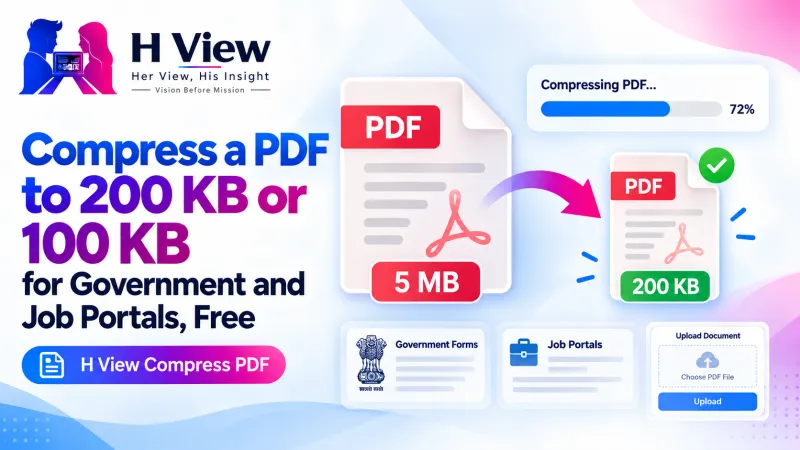 Also readHow to Compress a PDF to 200 KB or 100 KB for Government and Job Portals, Free→
How Do I Keep the PDF Small for Online Forms?
Turn on “Reduce file size.” Photos are compressed and scaled to a sensible print resolution, which usually cuts the size dramatically. If the PDF still exceeds a limit like 200 KB or 500 KB, run it through Compress PDF with “Exact size.” Our guide on compressing a PDF to 200 KB or 100 KB explains which option to pick.
How Do I Take Better Document Photos?
- Place the document on a dark, plain surface so the edges stand out.
- Shoot from directly above, in daylight, with no shadow from your phone.
- Fill the frame with the page, and keep all four corners visible.
- Take one photo per page, and name them in order if you have many.
Is It Safe to Convert ID Cards and Certificates Online?
Many converters upload your files to their servers. This tool creates the PDF inside your browser, so Aadhaar, PAN, certificates and bills stay on your phone or laptop. When a document only needs to prove identity, consider sharing a masked Aadhaar from UIDAI, which hides all but the last 4 digits of the number.
PDF is an open standard maintained by ISO, as Adobe explains, so the file you create opens the same way on any phone, laptop or office computer.
Her View
For many first-generation graduates and working women returning after a break, the hardest part of applying is not the interview; it is the paperwork on a phone. A neat PDF with every certificate in order also quietly says something to the recruiter: this person is careful. That impression should not depend on owning a scanner.
 Also readHow to Sign a PDF and Fill Forms Online for Free, Without Printing→
His Insight
Order matters more than people think. Reviewers often expect the sequence in the form: ID, then education from latest to earliest, then experience. Rearranging pages before you create the PDF takes ten seconds and saves a reviewer from scrolling back and forth, which can only help your application.
H View Verdict
Photograph each page cleanly, put them in the order the form asks for, pick A4 and switch on “Reduce file size.” One free tool, one minute, and your documents never leave your device.
Frequently Asked Questions
How do I convert JPG to PDF?
Add your JPG images, put them in order, choose A4 and click Create PDF.
Can I combine many images into one PDF?
Yes. Every image becomes a page in the same PDF, in the order you set.
How do I make the PDF smaller?
Turn on “Reduce file size.” Photos are compressed and scaled to a sensible print resolution. For strict limits, use Compress PDF afterwards.
Is it safe for ID cards and certificates?
Yes. The PDF is created in your browser and no document is uploaded.
Need to add or remove pages later? Use Merge, Split & Organise PDF, or explore all H View free tools.
H View stories follow our editorial policy. Spotted an error? Tell us and we will correct it.
Rate this article
One tap is enough. No comment needed.
Was this article helpful?
Your answer goes straight to our editors.









Comments0
No comments yet. Start the conversation.