

Nothing Essential Voice Explained: Turn Voice Into Notes, Translations and Clear Text Faster
Typing is not always the fastest way to express an idea. A message that takes…
 Harika August 9, 2026
  By HarikaUpdated September 20, 202610 min read109 views
Nothing OS has become one of the strongest reasons to consider a Nothing phone.
The hardware attracts attention through transparent-inspired construction and Glyph features, but the software determines whether that personality survives after months of everyday use.
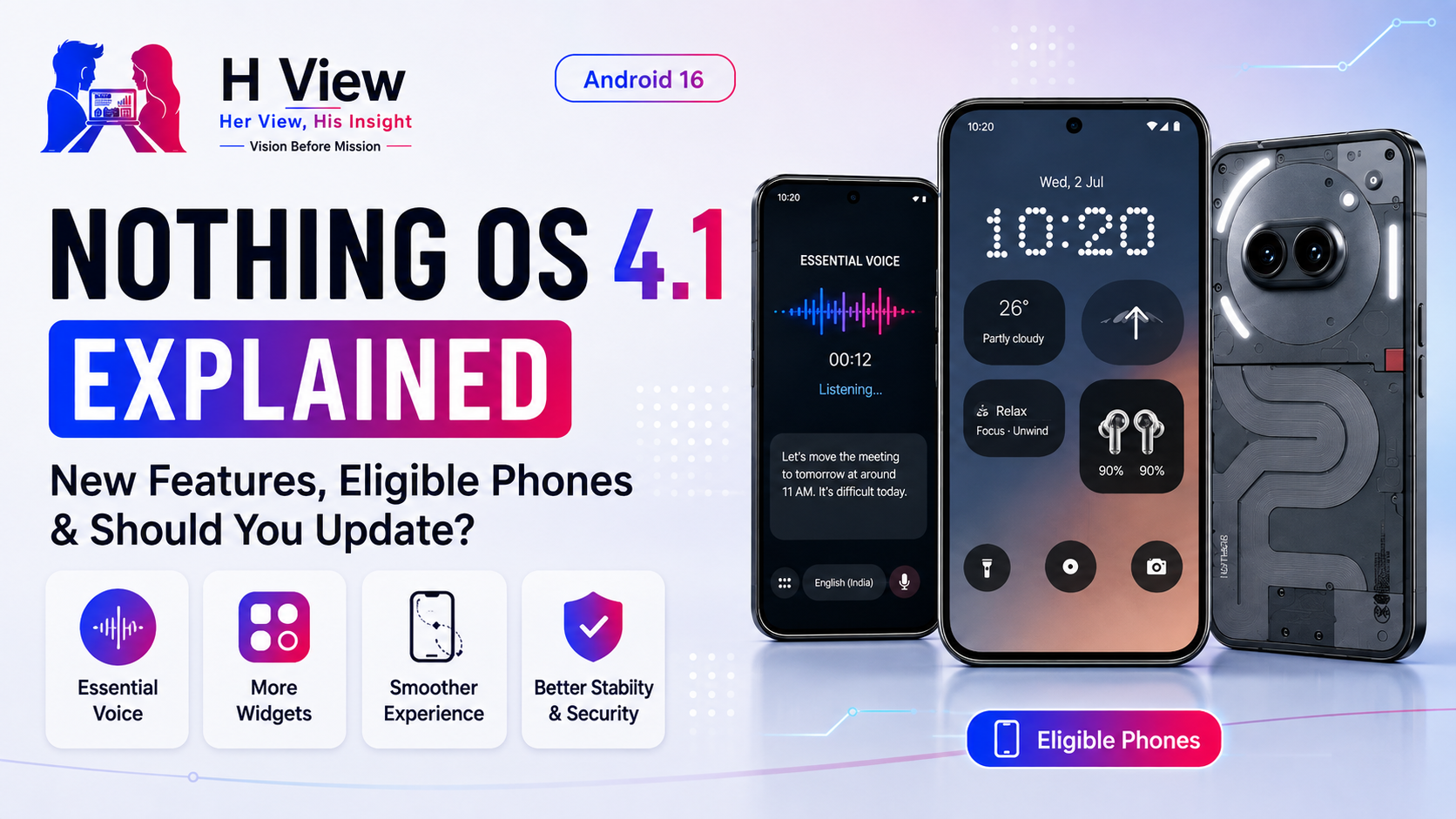
Nothing OS 4.1, based on Android 16, is the latest major refinement of that experience. Unlike a completely redesigned operating system, 4.1 focuses on improving the lock screen, widgets, Essential AI tools, animations, system stability and device-specific features introduced across Nothing’s newer phone lineup.
Nothing now says the Nothing OS 4.1 rollout is complete for eligible devices, though some individual features remain limited to selected models because of hardware support, optimisation requirements and staged feature testing.
So what actually changed, which phones receive it, and should you install it immediately?
Nothing OS 4.1 is an incremental update built on the foundation of Nothing OS 4.0.
Nothing OS 4.0 itself moved the platform to Android 16 and focused heavily on smoother interactions, visual consistency, system optimisation and greater customisation.
OS 4.1 develops those ideas rather than starting again.
Depending on the phone, it introduces or improves areas such as:
Nothing’s Phone (4a) and Phone (4a) Pro pages currently highlight the redesigned lock screen and two new Relax widgets as major OS 4.1 features.
One of the most useful changes associated with Nothing OS 4.1 is Essential Voice.
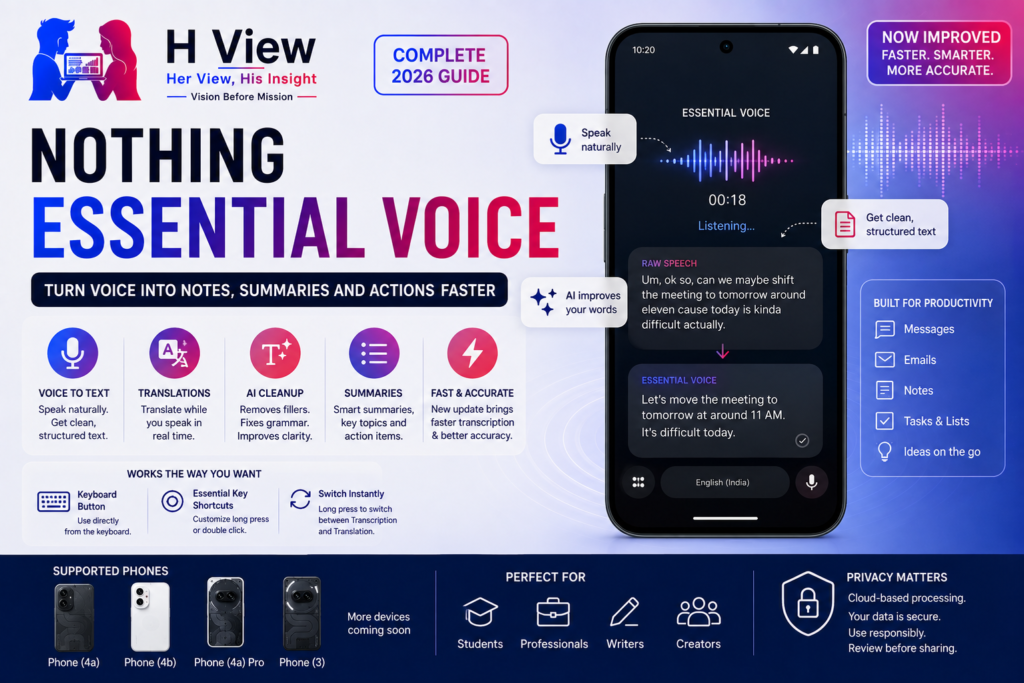
On supported devices, Essential Voice can be started from the keyboard or through the Essential Key. Nothing describes it as an AI-powered speech-to-text feature that can clean up filler words, repetitions and self-corrections while also supporting translation intent.
Instead of reproducing speech exactly, it attempts to turn natural spoken language into more usable written text.
For example:
You might say:
“Um, remind the team that we’ll finish the homepage today, but payment testing probably needs another day.”
Essential Voice can potentially produce a cleaner written version without the unnecessary filler.
For users who frequently write emails, WhatsApp messages or notes from their phone, this may be more useful than many purely visual OS updates.
Availability still depends on the device, so Nothing OS 4.1 does not mean every phone automatically receives every Essential feature.
Nothing has expanded lock-screen customisation in OS 4.1.
Phone (4a) and Phone (4a) Pro officially advertise:
This suits Nothing’s broader design philosophy.
Instead of filling the screen with dozens of controls, the company allows users to make a small number of elements larger and more useful.
A user might choose:
The improvement sounds simple, but lock-screen design matters because it is one of the interfaces users see dozens of times every day.
Nothing has also introduced Relax widgets on newer devices.
The company describes two new Relax widgets intended to help users unwind and remain focused.
This continues a pattern we have already seen across Nothing OS.
Nothing increasingly tries to reduce unnecessary interaction rather than adding endless menus.
Glyph alerts, monochrome icons, Essential Voice and these widgets all support the broader idea of allowing users to perform small tasks without constantly opening multiple apps.
Whether Relax widgets become genuinely useful will depend on individual routines, but they fit the operating system’s overall direction.
Animations have always been important to Nothing OS because the interface relies heavily on visual polish.
A June update for Phone (3) specifically listed improved Launcher animations for smoother and more fluid interaction. It also included refinements to the volume slider and several stability fixes.
These changes may not sound exciting compared with AI features, but they affect everyday perception dramatically.
A phone feels faster when:
Nothing OS 4.1 appears to place significant emphasis on these smaller refinements.
Nothing’s original OS 4.1 rollout announcement also included improvements to audio-call quality when connected to Nothing audio products and enhanced video-call stability with third-party applications.
This is an important ecosystem improvement.
A phone operating system becomes more valuable when the company’s phones and earbuds work together more reliably.
The improvements are unlikely to influence someone’s buying decision alone, but they help reduce the small frustrations that make an ecosystem feel unfinished.
Camera improvements in OS 4.1 are not identical across every device.
For example, a Phone (4a) update included:
Phone (3) later received additional camera-stability improvements in June.
This is why users should read the specific changelog for their phone instead of assuming an OS version guarantees identical camera behaviour.
Nothing OS 4.1 is a platform version, but the firmware package is still customised for individual hardware.
Nothing OS 4.1 updates have also continued delivering Android security patches.
The initial 4.1 rollout included the April 2026 security patch, while later device-specific releases moved newer phones onto May and June security updates.
Security patches are less visible than widgets or animations, but they are more important over the lifetime of the phone.
Users should generally avoid postponing security updates indefinitely unless a particular release has a confirmed serious problem.
Nothing’s official release roadmap now states that the OS 4.1 rollout is complete for eligible devices.
The rollout has covered multiple recent Nothing models. Official changelogs confirm OS 4.1 releases for devices including:
Community discussion around the roadmap also indicates that Phone (2) is running OS 4.1, while Phone (1) is outside the OS 4.1 update path. Because community comments can mix official information and user observations, users should rely on the roadmap and their phone’s System Update screen for final confirmation.
CMF availability can differ because some CMF models received OS 4.0 later in the rollout cycle. Nothing explicitly completed OS 4.0 rollout across devices such as CMF Phone 1 and CMF Phone 2 Pro before moving forward with newer platform updates.
This is one of the most important things Nothing owners need to understand.
Nothing explicitly says that some OS 4.1 features may initially remain limited to selected devices because of:
Therefore:
Same OS version does not always mean identical feature set.
One user may receive Essential Voice while another device running OS 4.1 does not.
One phone may receive a newer settings design while another retains an older layout.
Users have already noticed UI differences between devices running the same OS version—for example, comparisons between Phone (2) and the Phone (4a) series. That particular observation comes from a community discussion rather than an official compatibility statement, but it demonstrates the confusion created by device-specific implementation.
Nothing should eventually provide a clearer model-by-model feature matrix.
On your Nothing phone, open:
Settings → System → System Update
Before installing:
A backup is particularly sensible before any major operating-system update, even though normal OTA updates are designed to preserve user data.
Possibly.
Nothing has previously warned users that phones may temporarily consume more power and feel warmer during installation while applications and system data are being optimised.
This is normal immediately after many Android updates.
The device may be:
Allow the phone some time after installation before judging battery life or temperature.
Do not immediately factory-reset the device.
Try:
Temporary battery drain is common after system updates.
If severe drain continues for several days, check Nothing Community and official support for a device-specific issue before considering a reset.
Community reports have included complaints about launcher lag or animation problems after some OS 4.1 builds. One Phone (4a) Pro owner, for example, reported laggy Launcher behaviour following an early 4.1 update.
However, individual reports should not be treated as proof that every device has the same problem.
Later Nothing updates have explicitly included:
This illustrates why users should judge the current build, not only problems reported against earlier firmware.
For most users, yes—particularly now that Nothing says the rollout is complete and the software has already received several refinement updates.
Updating is especially sensible when you want:
You may prefer to wait briefly when:
Waiting a few days for initial feedback is reasonable. Staying months behind without a reason is less advisable.
Nothing OS 4.0 was the larger foundational change.
It moved Nothing’s software to Android 16 and introduced broader improvements around visual consistency, system optimisation and smoother interaction.
Nothing OS 4.1 is more about refinement.
Focused on:
Focuses more on:
OS 4.1 feels less dramatic but potentially more useful in everyday operation.
There is already significant community discussion about Nothing OS 5.0.
However, Nothing has not provided a final stable Nothing OS 5.0 release date in the official sources reviewed for this article.
The existing Nothing OS roadmap should remain the source of truth for confirmed rollout status rather than community guesses.
Until Nothing publishes an official announcement, articles claiming a precise OS 5.0 launch date should be treated cautiously.
We will cover Nothing OS 5.0 separately once Nothing confirms the release, eligible devices and major features.
Nothing OS is becoming more mature, but several areas still need work.
Nothing should publish a simple table showing:
Phone model → OS version → supported Essential features → unsupported features
Users expect the same major OS version to look and behave broadly similarly.
Essential Voice and other cloud-powered features should include very clear privacy and processing information.
A visually smooth operating system needs to remain smooth after several years of updates.
Nothing phones, Ear products, CMF wearables and PCs could eventually work together more deeply.
No. Nothing says certain 4.1 features remain limited to selected devices because of hardware support, optimization and stability requirements.
Major additions and refinements include Essential Voice on supported phones, redesigned lock-screen options, additional widget sizes, Relax widgets, camera refinements, improved call stability and system optimization.
A standard OTA system update is designed to preserve personal data, but backing up important information before any major OS update is still recommended.
System updates may temporarily increase power consumption while applications and files are optimised. Nothing has warned users about temporary warmth during installation in its device changelogs.
Nothing has not announced a final stable OS 5.0 release date in the official sources reviewed here. Use Nothing’s release roadmap for confirmed rollout information rather than community speculation.
Harika is the co-founder of H View and covers AI, technology, gadgets, digital tools, online platforms, and modern internet trends. Her articles focus on simplifying complex topics with practical explanations, balanced opinions, and reader-first insights.
Share your real experience and help other readers decide better.
No community views yet. Be the first to share yours.
Typing is not always the fastest way to express an idea. A message that takes…
Harika August 9, 2026 
Nothing has gradually expanded from a small design-focused smartphone brand into a company serving several…
Harika August 6, 2026 
A Nothing phone should comfortably support communication, social media, photography, navigation and entertainment throughout the…
Harika August 4, 2026 
Screenshots, voice notes, saved links, photographs and reminders accumulate quickly on a smartphone. We capture…
Harika August 3, 2026