
How to Remove a Photo Background for Free Without Uploading It Anywhere
Most background removers upload your photo, add a watermark or charge for the full-size file. Here's how to remove a photo background for free at full resolution, with the photo never leaving your device.
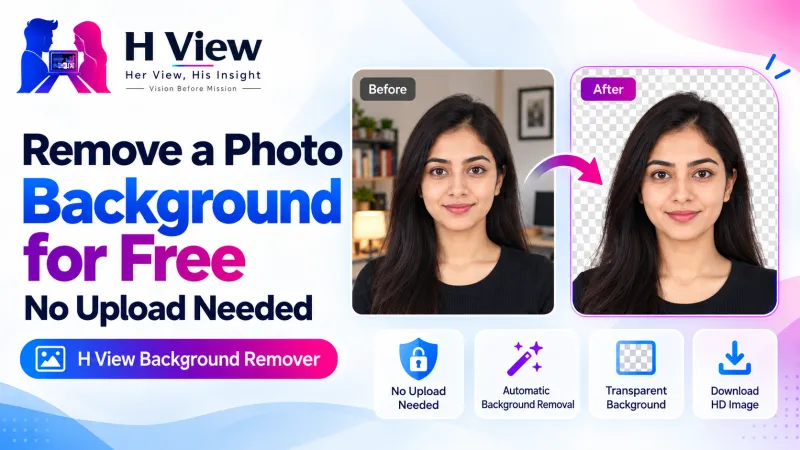
To remove a photo background for free without uploading it, open the H View Background Remover, add your photo, wait a few seconds, then choose transparent, white, any colour or a soft blur and download the PNG. An AI model runs inside your browser, so the photo stays on your device and the result has no watermark.
A clean background changes how a photo feels. A profile picture looks more professional, a product photo with a person looks sharper on Instagram, and an ID photo gets accepted instead of rejected for a “non-white background.” Yet most free background removers either upload your photo to their server, stamp a watermark on it, or ask you to pay for the full-size download.
How Do I Remove a Photo Background, Step by Step?
- Add your photo. Drop a JPG, PNG or WebP image, choose one from your device, or paste it with Ctrl+V.
- Wait a few seconds. The cut-out runs on your device. The very first time, your browser downloads the AI model (about 7 MB); after that it is cached and much faster.
- Pick a background. Keep it transparent, or switch to white, any colour, or a blur of the original scene.
- Download the PNG at the same width and height as your original photo.
Try it now: Open the free Background Remover → Free · No sign-up · No watermark · Files stay on your device.
Which Background Should I Choose?
| Background | Best for |
|---|---|
| Transparent | Logos, stickers, posters, slides and designs where you place the person on another image |
| White | Passport, exam and government form photos, resumes |
| Any colour | Brand-coloured profile pictures, team pages, thumbnails |
| Soft blur | A natural “portrait mode” look for LinkedIn and WhatsApp DPs |
Transparency is the reason the result is a PNG. As MDN's image format guide notes, PNG is preferred when transparency is needed, while JPG cannot store it.
 Also readHow to Sign a PDF and Fill Forms Online for Free, Without Printing→
What Kind of Photos Work Best?
The tool is tuned for people: faces, hair and shoulders. Profile pictures, ID photos and product shots with a person in them come out cleanest. Very busy scenes, or objects with no person in the frame, may need a cleaner photo to start with.
- Use even light from the front; strong backlight blurs the edge of hair.
- Keep some space between you and the wall so the edges separate clearly.
- Avoid clothes the same colour as the background.
How Do I Use It for a Passport or Exam Photo?
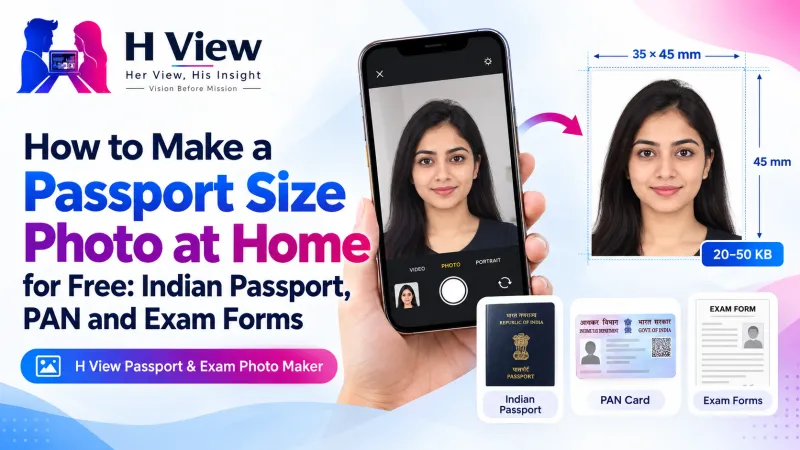
Choose White, download the PNG, then set the exact size with the Image Resizer and bring it under the KB limit with the Image Compressor. Or skip the three steps: the Passport & Exam Photo Maker uses the same AI model and does all of it for Indian passport, PAN and exam forms. Always check the official rules for your form, such as Passport Seva for passports.
Her View
Small business owners, home bakers, boutique owners and tutors need good photos more than anyone, and they are the least likely to pay a designer for every post. Being able to remove a photo background on a phone in seconds, without a subscription, lets them present their work the way it deserves.
 Also readHow to Compress a Photo to 50 KB or 20 KB for Exam and Job Forms, Free and Private→
His Insight
The privacy question is not theoretical. When a website “processes” your photo, it usually means the photo travels to a server you know nothing about. Our tool downloads the model to your browser instead, and the work happens on your own device. That is also why the first run takes a little longer and why it still works well on a slow connection afterwards.
H View Verdict
You should not have to trade your photo, or a watermark, for a clean background. Start with a well-lit photo of a person, choose the background that matches where it will be used, and download at full resolution. It is quick, free and private.
Frequently Asked Questions
Is the background remover really free?
Yes. There is no sign-up, no limit on the number of photos and no watermark.
Are my photos uploaded anywhere?
No. The cut-out is made by an AI model running in your own browser. Your photo stays on your device.
Why is the first photo slower?
The first time, your browser downloads the AI model (about 7 MB). After that it is cached, so later photos are much faster.
Does it keep the original resolution?
Yes. The PNG keeps your photo's original width and height.
See all H View free tools that run in your browser.
H View stories follow our editorial policy. Spotted an error? Tell us and we will correct it.
Rate this article
One tap is enough. No comment needed.
Was this article helpful?
Your answer goes straight to our editors.










Comments0
No comments yet. Start the conversation.