

Entry-Level Job—but Experience Required? The Fresher Trap Nobody Is Fixing
A fresher opens a job portal and finds an attractive vacancy. The title says Entry-Level,…
 Satya Hemanth August 9, 2026
  By Satya HemanthUpdated September 20, 202610 min read76 views
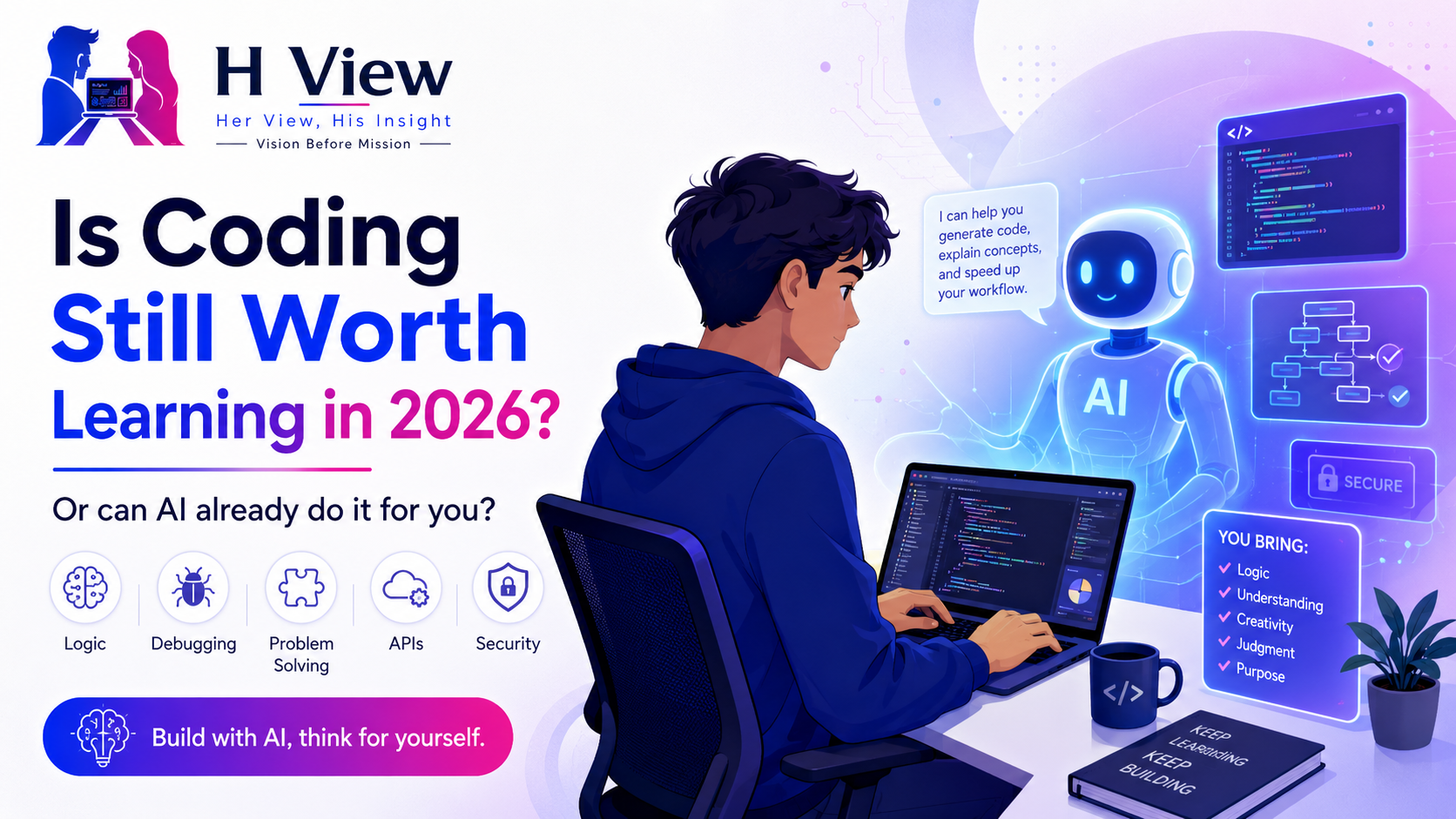
A few years ago, learning to code was widely presented as one of the safest ways to build a technology career.
Students joined programming courses, working professionals planned career switches, and parents encouraged children to learn Python, Java or web development. Coding was associated with software jobs, strong salaries, remote work and opportunities across industries.
Then artificial intelligence changed the conversation.
AI tools can now generate functions, build web pages, explain errors, create database queries and suggest complete application structures within seconds. A beginner can describe what they want in plain language and receive working code without remembering every command.
This has created a genuine doubt:
Is coding still worth learning in 2026, or can AI already do enough of it for us?
The answer depends on what we mean by “learning coding.”
If coding means memorising syntax and manually typing every line, that approach is becoming less valuable. If it means understanding logic, designing solutions, debugging problems and building reliable software, it remains highly relevant.
AI is changing how developers work. It is not removing the need to understand what software is doing.
The doubt is understandable.
A student may spend several weeks learning HTML, CSS and JavaScript, while an AI tool can generate a landing page from one detailed instruction. Someone learning Python may watch AI produce a working automation script in seconds.
Social media makes the situation look even more dramatic.
Videos show people building:
These demonstrations are impressive, but they usually show only the successful output.
They may not show the time spent correcting errors, securing the application, connecting databases, handling users, testing edge cases or maintaining the code after launch.
Generating code is only one part of software development.
A person can produce code without being ready to build dependable software.
Real software development also involves:
AI can assist with all these areas, but it still needs direction and review.
A developer must know whether the proposed solution suits the project. They must recognise when code is insecure, inefficient, incomplete or difficult to maintain.
This is why the difference between a coder and a software developer is becoming more important.
Typing code may become easier. Building the right product remains difficult.
From one perspective, this is an excellent time to learn coding.
AI reduces several barriers that previously discouraged beginners.
A learner can ask:
Earlier, a student might spend hours searching forums before finding an explanation that matched their problem. AI can now provide immediate support.
It can also help people move from theory to practical projects more quickly.
A beginner can build a simple application, observe how different parts connect and then study the generated code. When used responsibly, AI can act like a patient learning assistant.
GitHub’s research has found that developers commonly use AI coding tools for productivity and skill development. Its surveys also show widespread adoption of these tools in professional software work.
AI does not have to discourage learning.
It can make learning more interactive.
The danger begins when a learner can generate something but cannot explain it.
A student may create an attractive website without understanding responsive design. A fresher may copy an API but not know how the request reaches the database.
An AI-generated project may work during a demonstration and fail when:
When that happens, copying another prompt may not solve the underlying problem.
Weak foundations also become visible during interviews. A candidate may show several polished projects but struggle to answer basic questions about variables, functions, data structures, databases, authentication or debugging.
AI can make someone appear productive before they become capable.
That gap is risky.
The more accurate answer is that the market is changing.
Jobs focused mainly on repetitive programming may face more automation. The US Bureau of Labor Statistics projects a decline in traditional computer-programmer employment between 2024 and 2034.
However, it projects much stronger growth for the broader category of software developers, quality-assurance analysts and testers. Software-developer employment alone is projected to grow substantially over the same period.
This difference is important.
The market may need fewer people whose role is only to convert detailed instructions into code. It will still need people who can understand business problems, design systems and take responsibility for results.
The World Economic Forum also lists technology literacy, AI and big data, networks and cybersecurity among the fastest-growing skill areas, while emphasising creative thinking, adaptability and lifelong learning.
Coding is not disappearing.
It is becoming one component of a wider problem-solving role.
Beginners should focus less on memorising every command and more on transferable fundamentals.
Understand conditions, loops, functions, variables, data flow and how a solution is structured.
Learn how to break a real requirement into manageable steps.
Develop the ability to read errors, inspect behaviour and identify the actual cause of a problem.
Most useful applications store information. Learn tables, relationships, queries and basic data design.
Modern applications regularly communicate with other systems. Understand requests, responses, authentication and error handling.
Professional development involves tracking changes and collaborating safely.
Learn to check whether software works under normal, unusual and incorrect inputs.
Understand passwords, permissions, validation, data protection and common risks.
A project running only on your laptop is not the same as a usable product.
These skills remain valuable even when AI generates part of the code.
There is no single language that suits every goal.
Python is approachable and useful for automation, backend development, data-related work and learning core programming ideas.
JavaScript and TypeScript are strong choices for web development because they can be used in both browsers and servers. GitHub’s 2025 Octoverse report placed TypeScript first by contributor activity, while Python and JavaScript also continued growing strongly.
Java remains useful for enterprise software, backend systems and Android-related foundations.
C or C++ can provide deeper understanding of memory, performance and computer fundamentals, though they may feel more difficult initially.
The best first language is the one connected to a clear goal and supported by regular practice.
Learning four languages superficially is usually less useful than building real projects with one.
No-code and low-code platforms are valuable.
They can help users create forms, websites, internal tools and simple automations without traditional development. Business users may solve many problems without becoming programmers.
However, limitations appear when a project requires:
No-code tools are excellent for suitable problems. They are not a universal replacement for software engineering.
A learner who understands coding can use no-code tools more effectively because they understand what is happening behind the interface.
Coding is worth learning for people who want to:
It may not need to become a full career for everyone.
A marketer can learn basic automation. A business analyst can learn SQL. A designer can understand frontend fundamentals. An entrepreneur can learn enough to evaluate technical work.
The depth should match the goal.
Coding may be the wrong choice when someone is joining only because:
Technology offers many non-coding careers, including UI/UX, product operations, business analysis, digital marketing, project coordination, technical support and software testing.
Choosing a suitable path is more important than choosing the most advertised path.
A productive learner uses AI to improve understanding, not avoid it.
Even an incomplete attempt develops reasoning.
This keeps the learner involved.
Do not accept code that you cannot explain line by line.
Try invalid inputs and unusual situations.
Typing and modifying code strengthens understanding.
Avoid presenting copied tutorial projects as original work.
Authentication, payments and personal data require extra care.
This reveals what you actually understand.
The objective is not to compete with AI at typing speed.
It is to become the person who can direct, test and improve what AI produces.
A realistic beginner path could look like this:
Learn variables, conditions, loops, functions and basic problem-solving.
Build calculators, task lists, forms or simple automation scripts.
Learn basic frontend development, databases or another area connected to your goal.
Create a usable project with input, data storage and error handling.
Publish the project and learn how real services connect.
Fix weaknesses, write documentation and practise demonstrating every important decision.
Six months does not guarantee a job.
It can create a meaningful foundation when the learner practises consistently and builds original work.
Her View: AI makes coding easier to learn, gives beginners immediate support and allows people to build useful projects earlier. It can remove unnecessary frustration and increase access to technical skills.
His Insight: Easy code generation can create weak developers who cannot debug, secure or explain their own work. Without fundamentals, AI may produce confidence without competence.
Both views are valid.
AI should reduce repetitive effort.
It should not remove the thinking that makes someone a developer.
Coding is still worth learning in 2026, but the reason has changed.
The goal is no longer to prove that you can manually type every line faster than a machine. AI will often win that competition.
The goal is to understand how digital systems work, solve problems, build reliable products and judge whether generated code is correct.
Beginners should learn coding with AI—not surrender coding to AI.
Develop logic, databases, APIs, testing, security, deployment and communication. Build projects you can explain. Use AI for guidance and acceleration while keeping responsibility for the result.
The future may not reward people who only know syntax.
It will reward people who can combine technical understanding, practical judgment and modern tools to solve real problems.
Yes. Coding remains valuable for software development, automation, data, cybersecurity, cloud computing and technical problem-solving. Learners should focus on fundamentals and real projects rather than syntax alone.
AI may automate repetitive programming tasks, but software development also requires requirements analysis, architecture, testing, security, debugging and accountability. Roles are likely to change rather than disappear completely.
Python is beginner-friendly, while JavaScript or TypeScript is useful for web development. Java suits many enterprise roles, and C can strengthen computer fundamentals. The best choice depends on the learner’s goal.
A short course can provide foundations, but it cannot guarantee job readiness. Employment depends on practice, projects, problem-solving, communication and the ability to demonstrate skills.
Yes, but they should review, test and understand every important section. AI should be used for explanations, hints, debugging support and faster learning—not blind copying.
Not for every employer, but a degree can help with fundamentals and eligibility. Candidates without a relevant degree need strong skills, projects and evidence of practical ability.
No-code tools are excellent for certain projects, but coding provides greater flexibility, control and understanding. The right option depends on the complexity of the problem.
Problem-solving, debugging, databases, APIs, testing, security, deployment, Git and communication are increasingly important.
Satya Hemanth is the founder of H View and writes on careers, sports, leadership, digital trends, and practical decision-making. His articles focus on clear explanations, real-world examples, and useful insights for students, young professionals, and everyday readers.
Share your real experience and help other readers decide better.
No community views yet. Be the first to share yours.
A fresher opens a job portal and finds an attractive vacancy. The title says Entry-Level,…
Satya Hemanth August 9, 2026 
A stranger messages you with what sounds like an easy opportunity. “Use your bank account…
 Harika August 9, 2026
You find a job that perfectly matches your profile. The company looks genuine. The role…
Satya Hemanth August 8, 2026 
For generations, the path to a secure career appeared simple: Study hard, complete a degree…
Satya Hemanth August 7, 2026