

Best Digital Marketing Tools in 2026: What Marketers Actually Need and What They Can Skip
Open LinkedIn for a few minutes and you will probably come across a colourful graphic…
 Harika October 6, 2026
  By HarikaUpdated September 28, 202613 min read34 views
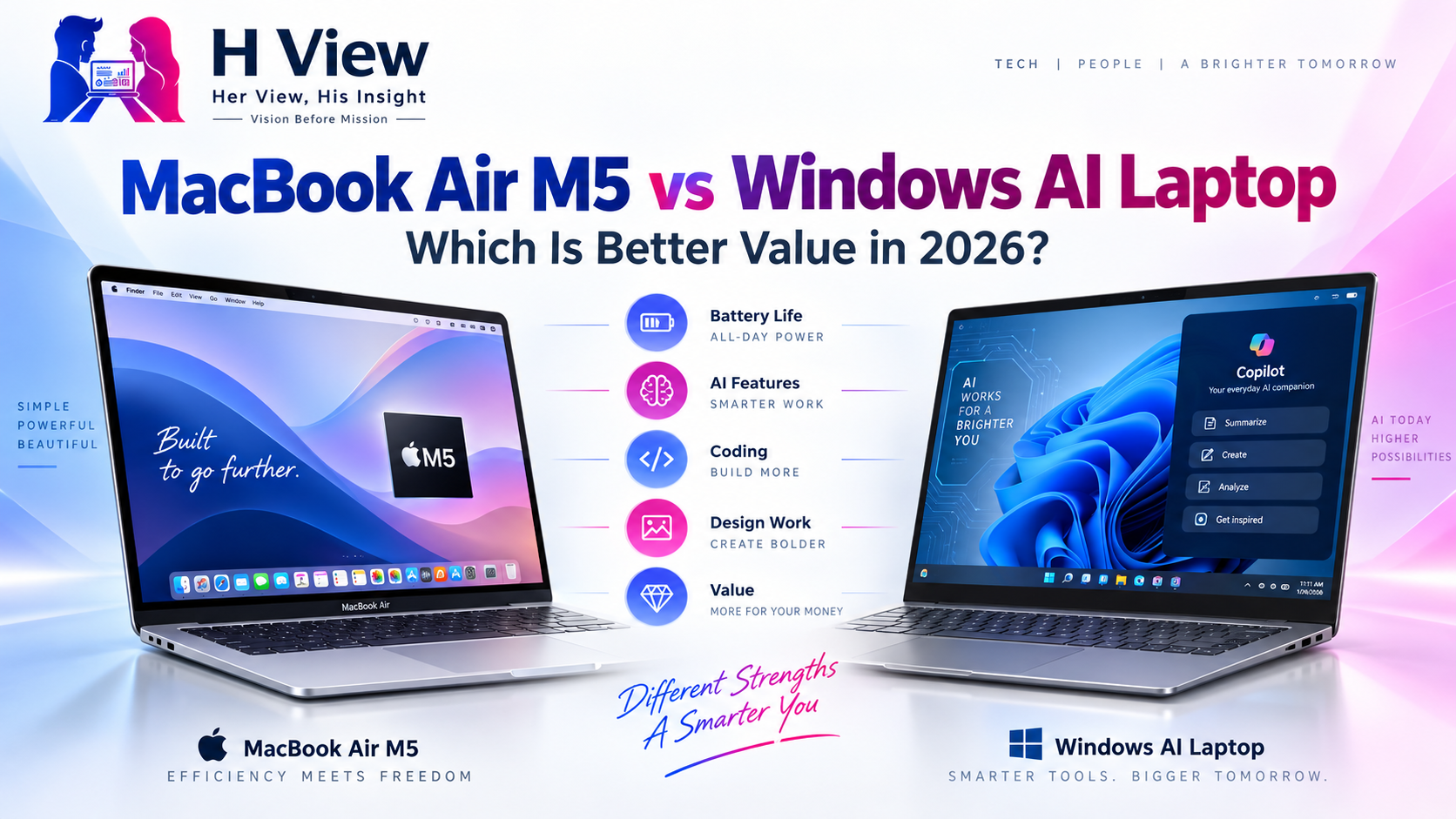
The laptop market in 2026 has become strangely difficult to understand. A few years ago, the decision was simpler. MacBook buyers usually chose Apple for battery life, build quality and creative workflows, while Windows buyers chose from dozens of brands based on price, processor and specifications. Today, both sides are selling something more ambitious: an “AI laptop.”
Apple’s MacBook Air M5 arrives with a faster Neural Engine, GPU-level Neural Accelerators, Apple Intelligence, Wi-Fi 7, Bluetooth 6 and improved support for on-device AI workloads. Windows manufacturers are responding with Copilot+ PCs powered by Intel Core Ultra, AMD Ryzen AI and Qualcomm Snapdragon X processors, often with dedicated NPUs designed specifically for local AI tasks. (apple.com)
The problem for buyers is price. A 13-inch MacBook Air M5 officially starts at ₹1,19,900, while the 15-inch model starts at ₹1,44,900 in India. Education pricing lowers those figures to ₹1,08,900 and ₹1,33,900 respectively. At the same time, Windows Copilot+ laptops now range from around ₹60,000 for some Snapdragon-based Vivobooks to well above ₹1 lakh for premium OLED and business models. (apple.com)
That makes the real question more interesting than “Mac or Windows?” Which one gives you more value for the money in 2026, especially if you are a student, developer, employee, designer or manager who wants a laptop to last several years?
Apple has made one important change with the M5 generation: the base configuration is no longer as restrictive as older MacBook Air models.
The 13-inch MacBook Air M5 now starts with 16GB unified memory and 512GB SSD storage, while higher configurations can go to 24GB or 32GB memory and as much as 4TB of storage. Apple says the new SSD is also significantly faster than the previous generation. (apple.com)
That matters because older MacBook Air models often looked attractive at the entry price and then became expensive once the buyer upgraded memory or storage to a practical level. In 2026, the base M5 Air is much closer to what most people actually need.
The 13-inch model also weighs little, runs completely silently because it has no fan, and offers up to 18 hours of video-streaming battery life according to Apple. The display is a 13.6-inch Liquid Retina panel with 500 nits brightness, P3 wide colour and support for one billion colours. (apple.com)
For someone who values portability and battery life, that combination is difficult to ignore.
Where Windows wins immediately is variety.
You can buy a Copilot+ laptop for around ₹60,000, choose a Ryzen AI model around ₹70,000, move to a premium OLED laptop around ₹1.1 lakh, or spend considerably more on workstation and creator systems.
ASUS, for example, currently lists a Vivobook 14 Copilot+ PC with Snapdragon X at around ₹60,990, including 16GB memory and a 512GB SSD. Its AMD Ryzen AI-based Vivobook 14 starts around ₹70,990, while the larger Vivobook 16 starts around ₹72,990. (asus.com)
Move higher and the Zenbook 14 Copilot+ PC starts around ₹1,14,990 with a Ryzen AI processor, 16GB memory, 512GB SSD and a 3K 120Hz OLED display. (asus.com)
HP shows a similar spread. Its OmniBook 3 with Ryzen AI 5 is currently listed around ₹94,799, while the OmniBook 5 with Intel Core Ultra 5 and 1TB SSD is around ₹1,31,999. (hp.com)
This flexibility is one of the strongest arguments for Windows. You can decide exactly how much you want to spend and where the money goes.
| Area | MacBook Air M5 | Windows AI Laptop |
|---|---|---|
| Starting price | ₹1,19,900 | Roughly ₹60,000 and up |
| Base memory/storage | 16GB / 512GB | Varies by model |
| Operating system | macOS | Windows 11 |
| AI platform | Apple Intelligence + Neural Engine | Copilot+ + NPU + vendor AI |
| Battery life | Very strong, up to 18 hours claimed | Varies widely by model |
| Display | Excellent IPS Liquid Retina | IPS, OLED, mini-LED depending on model |
| Gaming | Limited compared with Windows | Much stronger ecosystem |
| Upgradeability | None after purchase | Some models allow RAM/SSD upgrades |
| Ports | Two Thunderbolt 4 + MagSafe | Often more USB-A, HDMI, USB-C and card readers |
| Software compatibility | Excellent for Apple ecosystem | Broadest overall compatibility |
| Best for | Battery, portability, coding, creative work | Choice, gaming, business apps, hardware flexibility |
The table makes one thing clear: there is no single winner because the two platforms are strong for different reasons.
The M5 is a genuinely strong chip.
Apple says the MacBook Air M5 uses a 10-core CPU and up to a 10-core GPU, with a 16-core Neural Engine and 153GB/s unified-memory bandwidth. It also includes Neural Accelerators inside the GPU cores, which Apple says improves AI and creative workloads significantly over the M4 and M1 generations. (apple.com)
For normal productivity, software development, photo editing and light video work, performance is unlikely to be the problem.
The limitation is sustained heavy workload. MacBook Air is fanless, which keeps it silent but also means it cannot maintain maximum performance indefinitely under heavy rendering, long exports or sustained compilation the way an actively cooled MacBook Pro or performance Windows laptop can.
Windows laptops vary enormously. A thin Snapdragon X laptop may prioritise efficiency, while a Ryzen AI machine may offer stronger compatibility and better integrated graphics. A Windows creator or gaming laptop with a dedicated NVIDIA GPU can outperform MacBook Air easily in certain 3D, AI and rendering workloads.
So the correct question is not “Which chip is faster?” It is “Which kind of workload are you running?”
For web development, Python, Node.js, React, Java, Git, Docker and many Unix-oriented workflows, MacBook Air remains an excellent machine.
macOS is Unix-based, the terminal experience is strong, battery life is excellent, and developers can work for long periods away from a charger. Apple Silicon has also matured enough that most mainstream development tools now run very well.
However, Windows remains safer if your work depends on Windows-only software, Microsoft-heavy enterprise environments, .NET-specific tooling, certain engineering utilities or proprietary corporate applications.
Windows Subsystem for Linux has also improved considerably, reducing the gap for developers who want Linux tools without leaving Windows.
For a computer science student who is still unsure what technologies they will eventually use, Windows provides broader compatibility. For a developer already comfortable with macOS or Unix workflows, MacBook Air is often the more pleasant everyday machine.
MacBook Air’s Liquid Retina display is excellent, with P3 wide colour and consistent calibration. For Photoshop, Lightroom, Illustrator, Figma and general design work, it is more than capable.
Windows, however, can give you something Apple Air does not: OLED.
ASUS currently sells several Copilot+ systems with OLED panels. The Zenbook 14, for example, offers a 3K 120Hz OLED display, while the Vivobook S16 uses an OLED screen at a much lower price than many premium Mac configurations. (asus.com)
For designers who care about contrast, HDR and colour depth, that can be attractive.
The MacBook advantage is consistency. You know what kind of display quality you are getting across the lineup. Windows requires more careful shopping because one model may have a beautiful OLED panel while another in the same price range uses an ordinary 60Hz IPS display.
The M5 chip includes dedicated media engines for H.264, HEVC, ProRes, ProRes RAW and AV1 decoding. That makes MacBook Air surprisingly capable for video editing despite its thin design. (apple.com)
For YouTube videos, Reels, 1080p editing and moderate 4K projects, it can be excellent.
The problem begins with sustained heavy exports, complex colour grading, multiple high-resolution streams or GPU-heavy effects. Because the Air has no fan, long workloads can eventually reduce sustained performance.
A Windows laptop with an RTX GPU or a MacBook Pro makes more sense at that point.
So the Air is ideal for a creator who wants portability and occasional editing, but it is not the best choice for someone rendering for hours every day.
This is where price matters most.
A student with a budget of ₹60,000–₹80,000 can buy a Windows AI laptop with 16GB RAM and 512GB SSD. The ASUS Vivobook 14 Snapdragon X model, for example, starts around ₹60,990, while Ryzen AI Vivobooks start around ₹70,990. (asus.com)
That is a substantial difference compared with the ₹1,19,900 starting price of the MacBook Air M5.
Apple’s education price helps, but ₹1,08,900 is still far above most student budgets. (apple.com)
If the student specifically wants macOS, values battery life and can afford it comfortably, MacBook Air is a strong long-term purchase. But for the majority of students, Windows provides much better value because the same budget can buy more storage, more ports, a larger screen or even some upgradeability.
Business users often care less about raw specifications and more about battery life, portability, webcam quality, reliability and quiet operation.
This is where MacBook Air performs very well.
The 12MP Center Stage camera, strong microphones, long battery life and light chassis make it excellent for meetings, presentations and travel. (apple.com)
Windows still has major advantages in corporate environments because many organisations rely on Windows-only software, device-management systems, ERP tools and security policies.
So for a manager using browser tools, Office, Teams and presentations, both platforms can work well. The final decision often depends more on the company ecosystem than the laptop itself.
There is very little debate here.
Windows has a far broader game library, better compatibility, more dedicated GPU options and stronger support for high-refresh displays, gaming peripherals and anti-cheat systems.
Apple has improved gaming support, and M5 includes better ray tracing, but MacBook Air is not designed as a gaming machine. (apple.com)
If gaming is important, Windows is the safer choice.
This is one of the most important points in 2026.
Apple calls its platform Apple Intelligence, while Microsoft markets Copilot+ PCs. Windows manufacturers add their own AI features on top of that, and every processor brand now talks about TOPS, NPUs and on-device inference.
For most people, the actual experience still depends heavily on software.
The M5 MacBook Air has strong on-device AI hardware, including Neural Accelerators and a 16-core Neural Engine. Apple says AI workloads are significantly faster than on previous Air models. (apple.com)
Windows Copilot+ PCs can offer features such as local image generation, transcription, contextual search and other AI-assisted workflows depending on the processor and software version.
The important buying lesson is simple: do not pay extra only because the laptop has “AI” printed on the box.
Choose based on RAM, storage, battery, display and software compatibility first. The AI hardware should be a bonus unless your applications genuinely use it.
MacBook Air has two Thunderbolt 4 ports, MagSafe and a headphone jack. That is clean and simple, but some users will need adapters.
Windows laptops often include USB-A, HDMI, microSD or full-size SD card readers in addition to USB-C.
Upgradeability also differs. MacBook Air memory and storage cannot be upgraded after purchase. Whatever configuration you buy is what you keep.
Some Windows laptops, especially mainstream Vivobooks and business models, still allow RAM or SSD upgrades. ASUS currently lists some Ryzen AI Vivobooks as upgradeable to 32GB memory and up to 1TB SSD storage. (asus.com)
During a period of rising laptop prices, that flexibility has real financial value.
The answer changes depending on budget.
If you have around ₹60,000–₹80,000, Windows wins easily because MacBook Air M5 does not compete at that price.
If you are spending around ₹1.1 lakh–₹1.3 lakh, the decision becomes much more interesting. A MacBook Air M5 offers excellent battery life, strong performance, premium build and consistent software. A Windows machine at the same price may give you OLED, more ports, upgradeability or a larger display.
Above ₹1.3 lakh, Windows can also start giving you dedicated graphics, while Apple buyers may begin looking at MacBook Pro instead.
The value is therefore not simply about which laptop is cheaper. It is about what you receive for the money you actually plan to spend.
The MacBook Air M5 is easy to like because very little about it feels complicated. It is light, quiet, fast and reliable, and the base model finally gives buyers enough memory and storage without immediately forcing an upgrade.
For students, however, I find the price harder to justify unless they specifically need or prefer macOS. A Windows AI laptop at ₹70,000 can handle assignments, coding, presentations, meetings and everyday work perfectly well, while leaving a large amount of money available for other college expenses.
For working professionals and managers who value battery life and portability more than ports or upgradeability, the MacBook Air makes much more sense.
Windows provides better specification value, but MacBook Air often provides better experience consistency.
That difference matters.
Buying a Windows laptop requires research because two machines at ₹90,000 can have completely different displays, cooling systems, batteries and upgrade paths. Apple removes much of that uncertainty. The Air is expensive, but the experience is predictable.
The Windows ecosystem becomes stronger when you know exactly what you need. OLED, RTX graphics, upgradeable memory, additional ports or Windows-only software can all make a Windows AI laptop clearly better for a particular user.
The best value therefore depends on how confident you are about your workload.
MacBook Air M5 and Windows AI laptops are both excellent in 2026, but they represent two very different ideas of value.
The MacBook Air M5 is better value for someone who wants excellent battery life, premium build quality, silent operation, strong performance and a simple long-term experience. Developers, managers, writers, designers and Apple ecosystem users are likely to appreciate it most.
A Windows AI laptop is better value for students, gamers, engineering users and anyone who wants more hardware choice, ports, OLED options, upgradeability or lower starting prices.
If your budget is below ₹1 lakh, Windows is the practical winner. If your budget is around ₹1.1 lakh or higher and you value portability and battery life more than hardware flexibility, the MacBook Air M5 becomes much more attractive.
The most important advice is not to buy either one because of the word “AI.”
Buy the MacBook because macOS, battery life and Apple’s hardware suit your workflow. Buy the Windows machine because its software compatibility, display, upgradeability or GPU options suit yours.
In 2026, the smartest laptop is still the one that fits the work you actually do.
The 13-inch MacBook Air M5 starts at ₹1,19,900, while the 15-inch model starts at ₹1,44,900. Apple’s education pricing reduces them to ₹1,08,900 and ₹1,33,900 respectively. (apple.com)
Pricing changes frequently, but ASUS currently lists a Snapdragon X-based Vivobook 14 Copilot+ PC from around ₹60,990 with 16GB RAM and 512GB SSD. (asus.com)
Yes. It is excellent for web development, Python, Java, Node.js and many Unix-based workflows. Developers who depend on Windows-only applications should check software compatibility before switching.
For most students, yes from a price perspective. Windows AI laptops start much lower than the M5 MacBook Air and can offer 16GB RAM, 512GB SSD and useful AI features at around ₹60,000–₹80,000.
No. Memory and internal storage are configured at purchase and cannot be upgraded afterward. Buyers should choose enough RAM and SSD capacity for the expected lifetime of the laptop.
Both can be excellent. MacBook Air offers a consistent P3 wide-colour display, while some Windows laptops provide high-resolution OLED panels. Designers should compare colour accuracy and software requirements rather than operating system alone.
Windows is significantly better because of its broader game compatibility, dedicated GPU options and stronger gaming hardware ecosystem.
Not necessarily. AI hardware is becoming common, but most buyers should prioritize RAM, SSD capacity, display, battery life and software compatibility before paying extra for AI branding.
Harika is the co-founder of H View and covers AI, technology, gadgets, digital tools, online platforms, and modern internet trends. Her articles focus on simplifying complex topics with practical explanations, balanced opinions, and reader-first insights.
Share your real experience and help other readers decide better.
No community views yet. Be the first to share yours.
Open LinkedIn for a few minutes and you will probably come across a colourful graphic…
Harika October 6, 2026 
When an employee resigns, many organisations move quickly into replacement mode. The manager informs HR,…
Harika October 6, 2026 
For many corporate employees, the workday begins long before they actually start working. They wake…
Harika October 5, 2026 
Many projects begin with an assumption that sounds reasonable on paper: the client will explain…
Harika October 1, 2026