

Best Digital Marketing Tools in 2026: What Marketers Actually Need and What They Can Skip
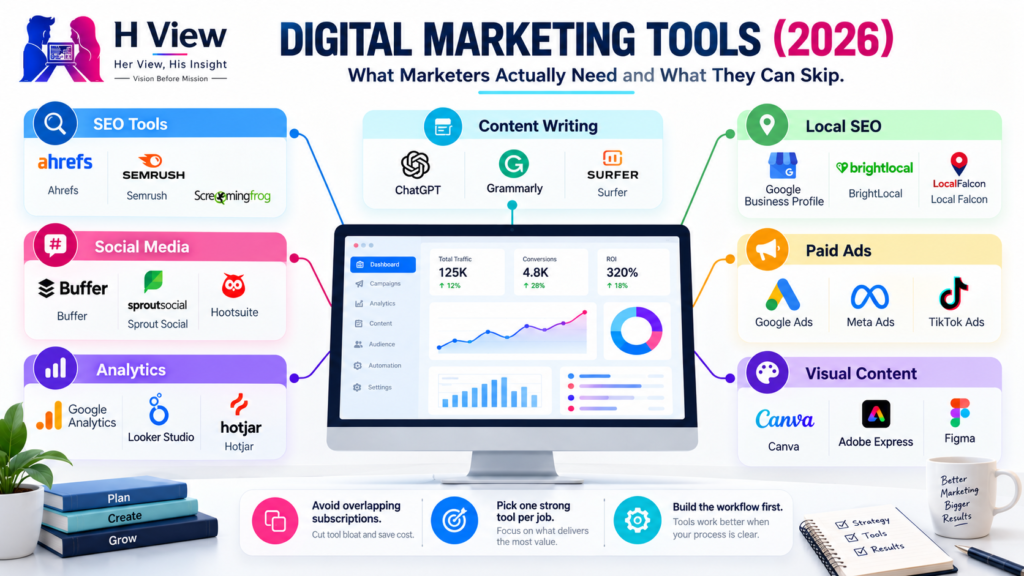
Open LinkedIn for a few minutes and you will probably come across a colourful graphic…
 Harika October 6, 2026
  By HarikaUpdated September 20, 202612 min read31 views
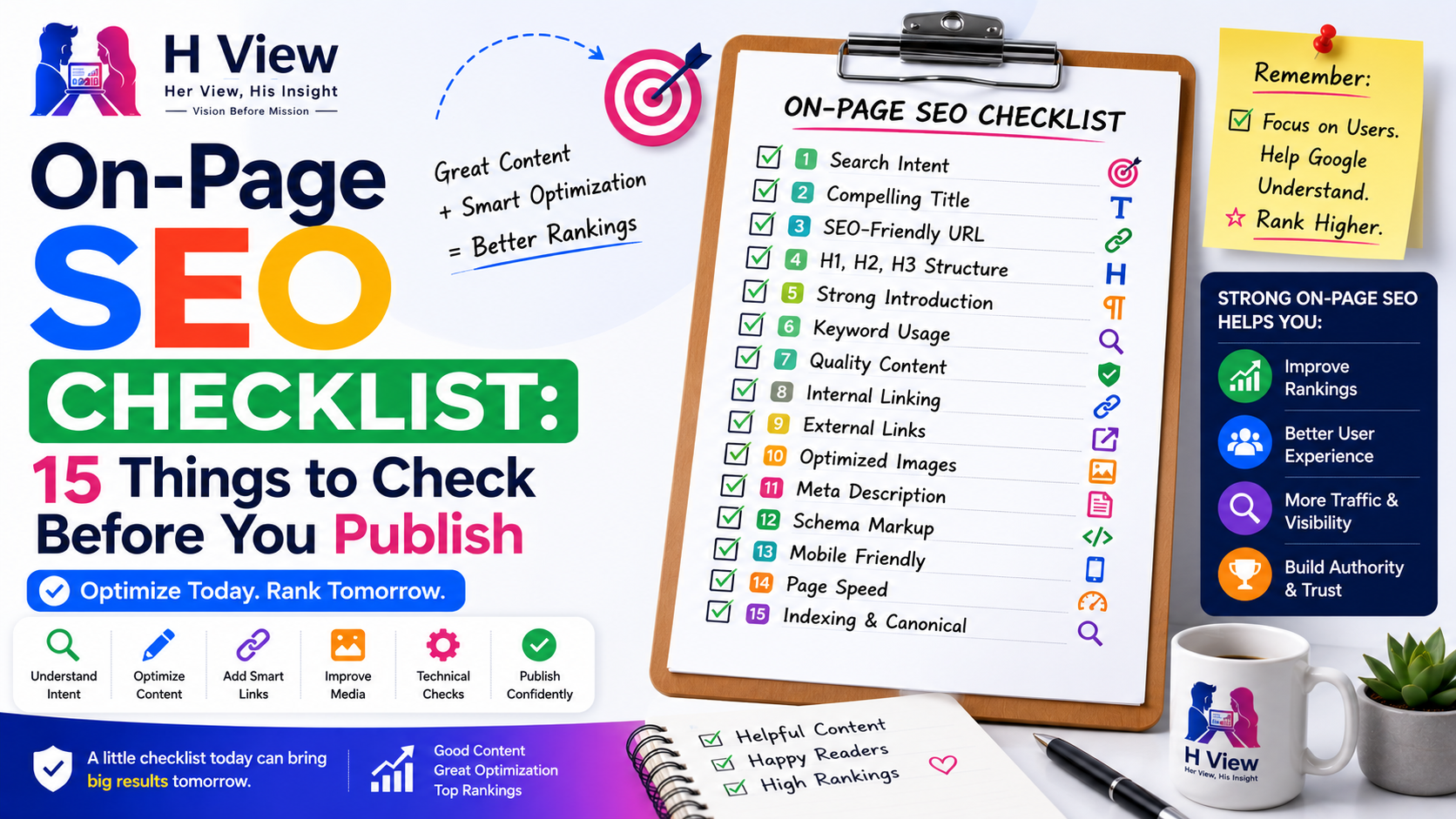
Publishing an article should not feel like pressing a button and hoping Google understands what you meant. A good article can still underperform if the title is unclear, the search intent is weak, the URL is messy, internal links are missing, or the page is technically difficult for search engines to interpret.
That is where on-page SEO becomes useful.
On-page SEO is the process of improving the elements directly inside a webpage so that both users and search engines can understand the content more clearly. It includes things such as titles, headings, URLs, internal links, images, metadata, content structure, keyword relevance and technical page-level settings.
The important part is that on-page SEO should not turn writing into a checklist of artificial tricks. The goal is not to repeat a keyword a certain number of times or force every SEO plugin indicator to turn green. The real goal is to make the page clear, useful, relevant and easy to understand before it goes live.
If you are publishing blogs, guides, reviews or informational pages, this checklist can help you catch the most common on-page SEO mistakes before they become ranking problems.
Before optimizing anything else, make sure the article actually answers the right type of search.
If someone searches for best SEO tools, they probably expect comparisons or recommendations. If they search for what is SEO, they want an explanation. If they search for SEO agency near me, they are likely looking for a service provider.
The keyword may be similar, but the intent is different.
Before publishing, look at the current search results for your target query and check what Google is already showing. If most ranking pages are tutorials and you have written a product page, your content may not fit the search intent properly.
A strong page starts by solving the correct problem.
Your title should clearly explain what the page is about and why someone should click it.
Avoid vague titles that sound creative but fail to describe the subject.
For example:
Better:
“On-Page SEO Checklist: 15 Things to Check Before Publishing”
Weaker:
“The Ultimate Formula for Better Rankings”
The second title may sound dramatic, but it does not tell the reader exactly what they will get.
A strong title should usually include the primary topic naturally, while still sounding like something a real person would want to read.
Do not stuff multiple keyword variations into the title. One clear phrase is usually enough.
URLs should be easy to understand.
Instead of:
example.com/?p=2847
a cleaner version would be:
example.com/on-page-seo-checklist
A good URL should normally:
Try not to keep changing URLs after publication unless there is a genuine reason. Changing URLs unnecessarily can create redirects and broken links.
The main article title should function as the H1.
After that, use H2 headings for major sections and H3 headings for deeper subsections.
A clean hierarchy helps both readers and search engines understand the structure of the page.
For example:
Do not use headings only because they look bigger visually. Headings should reflect the actual structure of the content.
The opening paragraph matters more than many website owners realize.
A weak introduction often spends too much time explaining obvious background information.
For example, an article about keyword research does not need five paragraphs telling readers that “the internet is growing every day.”
Get to the real problem quickly.
A strong introduction should usually explain:
This improves readability and helps the page stay focused.
Your primary keyword should appear naturally in important areas such as the title, introduction and at least one relevant heading where appropriate.
However, this does not mean repeating it continuously.
If your focus keyword is on-page SEO checklist, the article can naturally use related phrases such as:
This makes the writing more natural.
Keyword stuffing makes content harder to read and does not improve the experience.
The goal is clear topical relevance, not repetition.
A strong article should answer the important questions around the topic.
That does not mean adding unnecessary sections simply to increase the word count.
Instead, think about what the reader is likely to ask next.
For an on-page SEO article, readers may also want to know about:
Covering related questions helps create a more complete resource.
The right length depends on what the topic actually requires.
Internal links connect one page on your website to another.
They help readers continue exploring related topics and also help search engines understand how pages relate to each other.
For example, an article about on-page SEO could naturally link to:
The key word is naturally.
Do not insert internal links just to hit a number.
A good internal link should give the reader a useful next step.
External links are useful when you reference data, documentation, statistics or authoritative information.
For example, if you explain how Google handles indexing, linking to official Google Search documentation can strengthen the article.
External links should support the content rather than distract from it.
Good external references can include:
Avoid linking to random low-quality websites just to make the article look “well researched.”
Quality matters more than quantity.
Images can improve readability and make an article easier to understand, but they also need basic optimization.
Before publishing, check:
Alt text should explain the image when useful, especially for accessibility.
Do not stuff keywords into alt text.
Instead of:
SEO keyword SEO optimization best SEO image
use something descriptive such as:
Google Search Console performance report showing clicks and impressions
That is much more useful.
A meta description summarizes the page for search engines and users.
It does not guarantee a ranking improvement, and Google may sometimes rewrite the description shown in search results.
However, a good description can still improve clarity.
A useful meta description should explain what the article offers in a natural way.
For example:
“Use this on-page SEO checklist to review titles, URLs, headings, internal links, images, metadata and technical settings before publishing an article.”
Avoid vague descriptions such as:
“Read this amazing guide to learn everything you need to know.”
Be specific.
Canonical tags help search engines understand which version of a page should be treated as the preferred version when similar or duplicate URLs exist.
For a normal article, the canonical URL should usually point to itself.
Problems can occur when:
You do not need to inspect canonical settings manually on every article if your website is configured correctly, but it is worth checking when a page behaves unexpectedly.
This sounds obvious, but accidental noindex settings are common.
Before publishing important content, confirm that the page is not:
If you use WordPress, also check whether the global “discourage search engines” setting is disabled on the live website.
SEO plugins can also apply page-level indexing rules, so review those settings if the page does not behave as expected.
Most websites receive significant mobile traffic, so the page should be easy to use on smaller screens.
Before publishing, test the article on mobile.
Look for:
Speed also matters for user experience.
You do not need to obsess over a perfect performance score, but extremely slow pages create problems.
Compress large images, avoid unnecessary scripts and use sensible caching where appropriate.
This final step is the most important one.
Before publishing, forget the SEO plugin for a moment.
Read the article as though you searched for the topic yourself.
Ask:
If the page feels incomplete to a human reader, more keyword optimization will not fix the fundamental problem.
No.
SEO plugins can be useful because they remind you to check certain page elements, but their scores should not control the article.
A plugin may tell you that your focus keyword does not appear enough times or that a heading is missing.
Sometimes that suggestion is helpful.
Sometimes following it makes the content worse.
For example, repeating the exact keyword simply because the plugin wants another occurrence can make the paragraph unnatural.
Use plugin recommendations as prompts to review the page, not as absolute rules.
A green score is not a Google ranking guarantee.
Beginners often assume on-page SEO is mainly about placing a keyword in several locations.
That used to be the most visible part of SEO tutorials, but modern optimization requires much more.
A good page combines:
When these elements work together, the page becomes easier for users and search engines to understand.
That is the real purpose of on-page optimization.
Before clicking Publish, review the following:
This checklist is simple enough to use for every article without turning publishing into a complicated SEO process.
On-page SEO can become exhausting when every article feels like a list of technical requirements. Writers start thinking about keyword density, plugin scores and heading counts before thinking about whether the article is actually enjoyable or useful.
The healthier approach is to treat SEO as part of good publishing.
A clear title helps readers. Good headings help readers. Fast pages help readers. Internal links help readers. Accurate descriptions help readers. Most strong on-page SEO practices are simply good website practices when they are used properly.
The technical side should support the writing, not overpower it.
The biggest mistake with on-page SEO is believing that optimization can turn average content into a strong search result.
You can perfect the title, URL, metadata and internal links, but if the article does not provide anything useful, those improvements have limits.
On-page SEO works best when the content is already worth finding.
Think of optimization as removing obstacles between a good page and the audience that needs it.
That is a much better strategy than trying to manufacture rankings through checklists alone.
If you only have time to focus on a few things, prioritize the fundamentals.
Start with the search intent. Make sure you are answering the right question. Then improve the title, structure, content quality and internal links. After that, check indexing settings, images, metadata and technical page health.
The order matters.
There is little value in perfectly optimizing a page that answers the wrong question.
On-page SEO should not be about creating a page for search engines.
It should be about making a useful page easier for search engines to understand.
That distinction is what keeps optimization practical.
On-page SEO is the process of optimizing elements directly on a webpage, including content, titles, headings, URLs, internal links, images, metadata and technical page-level settings.
Yes. Clear structure, useful content, proper internal linking and technical accessibility help search engines understand and evaluate pages. However, on-page optimization alone does not guarantee rankings.
There is no fixed ideal number. Use the keyword naturally where it makes sense and cover related concepts without repeating the same phrase excessively.
Most informational articles benefit from relevant internal links. The links should help readers discover related content rather than being added only for SEO purposes.
Meta descriptions are mainly used to describe the page in search results and can influence whether users click. They are not a guaranteed direct ranking factor.
Useful images should normally have descriptive alt text when appropriate, especially for accessibility. Alt text should explain the image rather than being used for keyword stuffing.
No. SEO plugin scores are only guidance. A page can receive a perfect plugin score and still fail to rank if it does not match search intent, provide enough value or compete effectively.
You can request indexing for important new or substantially updated pages, but a healthy website should also allow Google to discover content naturally through internal links and sitemaps.
Harika is the co-founder of H View and covers AI, technology, gadgets, digital tools, online platforms, and modern internet trends. Her articles focus on simplifying complex topics with practical explanations, balanced opinions, and reader-first insights.
Share your real experience and help other readers decide better.
No community views yet. Be the first to share yours.
Open LinkedIn for a few minutes and you will probably come across a colourful graphic…
Harika October 6, 2026 
When an employee resigns, many organisations move quickly into replacement mode. The manager informs HR,…
Harika October 6, 2026 
For many corporate employees, the workday begins long before they actually start working. They wake…
Harika October 5, 2026 
Many projects begin with an assumption that sounds reasonable on paper: the client will explain…
Harika October 1, 2026