

Best Digital Marketing Tools in 2026: What Marketers Actually Need and What They Can Skip
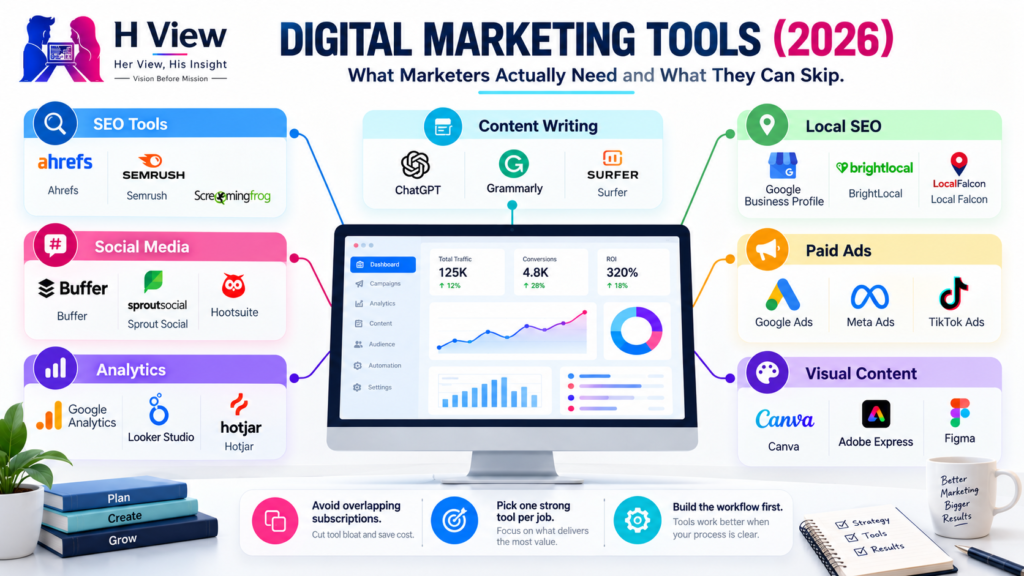
Open LinkedIn for a few minutes and you will probably come across a colourful graphic…
 Harika October 6, 2026
  By HarikaUpdated August 18, 202613 min read46 views
Moving a photo from your phone to your laptop should not feel like a task in 2026, yet many of us still end up doing something strangely old-fashioned. We upload the file to Google Drive, send it to ourselves on WhatsApp, open Telegram on the computer, create a draft email, or plug in a USB cable because the wireless method we tried did not behave the way we expected.
Nothing Warp exists because Nothing’s own team apparently had the same problem.
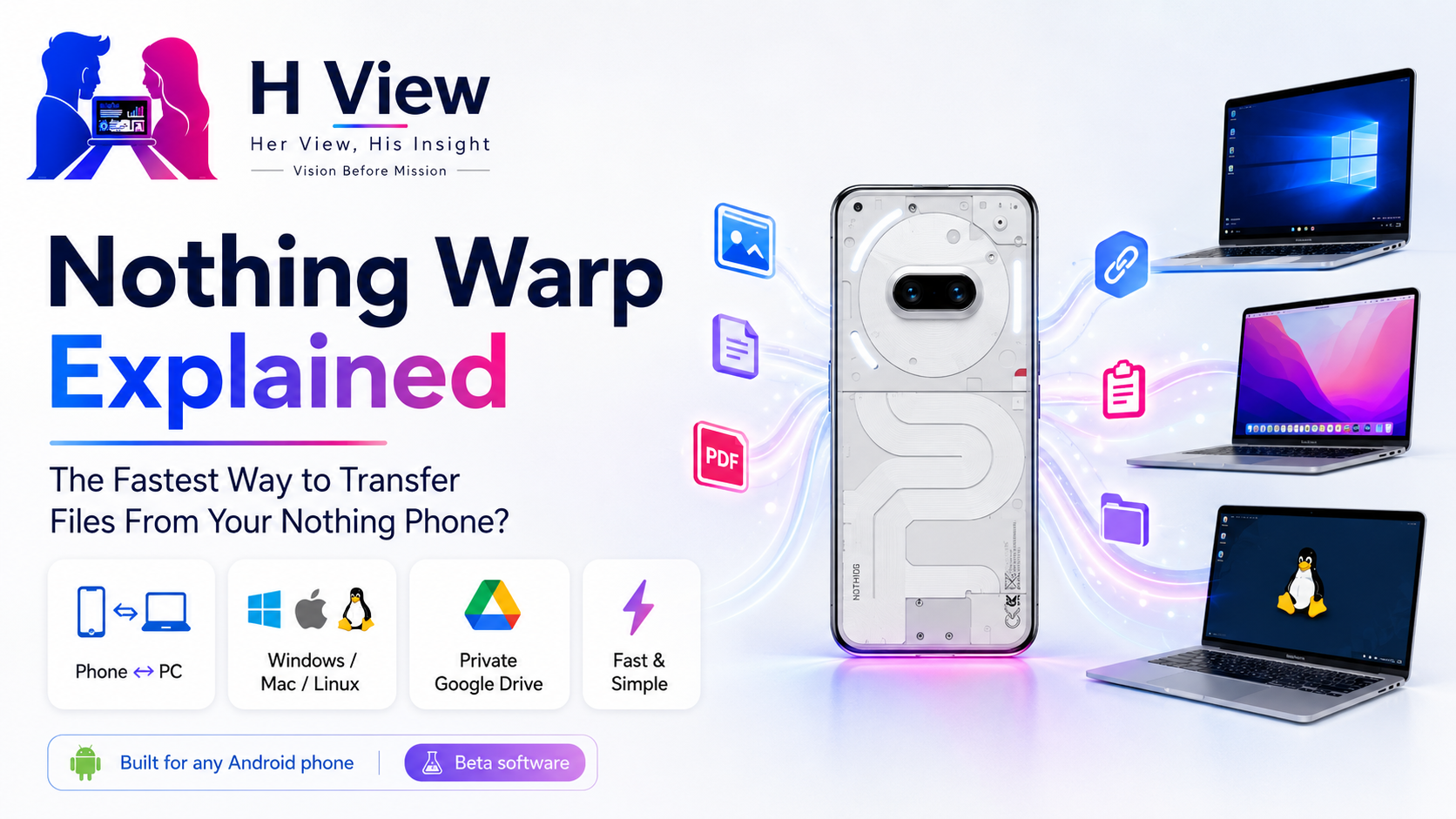
The feature began as an internal tool for moving screenshots and files from phones to work computers. Instead of keeping it inside the company, Nothing released it to the wider community in April 2026. Warp can transfer files, images, links and copied text between an Android phone and a computer running Windows, macOS or Linux. It works in both directions and is built around a browser extension rather than a large desktop application.
That sounds a little like AirDrop, Quick Share, Phone Link and KDE Connect rolled into one simple idea. It is not quite the same as any of them, though, and that difference is what makes Warp interesting.
Nothing Warp is essentially a bridge between your Android phone and your computer.
On the computer side, you install a browser extension for a Chromium-based browser. On Android, you install Nothing Warp and sign in using the same Google account. Once the two sides are connected, Warp appears in the Android share menu, allowing you to send content to the computer without opening a separate cloud-storage app first.
From the computer, you can send content back to the phone in several ways. Nothing’s own instructions describe three main methods: uploading through the extension, right-clicking selected content and choosing the Warp option, or pasting clipboard content directly into the extension window.
The useful part is not that any individual action is technologically revolutionary. Google Drive can already move files. Messaging apps can already carry links. Quick Share can already transfer nearby files.
Warp is trying to make those small exchanges feel less fragmented.
Think about a normal content-creation workflow. You take a screenshot on your Nothing Phone, need it in a WordPress article, and are working on a Windows laptop. With the old method, you may upload it somewhere, wait for it to sync, open that service on the laptop, find the file and download it again. Warp reduces the process to Share → Nothing Warp → computer.
For someone doing this ten or twenty times a day, fewer steps start to matter.
One of the most surprising details is that Warp is not technically restricted to Nothing devices.
Nothing explicitly says the Android app works with any Android phone. The feature carries Nothing branding because it came from the company, but the underlying idea is broader than the Nothing ecosystem.
That is an unusually open approach.
A Pixel owner using a MacBook can try it. A Samsung owner using Linux can try it. A CMF owner on Windows can use it without needing a Nothing-branded laptop because no such laptop ecosystem currently exists.
This matters because cross-platform users often experience the most friction.
Apple users who stay entirely within iPhone and Mac have AirDrop. Samsung has its own ecosystem integrations, while Android generally has Quick Share. But people who mix Android with macOS or Linux frequently end up piecing together several tools.
Nothing Warp is aimed directly at that awkward middle ground.
The setup is simple conceptually, although its beta-style distribution makes it slightly less polished than a mainstream consumer feature.
On the computer, Warp uses an extension designed for Chromium-based browsers on Windows, macOS and Linux. On Android, the current community release is provided as an APK. Nothing’s instructions say users install the APK, allow Android’s security scan to run, complete installation and then sign into both devices with the same Google account.
Once connected, sending from phone to computer is straightforward. Open an image, PDF, screenshot or other supported file, tap Share, choose Nothing Warp and send it.
Going in the opposite direction can be even more interesting. If you are browsing on your laptop and find a long URL you want on the phone, you do not need to email it to yourself. Right-click the content or use the extension and send it directly.
Clipboard transfer may become the feature people underestimate most. Moving a paragraph, address, tracking number or login URL between devices sounds trivial until you realise how often people create temporary WhatsApp chats or Notes entries just to do exactly that.
The answer depends on what you mean by faster.
Google Quick Share is already built into Android and can transfer files directly between compatible devices. For straightforward Android-to-Windows file transfers, Quick Share can be extremely fast because it is designed for nearby wireless transfer.
Nothing Warp takes a different route.
Community discussion around the launch notes that Warp uses Google’s infrastructure and the user’s own Google Drive to facilitate transfer. Nothing says it does not store the user’s files itself.
That means Warp’s advantage is not necessarily raw transfer speed.
Its strength is convenience across different computer platforms and different types of content. A URL, copied sentence, screenshot or document can all move through the same workflow.
If I were transferring a 20GB video archive from my Nothing Phone to a Windows workstation, I would still prefer a reliable cable or a direct local-transfer method. If I needed three screenshots, a PDF and a copied paragraph on my MacBook while writing an article, Warp begins to look much more attractive.
So the title question has a nuanced answer: Warp may be one of the fastest ways in terms of workflow, even when it is not technically the fastest transport method.
Windows users have several competing options, so Warp has to earn its place.
Microsoft Phone Link offers phone integration, notifications, messaging and other features beyond simple file transfer. Google’s Quick Share is also available for Windows in supported environments.
Warp is much narrower.
That can actually be an advantage.
You do not need a large phone-integration suite if all you want is to move a screenshot. There is less setup, fewer features competing for attention and a workflow that is largely built around Android’s existing Share menu.
Some Nothing Community users have specifically praised Warp for feeling more reliable or convenient than the tools they previously used, although those are individual experiences rather than controlled performance tests. Others have reasonably questioned whether it provides enough benefit over Quick Share.
Both views make sense.
If Quick Share already works flawlessly in your Windows setup, Warp may solve a problem you do not have. If you routinely move links and clipboard text as well as files, it becomes more distinctive.
Mac users may be the audience that makes the strongest case for Warp.
An Android phone does not participate in Apple’s AirDrop ecosystem. A Nothing Phone and MacBook therefore do not automatically gain the seamless sharing experience an iPhone owner receives.
That leaves Android-Mac users relying on alternatives such as Google Drive, browser-based services, messaging apps or third-party utilities.
Warp fits that gap particularly well because the computer side lives in the browser. You do not need Apple to support the Nothing Phone natively, and Nothing does not need to build a complete macOS companion suite just to move a few files.
One community response described Warp as a useful alternative precisely because Quick Share was not solving that user’s Android-to-Apple workflow.
For someone using a Nothing Phone and MacBook every day, this may be the feature’s strongest practical use case.
Linux rarely receives the same attention in mainstream smartphone ecosystems.
Nothing Warp supports Chromium-based browser environments on Linux alongside Windows and macOS.
That is useful for developers, technical users and anyone running a Linux desktop who has previously relied on KDE Connect or manually moving content through cloud services.
KDE Connect remains far more powerful in several areas, but it can also involve local-network conditions and additional configuration. A community user specifically mentioned having used KDE Connect for clipboard sync while finding its network requirements unreliable in their setup.
Warp’s browser-centric approach removes some of that complexity.
Again, it is not necessarily better in every category. It is simply solving the problem with fewer moving parts.
This is one of the most important questions because the convenience of cross-device transfer should not come at the cost of unclear data handling.
Nothing says Warp uses the user’s own private Google Drive to move files and that Nothing Warp itself does not store the files. The company also stated during the beta discussion that the app is built on Google’s infrastructure and does not handle user data itself.
That is reassuring, but users should still understand what it means.
The transfer is not necessarily the same as two devices exchanging a file entirely peer-to-peer over local Wi-Fi. Google account infrastructure plays a role, so your comfort with Warp should also reflect your comfort with using Google services.
For normal screenshots, PDFs, links and casual documents, many users may find that trade-off perfectly reasonable.
For confidential company documents, legal records or highly sensitive information, I would still check organisational policies before using any cloud-assisted transfer tool.
Convenience should never automatically override the sensitivity of the file being moved.
Nothing Warp should not be mistaken for a fully mature Nothing OS feature.
The company described it as early software when it launched. It was temporarily withdrawn after the initial release for fine-tuning and later made available again in beta to the community. The Android version has been distributed through an APK rather than appearing as a normal first-party app in the official Nothing software download page or Google Play listing we could verify.
That is one of its biggest weaknesses.
Installing an APK is easy for experienced Android users, but it creates unnecessary friction for the exact person who would benefit from a simple cross-device utility.
It also complicates updates. A Play Store app can update automatically. A beta APK distributed through a community post requires more awareness from the user.
Community members have already asked Nothing to turn Warp into a standard app or integrate it more deeply into Nothing OS. Discussions about Nothing OS 5.0 repeatedly mention native Warp integration as something users would like, but these are community requests rather than confirmed Nothing OS 5.0 features.
That distinction is important. Nothing has not confirmed, in the sources reviewed for this article, that Warp will be built into Nothing OS 5.0.
The best use cases are surprisingly ordinary.
A blogger takes smartphone screenshots and needs them on a laptop. A student receives a PDF on WhatsApp and wants it on a Mac. A developer copies an error message on Linux and wants to paste it into their phone. A designer finds an image on desktop and needs it available on Android for a social post.
None of these tasks deserves a complicated workflow.
That is really what Warp is trying to fix.
The feature becomes less compelling when you are moving enormous files, when Quick Share already works perfectly between your devices, or when you need complete phone mirroring and notification integration rather than simple sharing.
Nothing has resisted the temptation to make Warp do everything. At this stage, I think that restraint is one of its strengths.
What I like about Nothing Warp is that it starts with a small annoyance rather than a futuristic promise.
So many technology features are announced with huge claims about changing how we work, but sending a screenshot from a phone to a laptop remains something people genuinely do every day. I have seen people send files to themselves on WhatsApp simply because it is quicker than figuring out which official sharing tool is supposed to work between their devices.
Warp feels useful when it disappears into that routine. Share the file, choose Warp and continue working.
I would still prefer the Android app to arrive through Google Play. Asking an ordinary user to install an APK immediately makes the feature feel more experimental than the experience itself deserves. If Nothing can make Warp an official, easily installed tool without losing its cross-platform openness, it could become one of those quiet utilities users only appreciate after they stop having it.
The interesting part of Warp is not the technology underneath it. Google already has transfer infrastructure. Quick Share already exists. Cloud storage already exists.
Nothing’s contribution is reducing the number of decisions the user makes between those systems.
From a productivity perspective, that can be more valuable than another flashy feature. Saving fifteen seconds once means nothing. Saving fifteen seconds dozens of times every week starts changing the workflow.
There are limits, though. For massive file transfers, direct local methods or USB remain more sensible. Windows users who are happy with Quick Share may see little reason to add another tool. Firefox users have also asked for support because the current desktop side is built around Chromium-based browsers.
Warp is therefore best judged as a lightweight convenience layer, not as an AirDrop replacement that beats every competing technology.
Nothing Warp is one of the more interesting things Nothing has released precisely because it is so unglamorous.
There are no glowing Glyph animations to demonstrate. No AI assistant is summarising your life. Nothing is simply trying to stop users from emailing files to themselves.
The result is a lightweight tool that works across Android, Windows, macOS and Linux, supports more than just traditional files, and does not require the user to own a complete Nothing ecosystem.
Calling it the fastest file-transfer solution would be too broad. A direct USB connection can be faster for huge files. Quick Share may be faster and more seamless in some Android-Windows setups. AirDrop remains exceptionally polished inside Apple’s ecosystem.
Warp’s advantage is different: it can make the whole process feel faster because there are fewer steps between deciding to share something and having it on the other device.
That is enough reason for Nothing and CMF owners who regularly work across phone and computer to try it.
The bigger question is what Nothing does next. If Warp moves from community beta to a polished Play Store app—or eventually becomes a properly integrated part of Nothing OS—it could become one of the company’s most practical ecosystem features.
For now, it is promising, useful and still clearly unfinished.
Nothing Warp is a cross-device sharing tool created by Nothing. It allows users to move files, images, links and clipboard content between Android phones and computers running Windows, macOS or Linux. It works in both directions.
No. Nothing says Warp works with any Android phone, so it is not restricted to Nothing or CMF devices.
Yes. The desktop side works through a Chromium-based browser extension on macOS, Windows and Linux.
Yes. Nothing Warp supports Windows computers through its browser-extension workflow. Users sign into the extension and Android app using the same Google account.
Not universally. Quick Share can be excellent for direct nearby file transfers, particularly between Android and Windows. Warp becomes interesting when you regularly move clipboard text, links and files across different operating systems such as Android and macOS or Linux.
Nothing says Warp uses the user’s private Google Drive and does not store the files itself. The company has also stated that Warp is built on Google’s infrastructure rather than handling user data through Nothing-owned storage.
In the official sources reviewed for this article, the Android version is still being provided to the community as an APK. Nothing’s standard software-download page does not currently list Warp alongside Nothing X and the CMF Watch app.
Nothing has not confirmed this in the official sources reviewed here. Community members have repeatedly requested deeper or native integration with Nothing OS 5.0, but those discussions should not be treated as an announced feature.
Harika is the co-founder of H View and covers AI, technology, gadgets, digital tools, online platforms, and modern internet trends. Her articles focus on simplifying complex topics with practical explanations, balanced opinions, and reader-first insights.
Share your real experience and help other readers decide better.
No community views yet. Be the first to share yours.
Open LinkedIn for a few minutes and you will probably come across a colourful graphic…
Harika October 6, 2026 
When an employee resigns, many organisations move quickly into replacement mode. The manager informs HR,…
Harika October 6, 2026 
For many corporate employees, the workday begins long before they actually start working. They wake…
Harika October 5, 2026 
Many projects begin with an assumption that sounds reasonable on paper: the client will explain…
Harika October 1, 2026