

H View
  • Home
  • About
  • Categories
    • AI
    • Tech
    • Lifestyle
    • Business
      • Money
    • Sports
  • Reviews
  • Advertise
  • Contact
Advertise
H View
  • Home
  • About
  • Categories
    • AI
    • Tech
    • Lifestyle
    • Business
      • Money
    • Sports
  • Reviews
  • Advertise
  • Contact
Advertise
How to Start a Blogging Website in India with Low Budget
Money

How to Start a Blogging Website in India with Low Budget

☆☆☆☆☆No reader ratings yet
By HarikaUpdated May 14, 202614 min read10 views

Starting a blogging website in India is one of the most practical ways to build your online presence, share your knowledge, create a personal brand, and slowly build a digital income stream.

But many beginners stop before they start.

They think blogging needs a big budget, advanced technical skills, expensive tools, professional designers, or a full content team. The truth is much simpler.

You can start a blogging website in India with a low budget if you make smart decisions from the beginning.

You do not need everything on day one. You do not need a costly theme. You do not need ten premium tools. You do not need to hire a large team. You only need a clear plan, a simple website setup, and the discipline to publish useful content consistently.

At H View, we believe in one simple idea:

Vision Before Mission

Before starting your blog, you should know why you are starting it, who you are writing for, what topics you want to cover, and how your website can grow in the future.

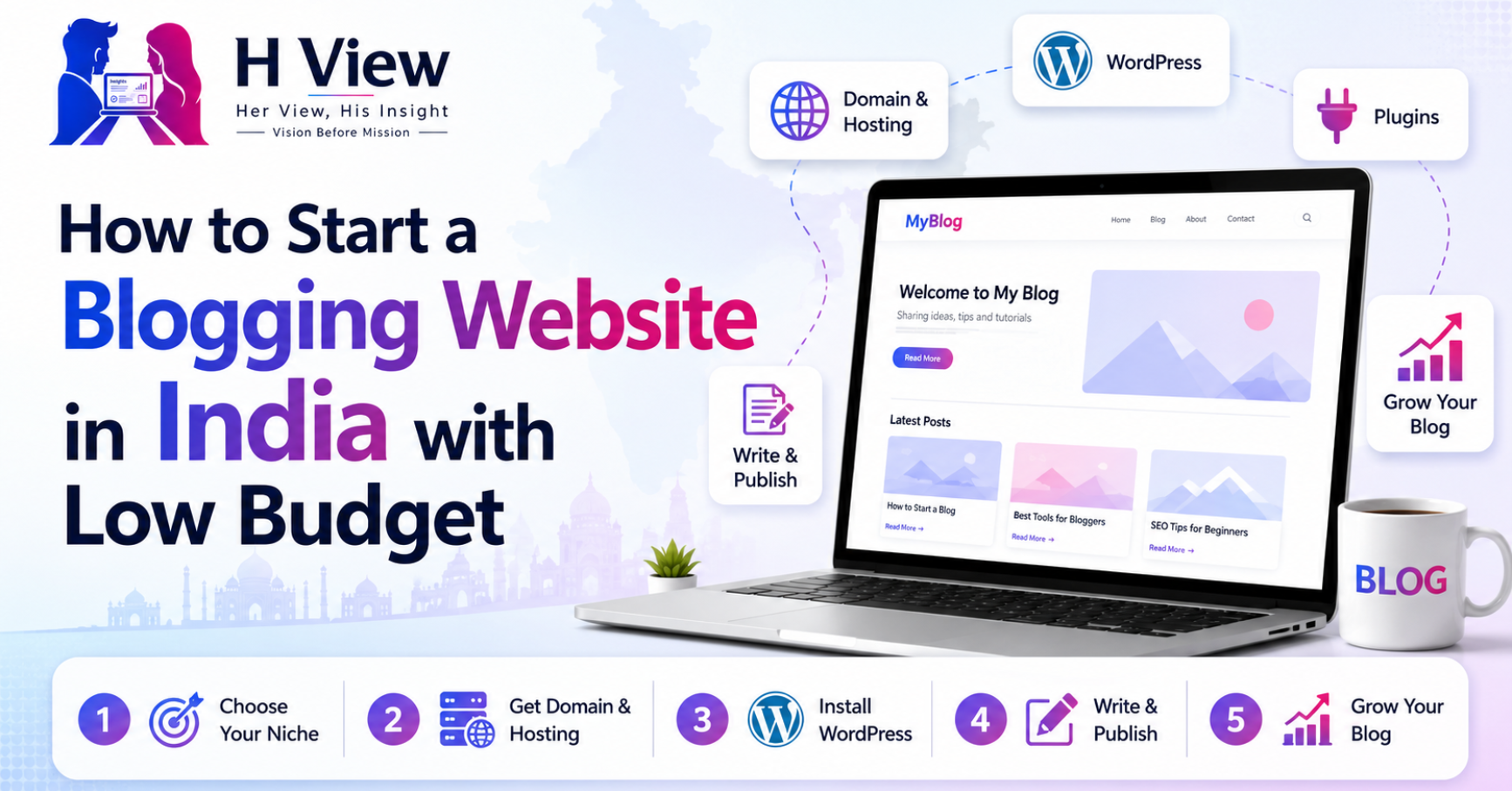
This guide will help you understand how to start a blogging website in India with a low budget, step by step.


What is a Blogging Website?

A blogging website is a website where you publish articles regularly around a specific topic or group of topics.

These articles can be guides, reviews, opinions, tutorials, comparisons, stories, interviews, or updates.

For example, a blogging website can focus on:

  • Technology
  • Business
  • Money
  • Travel
  • Food
  • Education
  • Health and wellness
  • Local services
  • Product reviews
  • Software reviews
  • Personal finance
  • Career guidance

A blog is not just a place to write. If you build it properly, it can become a long-term digital asset.

Over time, a blog can help you:

  • Build your personal or business brand
  • Share useful knowledge
  • Get traffic from Google
  • Earn through affiliate marketing
  • Display ads
  • Publish sponsored posts
  • Promote your services
  • Review products and tools
  • Build trust with readers

The best part is that you can start small and improve step by step.


Why Start a Blog in India?

Blogging in India still has strong potential because more people are searching online before making decisions.

People search before buying a product. They search before choosing hosting. They search before selecting software. They search before joining a course, visiting a place, hiring a service, or starting a business.

This creates opportunities for bloggers who can write helpful, honest, and well-structured content.

A blog can be useful if you want to:

  • Build a side income source
  • Start affiliate marketing
  • Grow a personal brand
  • Support your business
  • Share your expertise
  • Build a review website
  • Create a content-based startup
  • Learn digital marketing practically

However, blogging is not a quick-money method. It takes time, patience, and consistency. If you treat it like a serious project, it can give long-term results.


How Much Budget Do You Need to Start a Blog?

You can start a basic blogging website in India with a limited budget.

Your main starting expenses are:

  • Domain name
  • Web hosting
  • WordPress theme
  • Basic plugins
  • Logo or branding assets
  • Optional tools for SEO, design, or writing

If you are starting with WordPress, the biggest cost is usually hosting. Many beginners start with shared hosting or beginner WordPress hosting because it is affordable and easy to manage.

You do not need to buy every premium tool immediately. Start with free tools first and upgrade only when your blog starts growing.

Basic Low-Budget Setup

A simple beginner setup may include:

  • One domain name
  • One beginner hosting plan
  • Free WordPress installation
  • Free or lightweight theme
  • Free SEO plugin
  • Free security plugin
  • Free backup plugin
  • Free analytics setup
  • Basic logo and brand colors

This is enough to start publishing articles professionally.


Step 1: Choose a Clear Blogging Niche

The first step is choosing your niche.

A niche is the main topic or category your blog will focus on. Choosing the right niche is important because it helps your website look clear and trustworthy.

Do not choose a topic only because it looks profitable. Choose something where you can create useful content for a long time.

Good Blogging Niche Ideas in India

Some beginner-friendly blogging niches include:

  • Tech guides and reviews
  • WordPress and blogging
  • AI tools
  • Business tools
  • Personal finance basics
  • Education and careers
  • Local business reviews
  • Travel guides
  • Food and restaurant reviews
  • Lifestyle products
  • Small business marketing

For example, H View is built around reviews, insights, tools, business, money, lifestyle, and local recommendations.

The unique angle is:

  • Her View: experience and usability
  • His Insight: practical analysis
  • H View Score: balanced decision

Your blog should also have a clear angle. This helps readers remember your website.

How to Choose Your Niche

Ask yourself:

  1. What topics can I write about for the next 1–2 years?
  2. What problems can I solve for readers?
  3. Are people searching for this topic online?
  4. Can this niche generate income later?
  5. Can I create beginner-friendly content in this niche?

A good niche should have a balance of interest, search demand, and monetization potential.


Step 2: Pick a Brand Name and Domain Name

Once your niche is clear, choose a brand name.

Your blog name should be simple, memorable, and easy to type.

A good blog name should be:

  • Short and clear
  • Easy to pronounce
  • Easy to remember
  • Suitable for future growth
  • Available as a domain name
  • Not too narrow

For example, hview.in is short, brandable, and flexible. It can cover reviews, insights, business, technology, lifestyle, and local topics.

Tips for Choosing a Domain Name

When choosing your domain, keep these points in mind:

  • Prefer short names
  • Avoid confusing spelling
  • Avoid unnecessary numbers or hyphens
  • Choose a name that can grow with your website
  • Use .com if you want global reach
  • Use .in if your focus is India

Your domain is your online identity, so choose carefully.


Step 3: Buy Hosting for Your Blog

Hosting is where your website files are stored. Without hosting, your blog cannot go live.

For beginners, WordPress hosting or shared hosting is usually enough. You can upgrade later when your traffic grows.

What to Look for in Beginner Hosting

Before buying hosting, check for:

  • Easy WordPress installation
  • Free SSL certificate
  • Good speed
  • Reliable uptime
  • Beginner-friendly dashboard
  • Customer support
  • Backup options
  • Security features
  • Affordable renewal pricing

Do not only look at the first-year discount. Always check renewal pricing also.

Her View

From a beginner’s experience, hosting should feel simple. The dashboard should be easy to understand, WordPress installation should not be confusing, and support should be available when needed.

A beginner does not want to struggle with technical settings on day one.

His Insight

From a practical point of view, hosting should offer good performance, fair pricing, SSL, backups, security, and scalability.

Cheap hosting is not useful if the website becomes slow or support is poor. The best hosting is the one that gives the right balance between cost, speed, and reliability.


Step 4: Install WordPress

WordPress is one of the most popular platforms for blogging websites.

It is beginner-friendly, flexible, and supports thousands of themes and plugins. Most hosting companies provide one-click WordPress installation.

Why WordPress is Good for Beginners

WordPress is useful because:

  • It is easy to manage
  • It supports blog posts and pages
  • It has many free themes
  • It has SEO plugins
  • It supports affiliate marketing
  • It can grow into a full website
  • It works well for blogs, reviews, business sites, and content platforms

Once WordPress is installed, you can log in to your dashboard and start building your website.


Step 5: Choose a Lightweight Theme

Your WordPress theme controls the design of your website.

Many beginners make the mistake of choosing a heavy theme only because it looks beautiful. But a slow theme can affect your website speed and user experience.

Choose a theme that is:

  • Lightweight
  • Mobile responsive
  • SEO-friendly
  • Easy to customize
  • Compatible with Elementor
  • Clean and professional

If you are using Elementor, you can build attractive pages without coding. But keep the design clean and avoid adding too many animations or heavy sections.

For a premium-looking blog, focus on:

  • Clear typography
  • Good spacing
  • Strong headings
  • Readable content
  • Fast loading pages
  • Simple navigation
  • Consistent brand colors

A simple, fast website is better than a beautiful but slow website.


Step 6: Create Important Website Pages

Before publishing many articles, create the basic pages your blog needs.

These pages make your website look trustworthy and professional.

Essential Pages for a Blogging Website

Create these pages first:

  • Home
  • About
  • Contact
  • Privacy Policy
  • Disclaimer
  • Affiliate Disclosure
  • Terms and Conditions
  • Blog
  • Category pages

For H View, important pages include:

  • Home
  • Tech
  • Business
  • Lifestyle
  • Money
  • Reviews
  • Local
  • Founder View
  • Advertise
  • About
  • Contact
  • Privacy Policy
  • Disclaimer
  • Affiliate Disclosure

These pages help readers, brands, and search engines understand your website better.


Step 7: Install Only Essential Plugins

Plugins add extra features to your WordPress website. But too many plugins can slow down your site.

Start with only the essential ones.

Useful Plugin Types for Beginners

You may need plugins for:

  • SEO
  • Security
  • Cache and speed
  • Contact forms
  • Backups
  • Analytics
  • Image optimization
  • Affiliate link management
  • Table of contents
  • Schema markup

Do not install plugins randomly. Every plugin should have a clear purpose.

Beginner Plugin Rule

Before installing any plugin, ask:

  1. Do I really need this feature?
  2. Is the plugin regularly updated?
  3. Does it have good reviews?
  4. Will it slow down my website?
  5. Is there a lighter alternative?

A clean WordPress setup is easier to maintain and safer in the long run.


Step 8: Set Up Your Blog Categories

Categories help organize your content.

If your blog has too many random categories, readers may feel confused. Start with a small number of clear categories.

Example Category Structure

For a beginner blog, you can start with:

  • Blogging
  • Tech
  • Reviews
  • Business
  • Money
  • Guides

For H View, the category structure is:

  • Founder View
  • Tech
  • Business
  • Lifestyle
  • Money
  • Reviews
  • Local

This gives the website a clear direction and keeps content organized.


Step 9: Plan Your First 10 Blog Posts

Do not start writing random articles. Plan your first 10 posts carefully.

Your first posts should explain your blog, target useful keywords, and prepare your website for future monetization.

Example First 10 Blog Posts

If you are starting a review or blogging website, your first posts can include:

  1. Why we started this blog
  2. What this blog is about
  3. How to start a blog in India
  4. Best hosting for beginners
  5. Review of the hosting you use
  6. Best WordPress plugins
  7. Best AI tools for bloggers
  8. Canva review
  9. Best tools for small businesses
  10. Your brand philosophy or mission

This is similar to the starting plan for H View.

The goal is to build trust first, then create SEO and affiliate-focused content.


Step 10: Write SEO-Friendly Blog Posts

SEO means search engine optimization. It helps your articles appear in Google search results.

A good blog post should not be written only for search engines. It should be useful for readers first and optimized for search second.

SEO-Friendly Article Structure

Use this structure:

  • One H1 title
  • Clear introduction
  • H2 headings for main sections
  • H3 headings for sub-sections
  • Short paragraphs
  • Bullet points for important points
  • Numbered lists for steps
  • Internal links to related posts
  • Useful conclusion
  • FAQ section
  • SEO title and meta description

This makes your article easier to read and easier for search engines to understand.

Content Writing Tips

When writing, focus on:

  • Solving the reader’s problem
  • Using simple language
  • Adding real examples
  • Avoiding copied content
  • Keeping paragraphs short
  • Using natural keywords
  • Explaining the topic clearly
  • Adding your personal experience where useful

Humanized content performs better because readers can connect with it.


Step 11: Add Basic SEO Settings

After writing your article, add proper SEO details before publishing.

SEO Details to Add

For every blog post, include:

  • SEO meta title
  • Meta description
  • URL slug
  • Focus keyword
  • Secondary keywords
  • Category
  • Tags
  • Featured image alt text
  • Internal links
  • External links where useful

This helps your article look better in search results and improves your website structure.

At H View, every article will include these SEO details from the beginning.


Step 12: Create a Simple Content Schedule

Consistency is more important than speed.

Do not publish five posts in one week and then disappear for two months. Create a realistic schedule.

Beginner-Friendly Publishing Plan

You can start with:

  • 1 article per week if you are busy
  • 2 articles per week if you have more time
  • 8 to 10 articles per month if you are serious

The goal is to publish regularly without reducing quality.

A good article takes time. Research, structure, writing, editing, images, SEO, and formatting all matter.


Step 13: Promote Your Blog

Publishing an article is only the first step. You also need to promote it.

Simple Ways to Promote Your Blog

You can share your articles on:

  • WhatsApp status
  • LinkedIn
  • Facebook pages
  • Instagram stories
  • Pinterest
  • X / Twitter
  • Telegram groups
  • Quora answers
  • YouTube descriptions
  • Email newsletters

You can also repurpose your article into:

  • Short social media posts
  • Carousels
  • Reels
  • Infographics
  • LinkedIn posts
  • YouTube scripts

Promotion helps your content reach people faster, especially when your blog is new.


Step 14: Monetize Your Blog Slowly

Many beginners start blogging only for money. But income usually comes after you build content, traffic, and trust.

Do not expect instant income in the first few weeks.

Common Blog Monetization Methods

A blog can earn through:

  • Affiliate marketing
  • Display ads
  • Sponsored posts
  • Product reviews
  • Digital products
  • Services
  • Consulting
  • Lead generation
  • Brand collaborations

For example, a blogging website can recommend hosting, themes, plugins, AI tools, design tools, CRM software, and other useful services through affiliate links.

But always be honest. Recommend only what makes sense for your audience.

Trust is more valuable than quick commission.


Low-Budget Blogging Mistakes to Avoid

Starting with a low budget is smart, but beginners often make avoidable mistakes.

Common Mistakes

Avoid these:

  • Buying too many tools too early
  • Choosing a confusing niche
  • Copying content from other websites
  • Ignoring website speed
  • Using too many plugins
  • Not writing consistently
  • Not learning basic SEO
  • Publishing without formatting
  • Ignoring mobile users
  • Writing only for money
  • Not adding legal pages
  • Forgetting affiliate disclosure

A blog grows when you treat it professionally from the beginning.


Her View: Beginner Experience

From a beginner’s point of view, starting a blog should feel simple and motivating.

The first goal should not be perfection. The first goal should be launching the website and publishing useful content.

A beginner should focus on:

  • Choosing a simple niche
  • Setting up WordPress
  • Creating basic pages
  • Writing the first few posts
  • Learning SEO slowly
  • Improving design step by step

A blog does not need to look perfect on day one. It should look clean, readable, and trustworthy.


His Insight: Practical Blogging Strategy

From a practical point of view, blogging works best when you think long-term.

A good blogging strategy includes:

  • Keyword research
  • Topic planning
  • Internal linking
  • Search intent understanding
  • Affiliate opportunities
  • Website speed
  • Mobile optimization
  • Content updates
  • Analytics tracking
  • Consistent publishing

Do not build your blog only around random ideas. Build it around topics people are already searching for.

The best strategy is to mix:

  • Brand articles
  • How-to guides
  • Review articles
  • List articles
  • Comparison articles
  • Money-focused articles

This helps your blog grow with both trust and traffic.


Basic Blogging Budget Checklist

Here is a simple low-budget checklist.

Must-Have

  • Domain name
  • Hosting plan
  • WordPress
  • Lightweight theme
  • SEO plugin
  • Security plugin
  • Backup plugin
  • Basic pages
  • First 10 article plan

Good to Have Later

  • Premium theme
  • Premium page builder addons
  • Paid SEO tools
  • Email marketing tool
  • Affiliate link manager
  • Premium image tools
  • Professional logo package
  • Custom plugins
  • Advanced analytics tools

Start with the must-have items first. Upgrade later when your blog needs it.


FAQs

Is blogging still worth it in India?

Yes, blogging can still be worth it in India if you choose the right niche, publish helpful content, learn SEO, and stay consistent. It is not a quick-income method, but it can become a long-term digital asset.

Can I start a blog with low budget?

Yes, you can start a blog with a low budget by buying a domain, choosing beginner-friendly hosting, using WordPress, selecting a free or lightweight theme, and starting with free plugins.

Which platform is best for blogging?

WordPress is a strong option for blogging because it is flexible, beginner-friendly, SEO-friendly, and suitable for long-term growth.

How many articles should I publish before monetizing?

There is no fixed number, but it is better to build at least 20 to 30 useful articles before expecting serious monetization. You can add affiliate links earlier if they are relevant and helpful.

Can blogging make money in India?

Yes, blogs can earn through affiliate marketing, display ads, sponsored posts, product reviews, services, and digital products. However, income depends on traffic, niche, content quality, trust, and consistency.

Do I need coding to start a blog?

No, you do not need coding to start a basic blog. WordPress, themes, and page builders like Elementor make it possible to build a blog without coding.


Final View

Starting a blogging website in India with low budget is possible if you focus on the right foundation.

You need a clear niche, a good domain name, reliable hosting, WordPress, a lightweight theme, essential plugins, useful content, and patience.

Do not wait for the perfect time, perfect design, or perfect budget. Start simple and improve as you grow.

At H View, we started with the same belief:

Vision Before Mission

First get clarity. Then take action.

If your goal is to build a blog that can grow into a brand, income source, or trusted online platform, the best time to start is now.

Start small. Write honestly. Help readers. Stay consistent.

That is how a simple blogging website can become a meaningful digital asset.

8.7/10
ExcellentH View Score
Design8.5
Performance9.0
Value8.2
Experience8.8

Pros

  • Stunning Design
  • Camera Quality

Cons

  • Pricing
  • No Charger

Highly Recommended

Submit Your View

Share your real experience and help other readers decide better.

🔒 Your review may be published after moderation.

Reader Reviews

No community views yet. Be the first to share yours.

Advertisement

Your Ad Here

728 × 90
Learn More
AdvertisementYour Ad Here300 × 250Learn More
8.0Excellent

H View Score

A quick view of our final rating for this review.

✉

Stay Updated with H View

Get the latest reviews and insights straight to your inbox.

🔒 No spam. Unsubscribe anytime.

Trending Reviews

The Courageous Leader: Why Doing the Right Thing Is the Ultimate Test of LeadershipJuly 10, 2026Quick Commerce in India: Convenience or Overspending Trap?July 10, 2026How Technology Is Transforming FIFA World Cup 2026July 10, 2026Rising Stars to Watch at FIFA World Cup 2026July 10, 2026FIFA World Cup 2026 48-Team Format: Opportunities and ChallengesJuly 10, 2026FIFA World Cup 2026 Host Nations: USA, Canada and Mexico UniteJuly 10, 2026FIFA World Cup 2026: A New Era of Global FootballJuly 10, 2026The Change Agent Leader: Why Great Leaders Challenge the Status QuoJuly 9, 2026
📢Advertisement

Your Ad Here

1300 × 250

Promote your brand to H View readers.

Learn More
H View

Honest reviews. Smart ratings. Real insights.

Explore

HomeReviewsBlog

Company

AboutAdvertiseContact

Support

Privacy PolicyTerms & ConditionsDisclaimerEditorial Policy

Subscribe to H View

Get the latest updates and exclusive content straight to your inbox.

🔒 No spam. Unsubscribe anytime.
© 2026 H View. All rights reserved.
HomeReviewsBlogContact