

Best Digital Marketing Tools in 2026: What Marketers Actually Need and What They Can Skip
Open LinkedIn for a few minutes and you will probably come across a colourful graphic…
 Harika October 6, 2026
  By HarikaUpdated August 12, 202614 min read53 views
Good design has become part of everyday communication, even for people who would never describe themselves as designers.
A blogger needs featured images that make articles look worth opening. A small business may need social media posts, festival creatives, flyers, presentations and product graphics throughout the month. A freelancer might need proposals or portfolio visuals, while a local store may simply want a professional-looking WhatsApp promotion without paying a designer every time an offer changes.
The difficulty is that traditional design software was never built around this kind of user. Powerful applications can do extraordinary things, but they also come with a learning curve that many bloggers and small business owners do not have the time or interest to climb.
Canva became popular because it approached the problem from the opposite direction.
Instead of asking people to become designers first, it gave them templates, drag-and-drop editing, ready-made assets and simple tools that made decent design possible within minutes. Over time, Canva has expanded far beyond social media posts. Its current platform includes presentations, documents, video, websites, brand tools, visual collaboration and an increasingly large collection of AI features.
That makes Canva considerably more capable than it once was. It also raises a more interesting question than simply asking whether Canva is “good.”
If you are a blogger, creator or small business owner, does Canva actually save enough time and effort to be worth building into your regular workflow?
Canva’s biggest strength is not any individual feature. It is how quickly an ordinary user can go from having an idea to producing something usable.
Imagine that you are writing a blog article about WordPress hosting. You need a featured image before publishing. In a traditional graphics application, you may need to choose the exact canvas size, find assets, create the layout, understand layers, work with typography and then export everything correctly.
In Canva, you can begin with the required dimensions, browse several layouts, replace the images and text, apply your colours and download the result without understanding most of the technical mechanics behind the design.
That difference matters when design is not your main job.
A blogger does not necessarily want to spend two hours making the graphic for an article that took three hours to write. A local business owner does not want to learn professional design software every time a festival offer needs to be posted on Instagram.
Canva shortens that process enough that visual content becomes practical for people who would otherwise avoid making it themselves.
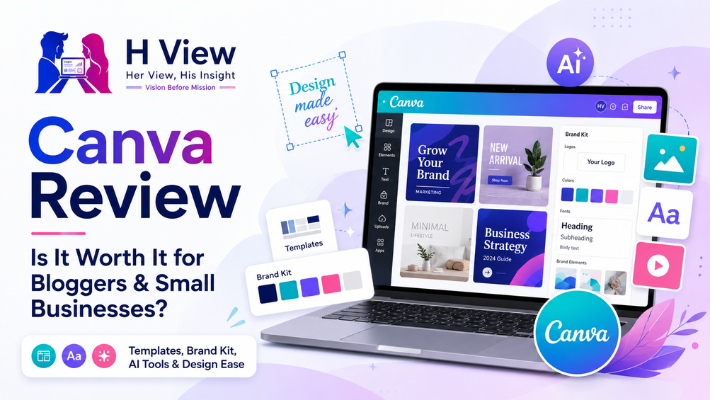
Templates are probably the feature most responsible for Canva’s accessibility.
You rarely have to begin with a blank screen. Search for a presentation, Instagram post, business flyer, YouTube thumbnail or almost any common content format and Canva provides existing layouts that can be customised.
For a beginner, that is genuinely useful. Typography, spacing and visual hierarchy are some of the hardest things to get right when you have no design experience. Starting with a reasonably structured template gives you a much better foundation than randomly placing text and images on an empty canvas.
The problem appears when the template becomes the finished design.
If thousands of people use the same template without making meaningful changes, the result starts feeling familiar very quickly. You may have seen social posts where you cannot name the brand, but you can almost immediately tell that the design came from Canva.
That is not Canva’s fault. It is a consequence of convenience.
The more seriously you use the platform, the more you should treat templates as a starting point rather than a finished product. Change the typography where appropriate, develop a consistent colour system, adjust spacing, use your own imagery and keep recurring elements such as logos or headline placement consistent.
Canva can make something look good quickly. Building something recognisably yours still takes judgement.
One reason Canva is easy to recommend to someone starting out is that the free version is genuinely usable.
Canva currently continues to offer a Free plan, while Pro adds premium content and more advanced design and productivity tools.
For someone creating occasional blog graphics or social posts, the free version can be enough for quite a long time. You can learn the editor, build simple layouts, work with free templates and assets, and discover whether Canva actually fits your workflow before committing to a subscription.
That is an important advantage.
Many software products make the free version feel like a demonstration of the real product. Canva’s free tier can actually be used to produce finished work.
Where the limitations become noticeable is when you start creating content frequently.
A blogger publishing several times a week may begin wanting premium imagery, faster resizing, better brand consistency and quicker ways to remove backgrounds or reuse designs. A business managing multiple campaigns may value the time saved by having more of those tools available in one place.
At that point, the paid version becomes easier to justify.
Canva Pro is not automatically worthwhile just because you use Canva.
The better question is how often you create.
If you open Canva twice a month to make a simple Instagram post, the free plan may continue serving you perfectly well. Paying for a subscription does not make sense simply because some premium templates look attractive.
The calculation changes when design becomes part of your weekly work.
Canva currently positions Pro around access to premium templates and assets, more advanced design tools and a larger range of AI-powered capabilities. Its current Pro page highlights features such as Background Remover and a broad set of AI-assisted creative tools in addition to the premium content library.
For a blogger, the value may come from making featured images faster. For a social media manager, being able to adapt one creative across multiple formats can save repetitive work. A small business may value having a consistent brand setup that employees can reuse without redesigning everything from the beginning.
The subscription becomes worth considering when you can identify a task it repeatedly shortens.
Paying for Canva Pro because “Pro must be better” is not much of a reason. Paying because it saves several hours of design work every month is a much stronger one.
Canva’s AI layer has become far more significant than it was when tools such as Magic Write first appeared.
Canva now offers a conversational AI assistant that can help generate text, visuals and designs inside the platform, while Canva AI 2.0 can generate editable designs, documents, websites and other creative outputs from prompts. Canva says its newer design model understands layout structure and produces layered results that users can continue editing rather than giving them only a flat image.
That editable part is especially interesting.
Generating an attractive image is useful, but creators often need to change the headline, move an element, adjust the colours or make the design fit an existing brand. AI becomes much more practical when the generated output can continue behaving like a design instead of becoming a finished picture that is difficult to modify.
Magic Design follows a similar idea by generating design templates from text and media rather than asking the user to build the first version manually.
For bloggers and small businesses, these tools can reduce the time spent staring at a blank design.
They do not remove the need for visual judgement.
AI can generate a polished starting point and still choose an image that feels wrong for your audience, place too much text in one area or produce something that looks generic. The best use is usually to let AI shorten the early stage and then edit the result deliberately.
Bloggers tend to think about Canva in terms of featured images, but its bigger value can be consistency across everything surrounding the article.
Suppose you publish a detailed review. The article needs a featured image. Later you want to share it on Instagram and LinkedIn, perhaps make a Pinterest pin and eventually turn one comparison from the article into an infographic.
Without a system, each of those pieces becomes a separate design task.
Canva makes it possible to create a visual language that carries between them. The fonts stay familiar. The same colours return. The logo sits in predictable places. Readers begin recognising the content before they have even read the account name.
That recognisability matters more than constantly producing completely different designs.
This is something especially relevant for publications such as H View, where featured images across technology, business, careers and other categories still need to feel as though they belong to the same publication.
If you are looking at Canva specifically as part of a wider blogging setup, our article on the best AI tools for bloggers and content creators also explains where Canva fits alongside writing, research and editing tools.
Small businesses are another group for whom Canva makes practical sense because design needs appear everywhere.
A restaurant may need a revised menu, a weekend offer and a festival post. A consultant may need a presentation for a client. A retailer might create product graphics, posters and WhatsApp promotions. A service business may need simple recruitment creatives or customer announcements.
Traditionally, every one of those jobs could become a request to an external designer.
There is nothing wrong with hiring professional designers. In fact, important branding work often deserves professional attention. The problem is using that level of resource for every small operational graphic.
Canva fills the space between “no design” and “hire a designer.”
Its current small-business offering is built specifically around creating content faster, keeping assets consistent with a brand and centralising visual communication.
That can be especially useful for small teams where several people need to produce content but nobody is employed solely as a designer.
This is one of the places where Canva is sometimes oversold.
A small business may be able to create hundreds of day-to-day graphics in Canva and still benefit significantly from a professional designer when developing the brand itself.
A logo that will represent the company for years deserves more thought than selecting a symbol from a template. A complex packaging system, annual report, custom illustration or major advertising campaign may require skills that go far beyond knowing how to arrange elements inside Canva.
The platform gives non-designers much more capability.
It does not automatically give them design judgement.
Those are different things.
Canva is at its best when it handles repeatable, everyday visual communication. A designer is especially valuable when the business needs originality, strategic branding or technically complex work.
Knowing when to use each can actually save more money than trying to force one tool to solve everything.
The abundance of options can become part of the problem.
A beginner can spend a surprising amount of time browsing templates because every second design looks attractive. It is possible to turn a tool designed to save time into another form of procrastination.
The premium library can also make the free experience feel more restrictive once you know what is available behind the subscription. That is a natural part of the business model, but it is worth remembering that attractive premium content does not automatically make your design better.
Internet-based workflows are another consideration. Canva has added and expanded different ways of working with its tools over time, but many of its core collaborative and cloud-based strengths naturally depend on connectivity. Canva’s current launch pages also show the company extending the product into areas such as offline documents, which suggests this remains an area it is continuing to develop.
The larger issue, though, is visual sameness.
If your entire creative process consists of searching for a template, changing the title and exporting it, Canva can make your content look polished while also making it look like everyone else’s.
The tool gives you speed. You still have to bring the identity.
The thing Canva gets right for ordinary users is confidence.
Design software can make people feel as though they need permission to create something because they are not “creative enough” or do not know professional tools. Canva removes much of that intimidation. You can experiment without worrying about layers, complicated shortcuts or whether you know the correct technical terminology.
That makes the platform enjoyable in a way that should not be underestimated.
For a blogger or small business owner, the difference between being able to create something in fifteen minutes and having to ask someone else for help every time can completely change how often content gets produced.
I would still resist the temptation to chase every new template or feature. Once you find a visual approach that suits your brand, repetition can actually become an advantage.
Canva’s strongest business case is time.
The software is valuable when it replaces repetitive work that would otherwise take much longer or require outsourcing. If you regularly create social posts, article images, presentations or campaign materials, even modest time savings across each design can accumulate into several hours every month.
The free plan is therefore a sensible place to begin, while Pro becomes easier to justify once those recurring tasks become part of normal operations.
I would not judge Canva only against professional design software. That is not really the decision most of its users are making.
The relevant comparison is often Canva versus spending much longer creating a basic graphic, hiring someone for every small task or simply publishing without a visual at all.
In that context, its value becomes much clearer.
For most active bloggers, Canva is easy to recommend even if they remain on the free tier.
A blogger regularly needs visual assets, and Canva reduces the amount of skill and time required to produce them. It is particularly useful when you develop reusable layouts rather than starting from scratch for every article.
Canva Pro makes more sense when the blog is publishing frequently enough that premium assets, brand tools and faster editing begin saving meaningful time.
The subscription will not improve weak content, and a beautiful featured image cannot compensate for an article that offers nothing useful.
But as part of a wider publishing workflow, Canva solves a very real problem.
For many small businesses, the answer is also yes, although the reason may be slightly different.
Businesses often need frequent small design changes. Prices change, offers change, events appear, products are added and social channels need regular content. Outsourcing every adjustment can become slow and expensive.
Canva gives the team a practical way to handle those everyday tasks internally.
The most effective arrangement may actually be a combination: professional design for the important brand foundation, followed by Canva templates that the business can reuse safely for routine communication.
That preserves quality without making every Instagram post an external design project.
For many new bloggers, yes. Canva Free provides enough functionality to learn the platform and create ordinary featured images and social graphics. Upgrade when you identify premium features that genuinely improve your recurring workflow.
Canva Pro currently adds premium content and additional creative tools, including features such as Background Remover and a wider collection of AI-powered capabilities. Canva’s exact plan features can change, so the current Pro page should be checked before subscribing.
Yes. Canva’s newer AI tools can generate creative outputs from prompts, and Canva AI 2.0 is designed to produce layered, editable designs rather than only flat generated images.
For many everyday blog and business graphics, Canva may be all a non-designer needs. Professional design applications still offer greater control and are better suited to specialised or complex creative work.
Canva is very useful for maintaining an existing brand system through reusable colours, fonts, assets and templates. For the initial creation of a distinctive brand identity, professional design expertise can still be valuable.
Canva became successful because it solved an ordinary problem extremely well: most people need visual content, but most people are not professional designers.
That basic value has not disappeared as the platform has grown. If anything, Canva now does far more than the simple social graphics it was once associated with. Its current AI tools, visual suite and brand features make it capable of supporting a significant part of a blogger’s or small business’s everyday creative workflow.
But the best reason to use Canva is still not the number of features.
It is that you can get from an idea to a useful visual without making design the main project.
For occasional users, Canva Free may be all that is required. For people creating regularly, Pro becomes more compelling when premium assets, brand controls and faster creative tools genuinely save time.
The one thing I would not outsource to Canva is your visual identity itself.
Templates can give you a strong beginning. AI can suggest layouts. Premium assets can make a design look polished. None of those things automatically makes the result memorable.
Use Canva for the speed.
Then spend a little of the time it saves making the design unmistakably yours.
Harika is the co-founder of H View and covers AI, technology, gadgets, digital tools, online platforms, and modern internet trends. Her articles focus on simplifying complex topics with practical explanations, balanced opinions, and reader-first insights.
Share your real experience and help other readers decide better.
No community views yet. Be the first to share yours.
Open LinkedIn for a few minutes and you will probably come across a colourful graphic…
Harika October 6, 2026 
When an employee resigns, many organisations move quickly into replacement mode. The manager informs HR,…
Harika October 6, 2026 
For many corporate employees, the workday begins long before they actually start working. They wake…
Harika October 5, 2026 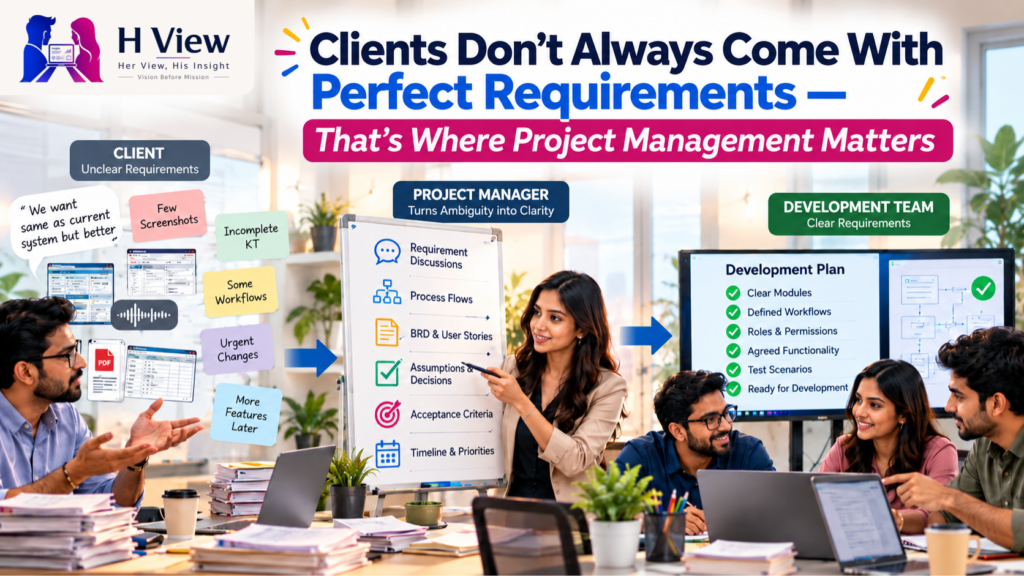
Many projects begin with an assumption that sounds reasonable on paper: the client will explain…
Harika October 1, 2026