

Best Digital Marketing Tools in 2026: What Marketers Actually Need and What They Can Skip
Open LinkedIn for a few minutes and you will probably come across a colourful graphic…
 Harika October 6, 2026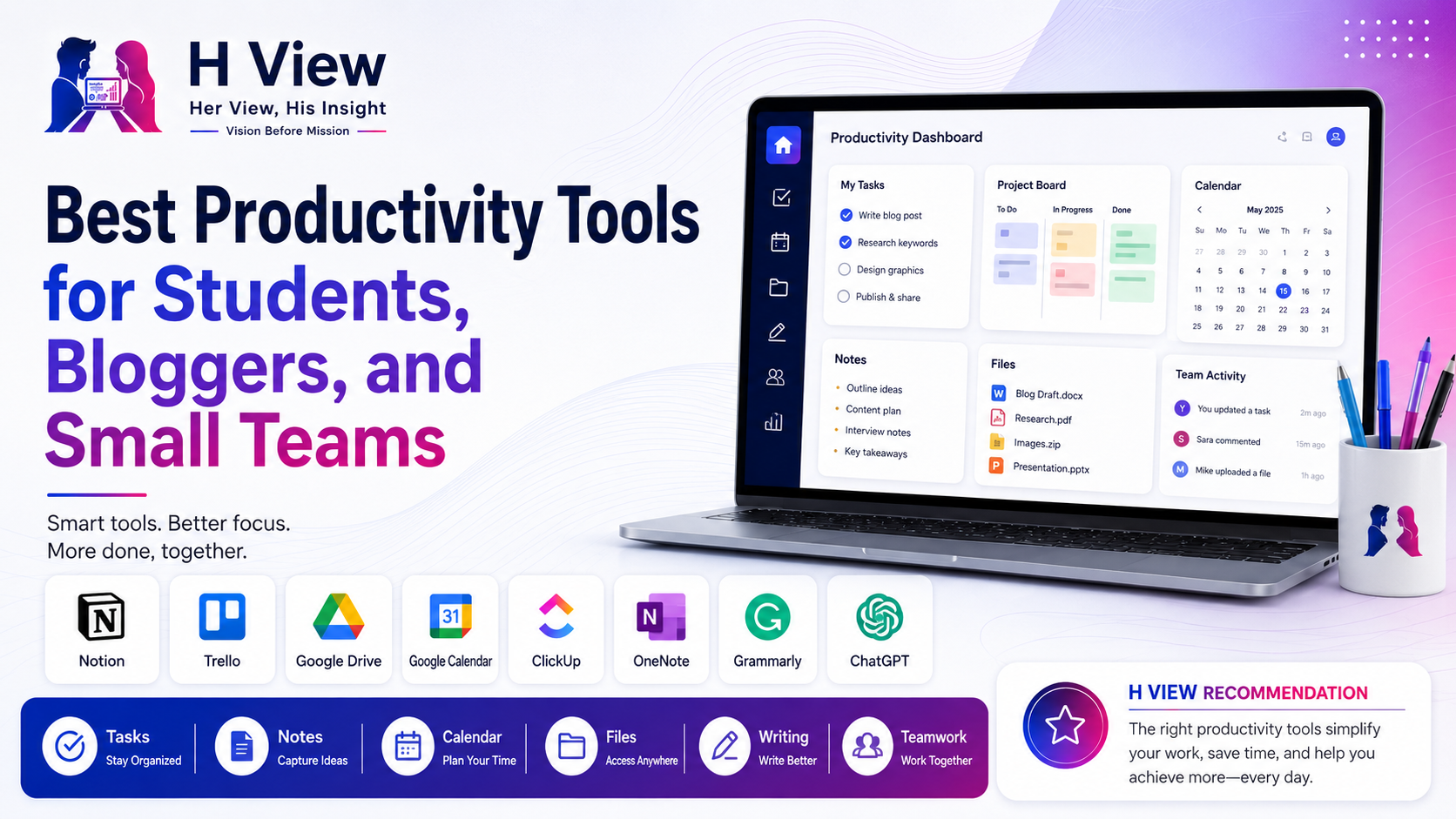
 By H ViewUpdated May 28, 20266 min read51 views
Productivity is not about being busy all day.
It is about knowing what to do, where your work is, what needs attention, and how to finish tasks without feeling scattered.
Students have assignments, classes, notes, projects, and exams. Bloggers have article ideas, drafts, SEO work, images, publishing schedules, and social media posts. Small teams have client work, tasks, meetings, files, deadlines, and follow-ups.
If everything is managed through memory, WhatsApp messages, random notes, and scattered files, work becomes stressful.
That is where productivity tools help.
At H View, our practical view is simple:
A productivity tool should make your work lighter, not more complicated.
Here are some of the best productivity tools for students, bloggers, and small teams.
A good productivity tool helps you:
But the tool is not the full solution. The habit matters more.
Even the best app will not help if you do not update it regularly.
| Tool | Best For | H View Take |
|---|---|---|
| Notion | Notes, planning, knowledge base | Best all-in-one workspace |
| Trello | Visual task boards | Best simple task tracker |
| Google Drive | File storage and sharing | Best free file system |
| Google Calendar | Scheduling and reminders | Best daily planning tool |
| ClickUp | Small team project management | Best advanced productivity tool |
| Microsoft OneNote | Student notes | Best digital notebook |
| Grammarly | Writing improvement | Best writing polish tool |
| ChatGPT | Ideas and first drafts | Best AI productivity assistant |
Notion is one of the most flexible productivity tools. You can use it for notes, content calendars, project planning, personal dashboards, habit trackers, study plans, client work, and team documentation.
Notion’s pricing page says the free plan supports personal accounts, and solo users can add as many pages and blocks as they like.
Students can use Notion for class notes, study plans, assignment trackers, and reading lists.
Bloggers can use it for blog ideas, keyword lists, article outlines, publishing calendars, and affiliate link notes.
Small teams can use it for project documentation, meeting notes, SOPs, and task planning.
Notion is powerful, but do not over-design it. Start with a simple dashboard: tasks, notes, calendar, and important links.
Trello is one of the easiest tools for visual task management.
It uses boards, lists, and cards. This makes it simple to see what is pending, in progress, and completed. Trello describes its free plan as suitable for individuals or small teams that want to stay organized.
A blogger can create columns like:
Ideas
Writing
Editing
Images
SEO Check
Published
A small team can create:
To Do
In Progress
Review
CompletedTrello is best when you want a simple and visual system. It is easier than many advanced tools and works well for beginners.
Google Drive is still one of the most useful productivity tools for students, bloggers, and small teams.
You can store documents, images, PDFs, videos, spreadsheets, and project files in one place. It is also useful for sharing files with clients, classmates, team members, and collaborators.
Create folders like:
Blog Posts
Featured Images
Client Work
Invoices
Brand Assets
Research
Content Calendar
This simple habit can save a lot of time.
A clean folder system is more important than just having storage. Use clear names and avoid dumping everything in one folder.
Google Calendar is simple but powerful.
It helps you plan classes, meetings, publishing dates, client calls, deadlines, reminders, and personal routines.
Use different calendars for:
If you miss deadlines often, start with calendar reminders before trying complex tools.
ClickUp is a more advanced productivity and project management tool.
It can manage tasks, docs, projects, goals, calendars, dashboards, and team collaboration. ClickUp’s pricing page lists a Free Forever plan with unlimited tasks, unlimited free plan members, collaborative docs, Kanban boards, calendar view, and 60MB storage.
Small teams can track:
ClickUp is strong, but it can feel heavy for beginners. Use it only if your work needs more structure than Trello or Notion.
OneNote is a good digital notebook, especially for students.
It works well for class notes, subject-wise notebooks, handwritten notes, screenshots, research, and study references.
You can create notebooks for each subject and sections for chapters, assignments, and revision notes.
For students who want a simple note-taking system, OneNote is more natural than complex project management tools.
Good writing saves time and improves trust.
Students need better assignments. Bloggers need cleaner articles. Small teams need professional emails, proposals, captions, and website copy.
Grammarly helps with grammar, spelling, clarity, and tone.
Use Grammarly for polishing, not for removing your natural voice. Clear writing should still sound human.
ChatGPT can be a strong productivity assistant when used properly.
It can help with ideas, outlines, summaries, checklists, email drafts, blog structures, social captions, meeting notes, and research planning.
Do not depend on AI blindly. Use it to save time, then add your judgment, examples, and final editing.
Start with:
Start with:
Start with:
Google Workspace’s pricing page mentions business editions such as Starter, Standard, and Plus, with Business plans supporting up to 300 users.
Do not use too many productivity tools at once.
A simple setup is enough:
The best productivity system is the one you can maintain every week.
For students, Google Calendar, Google Drive, OneNote, Notion, Grammarly, and ChatGPT are useful for notes, assignments, schedules, and writing.
Bloggers can use Notion for content planning, Trello for workflow, Google Drive for files, Grammarly for editing, and ChatGPT for outlines and ideas.
Trello is simpler and better for beginners. ClickUp is more powerful for teams that need advanced project management.
Notion has a free plan for personal use, and solo users can add as many pages and blocks as they like according to Notion’s pricing page.
Yes, small teams can start with free tools. Upgrade only when storage, automation, collaboration, or workflow limits become a real problem.
Productivity tools can help students, bloggers, and small teams work better, but only when used simply.
Do not chase every new app. Choose a few tools and build a habit around them.
At H View, our final view is simple:
Productivity is not about using more tools. It is about using the right tools consistently.
H View writer sharing practical, balanced, and reader-first insights.
Share your real experience and help other readers decide better.
No community views yet. Be the first to share yours.
Open LinkedIn for a few minutes and you will probably come across a colourful graphic…
Harika October 6, 2026 
When an employee resigns, many organisations move quickly into replacement mode. The manager informs HR,…
Harika October 6, 2026 
For many corporate employees, the workday begins long before they actually start working. They wake…
Harika October 5, 2026 
Many projects begin with an assumption that sounds reasonable on paper: the client will explain…
Harika October 1, 2026